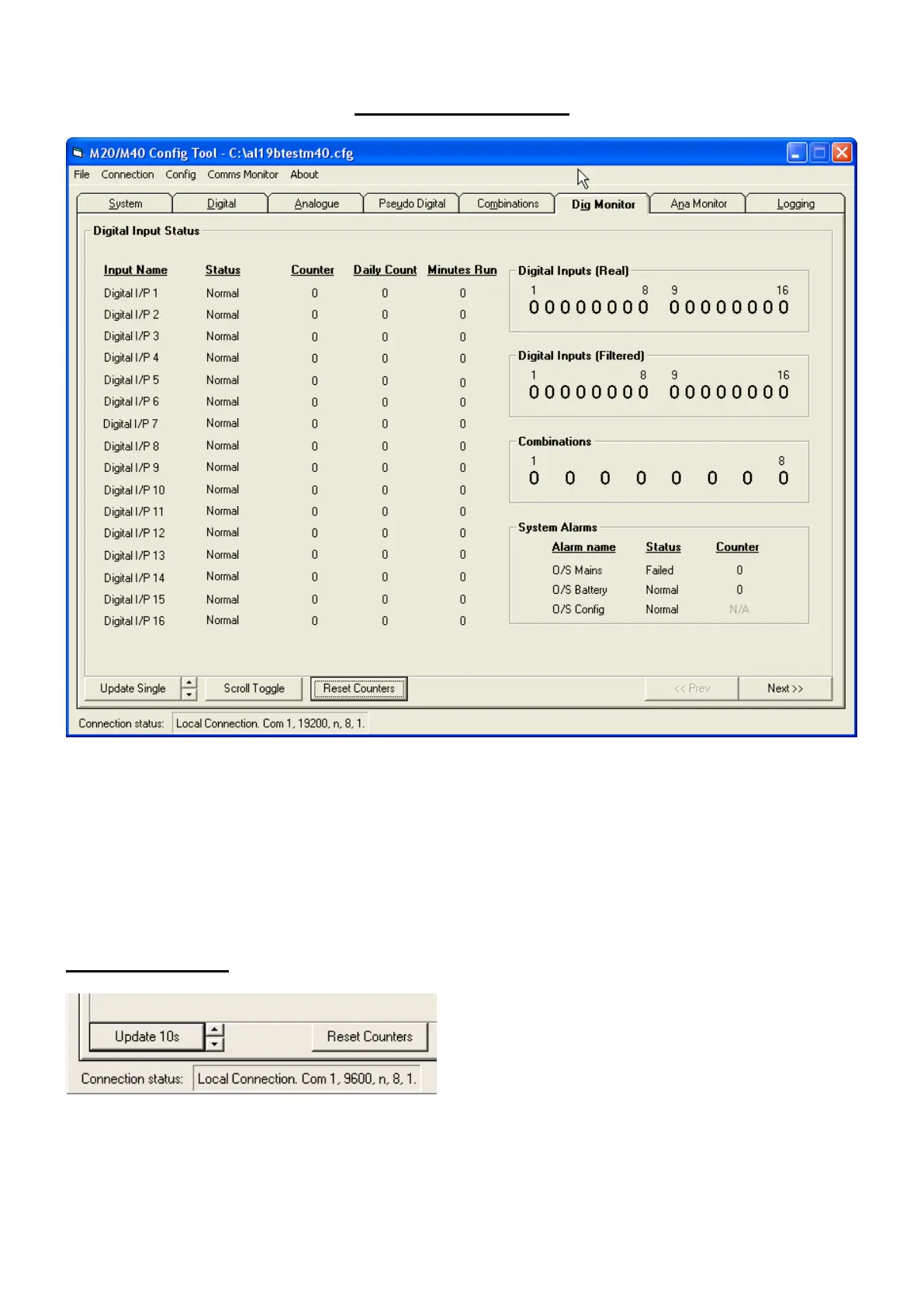
Digital Monitor Tab
All the digital I/O details, including name, status & counts are displayed on the left with the digital values
shown on the right. The two rows showing real and timed values (The ‘real’ values change as the inputs
change whereas the ‘filtered’ values only change after their On/Off time delays have elapsed).
The Outstation Mains, Battery and Configuration status are also shown.
Counter Number of times input has changed state (Counts on either edge as per configuration).
Daily Count Number of counts in the last 24Hr period as set by day start on system configuration.
Minutes Run Minutes active in the last 24Hr period as set by day start on system configuration.
The data is snapshot and must be updated using the ‘Update Single’ button.
For timed updates click the up/down tabs to update at
10, 20, 30 & 60 seconds for commissioning purposes.
To hold the LCD display on a particular bank of inputs use the “Scroll Toggle” to hold or continue
rotation of the display.
Note: The counter values only increment after their filter time has been exceeded.



 To Next Page