Logging Tab
Event Logging
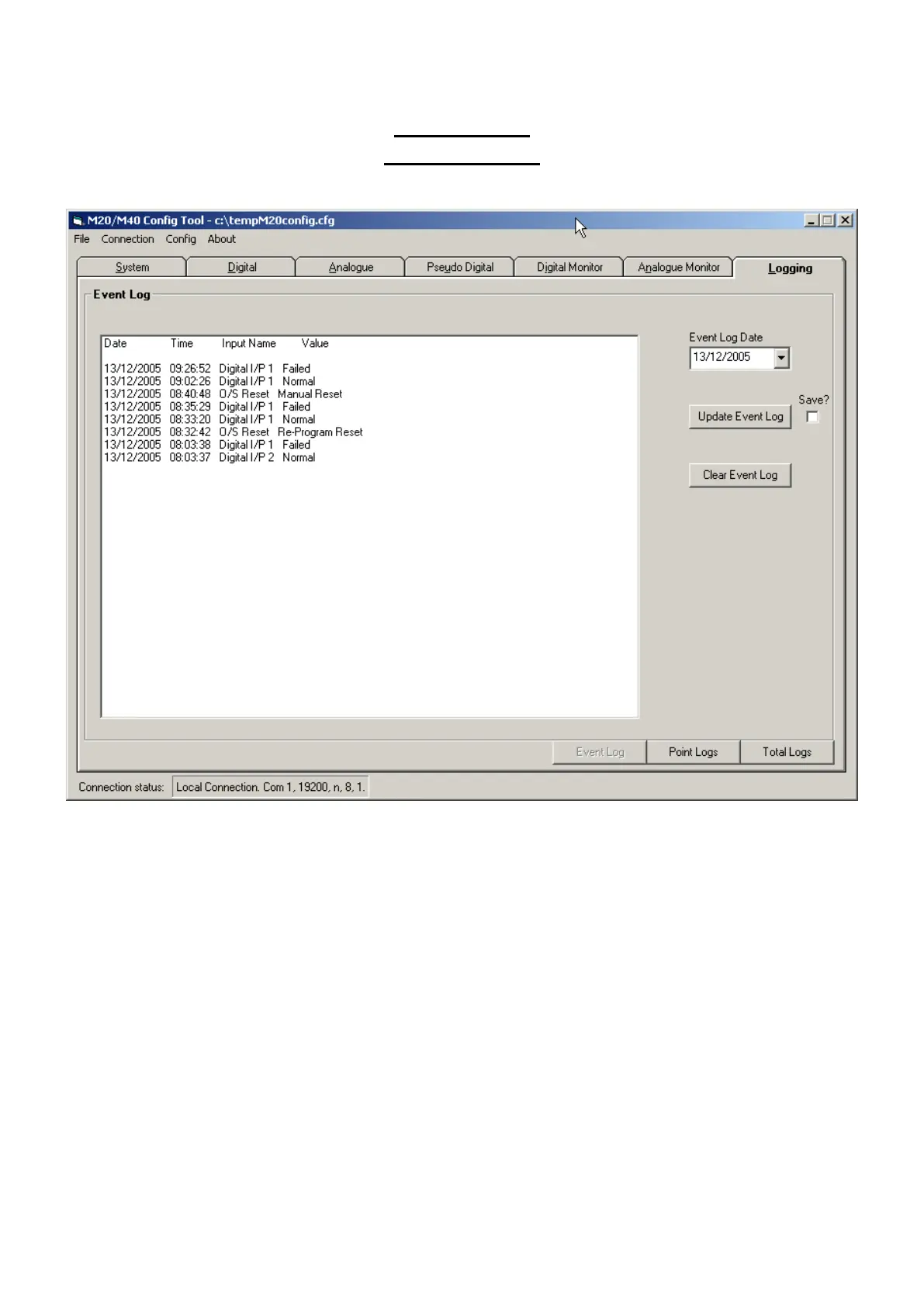
This Tab is used to Retrieve, View, Export & Print stored Event or Periodic data within the Outstation.
Use the ‘Event Log’, ‘Point Log’ or “Total Logs” buttons to select the required type of archived data.
For Event logging click the ‘Event Log Date’ control to select the start date for retrieval.
Click ‘Update Event Log’ button to start retrieval.
To store the log as an Excel spreadsheet, check the ‘Save’ checkbox then click ‘Update Event Log’
button.
The ‘Clear Event Log’ button can be used to erase the stored archive.
The M20/M40 will store 3968 time/date stamped events.



 To Next Page