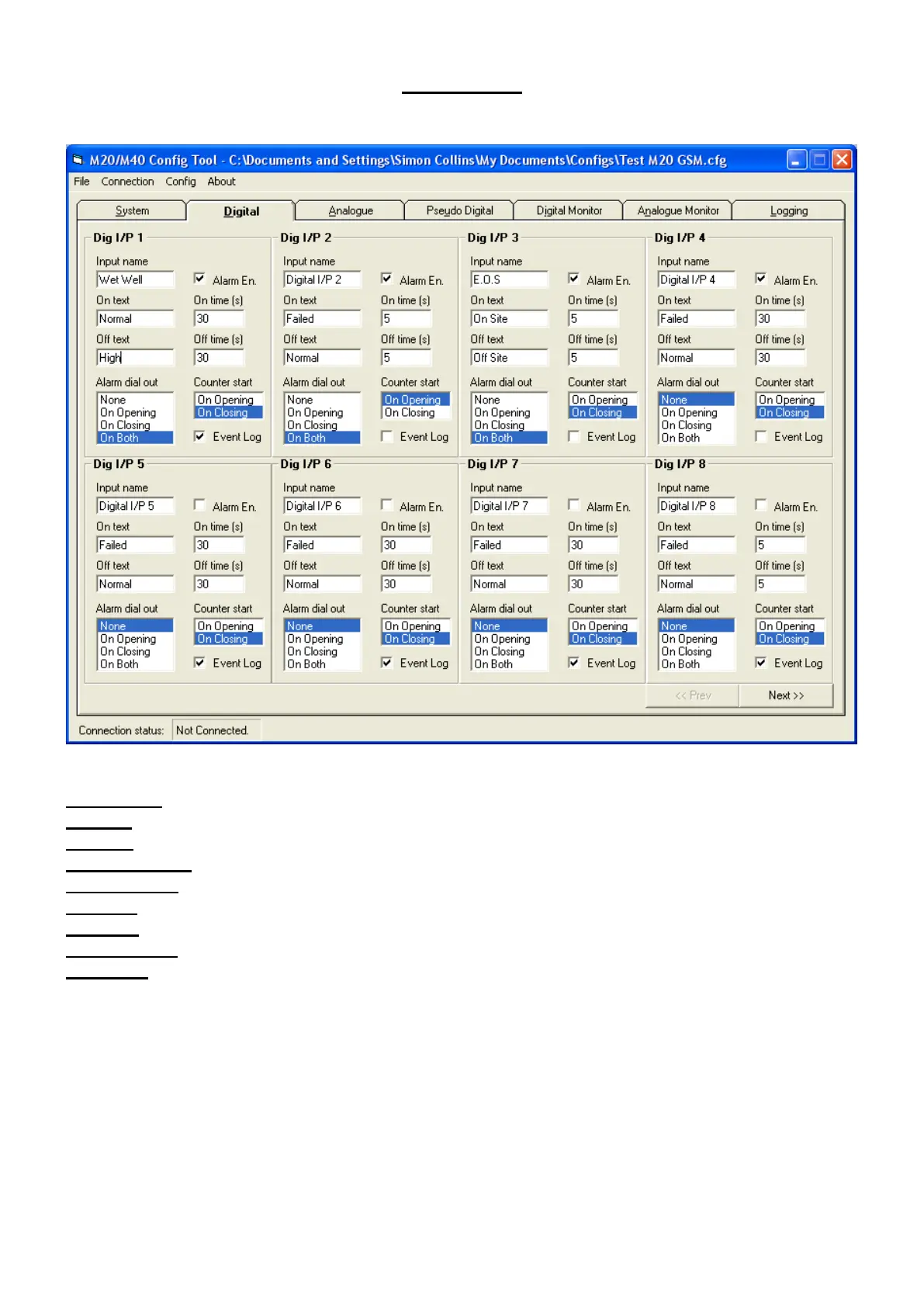
Digital Tab
Input Name Description of Input monitored Wet Well
On Text Text to show when the input is On (Shorted to common) Normal
Off Text Text to show when the input is Off (Open Circuit) High
Alarm Dial Out To select if the Outstation starts a dial out Both
Alarm Enable Enable this input to cause an alarm dial out Select as required
On Time Delay before generating an alarm in seconds (Max 8640) 30
Off Time Delay before generating an alarm in seconds (Max 8640) 30
Counter Start Selects Edge event to count on On Closing
Event Log Enable Event Log to record ON/OFF changes Select as required
Use the ‘Next’ tab for further digital inputs.
When digital inputs selections are completed click the ‘Analogue’ tab.



 To Next Page