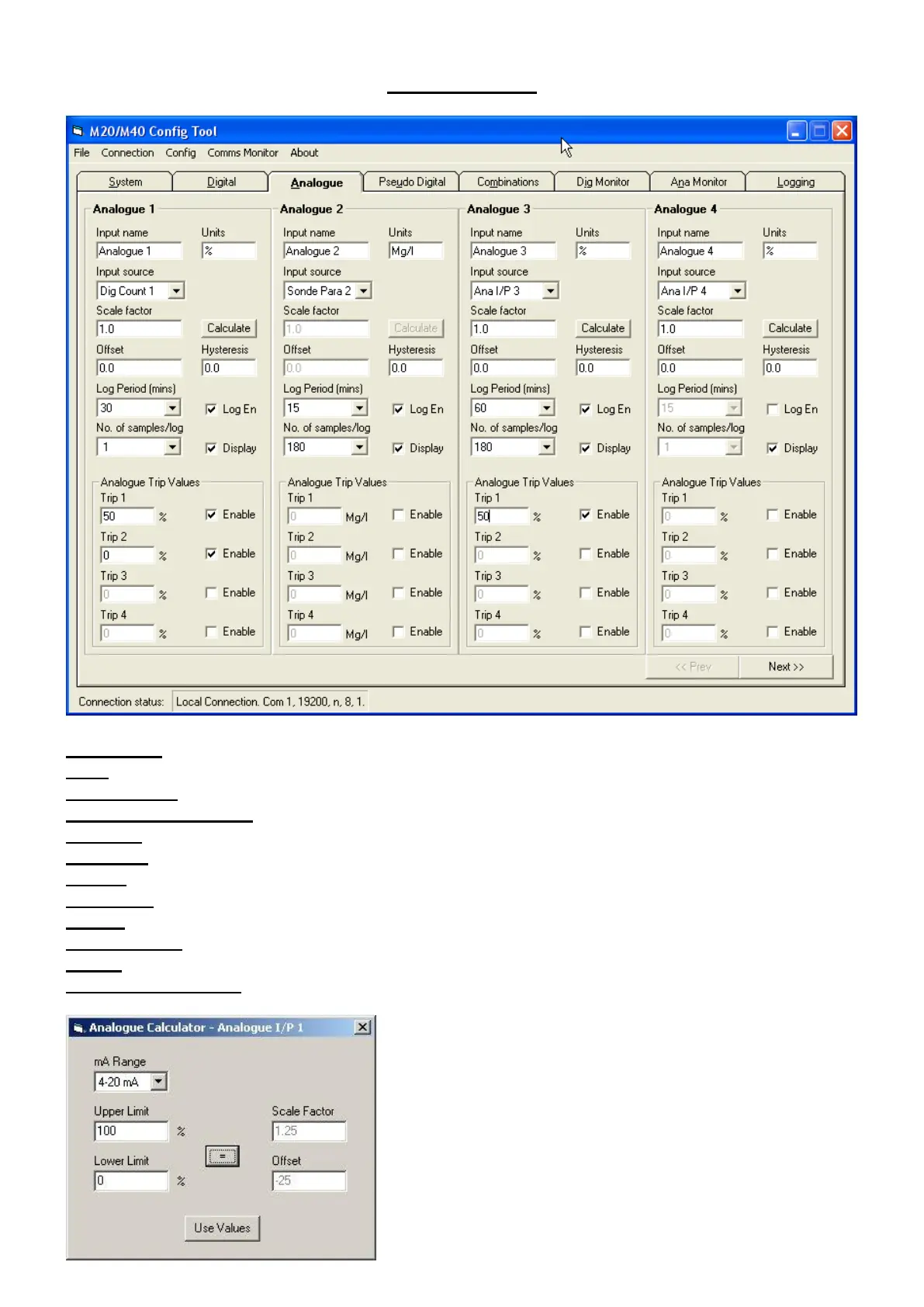
Analogue Tab
Input Name Description of Input being monitored Wet Well
Units Units of measurement Metres
Input Source Select Source of data to be monitored Count
Scale Factor and Offset This is for scaling Y=mX+c format 0.7 & -1.2
Calculate Self Scaling Button See Fig. Below.
Hysteresis Hysteresis required 0.3
Display Display on LCD Enabled
Log period Select logging period (mins) Pull down list
Log En Enable periodic logging on this channel Select as required
Sample Period Number of samples for averaging Pull down list
Enable Select to make trip value active Select as required
Analogue Trip Values Enter required trip (alarm) level 1.2
1, To set up analogue scaling enter first the range 0/4-20mA
2, Enter the Upper Limit & Lower Limits, Press the “=” and
the Scale Factor & Offset will be automatically in filled.
3, Click “Use Values” to enter in the configuration program
.



 To Next Page