Notes:
If any Analogue Trip values are enabled ensure that the ‘Pseudo Digital’ tab is selected to configure the
alarm dial out and time delay functions for the selected Trips.
When changing logging parameters ensure that the logs are cleared. See Logging section
Use the ‘Next’ tab for Analogue Totals.
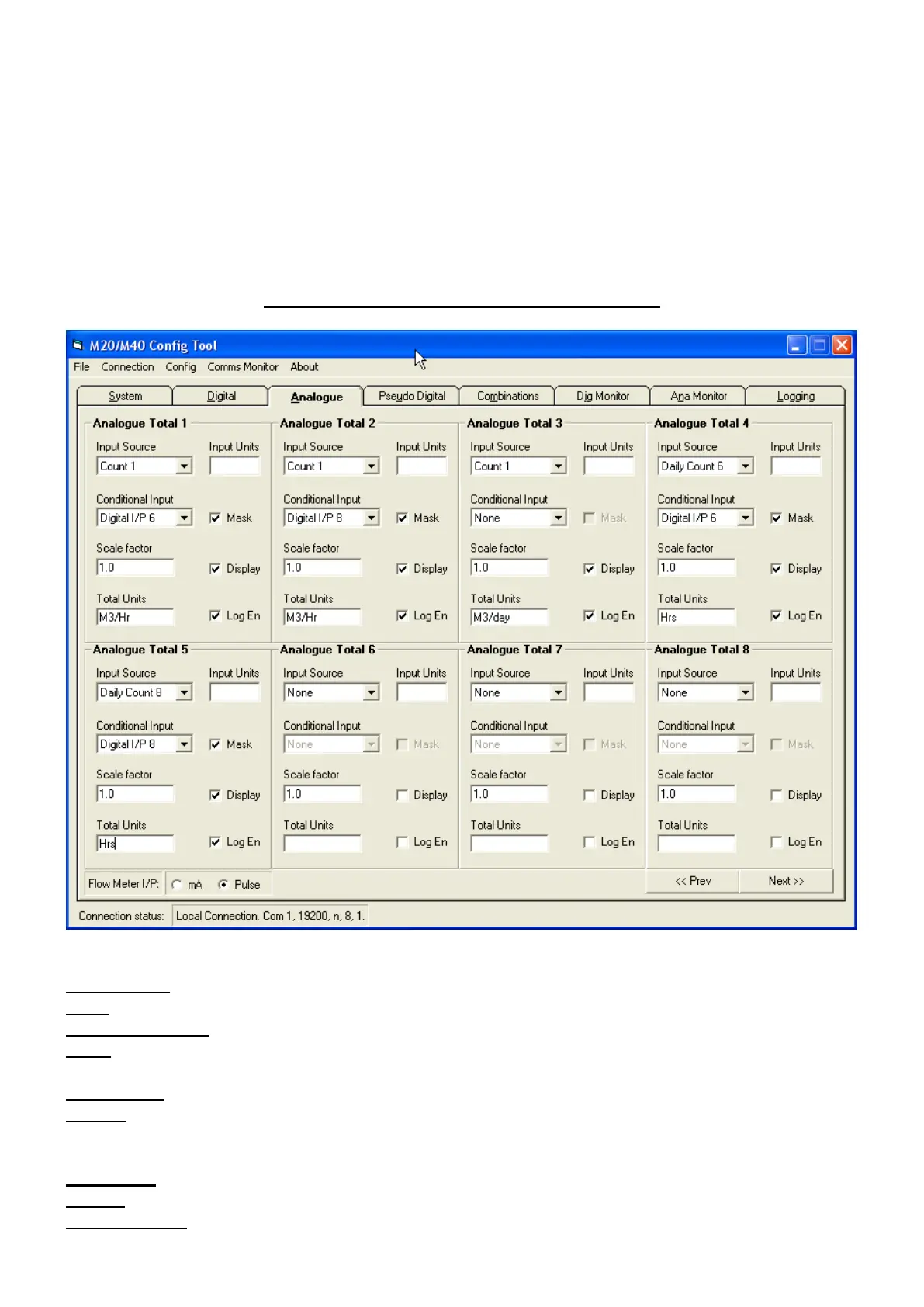
Analogue Totals (Derived Analogues)
Input Source Source of data for logging Select as required
Units Unit of Measurement of input source For display only
Conditional Input Digital I/P to be active to enable logging Select Input as required
Mask Add Conditional I/P to ‘Pump Run Mask’ Select as required
to enable solo pump run conditions.
Scale Factor Scale (multiplication) factor to be applied Enter as required
Display ‘Check’ to display instantaneous log value Select as required
on Masterstation (displays previous days
log value otherwise).
Total Units Unit of measurement for logged data Enter as required
Log En Enable logging Select as required
Flow Meter I/P Select CBM flow meter Pulse or mA



 To Next Page