136
Ultima S / SL Flex & Pro
3/2019
114060421
Hooklift Multilift Ultima S / SL Flex & Pro
User Manual
>>>
>>>
User interface features
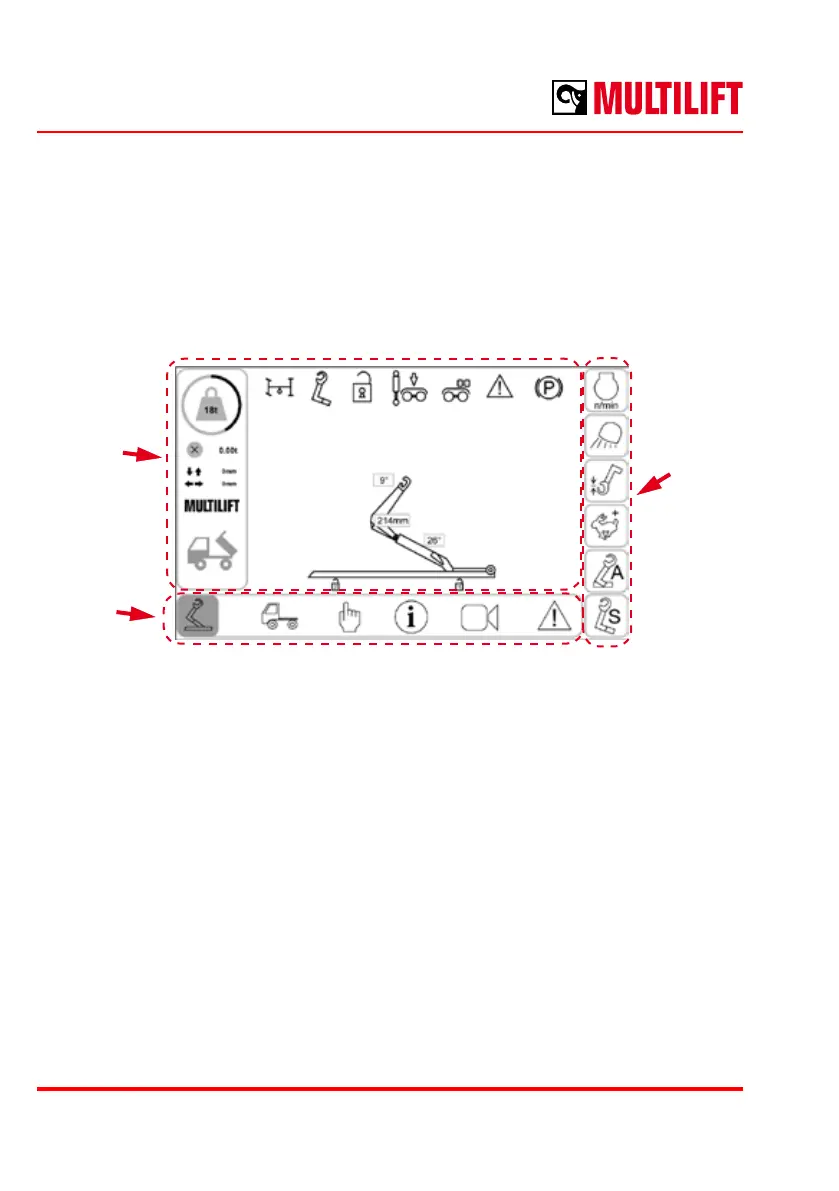
The general screen layout is the following:
Current
view
mode
contents
Quick
launch
buttons
View mode
selection
Current view mode contents
In this area the selected view mode is shown.
View mode selection
The view mode is selected with these controls.
Quick functions
Quick functions are congurable shortcuts for control functions. The button conguration
is the same in each view mode.



 To Next Page