139
Ultima S / SL Flex & Pro
3/2019
Hooklift Multilift Ultima S / SL Flex & Pro
User Manual
114060421
Control functions
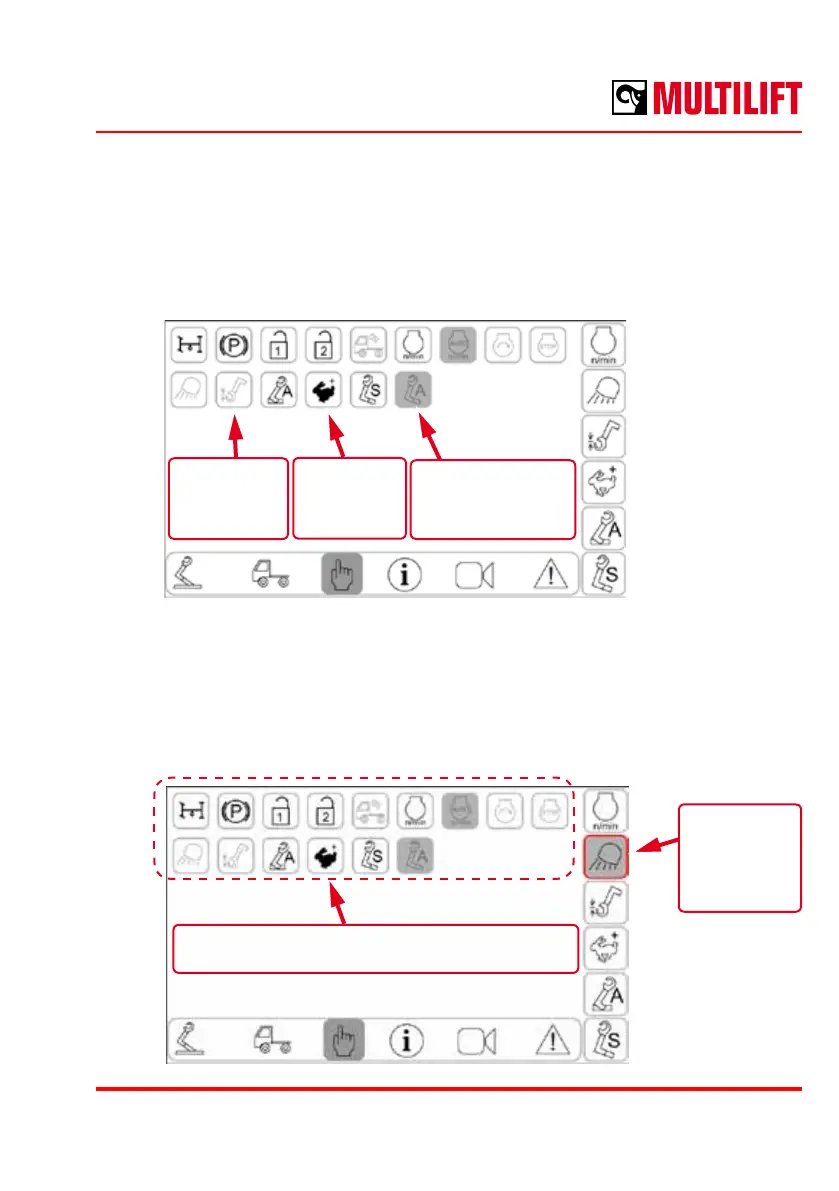
A selection of hooklift control functions are available depending the conguration of the
hooklift. The functions are activated by pressing the respective icon.
Not available
function with grey
background
Inactive
function with
grey
Activated
function with
colour
2. Select new function for the selected button
1.
Button to be
changed is
highlighted
Conguring the Quick Launch Buttons
The functions assigned to the Quick Launch Buttons can be changed by the user. The
button, which will be changed, shall be pressed for 3 seconds, after which the button is
highlighted. The button is then assigned with a new function by selecting the desired
function from the list.



 To Next Page