30
Ultima S / SL Flex & Pro
3/2019
114060421
Hooklift Multilift Ultima S / SL Flex & Pro
User Manual
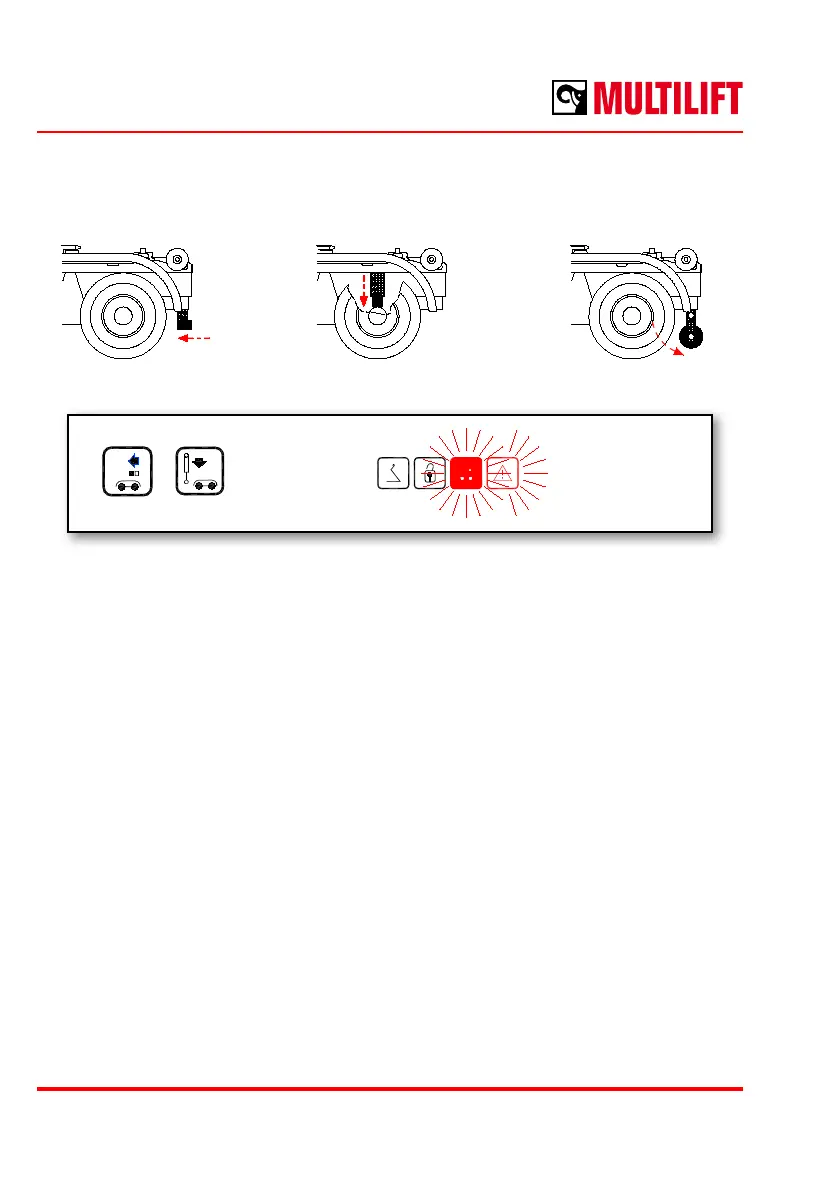
a b c
Under-run bar Bogie blocking cylinders Stabilising roller
Buttons LED comes on
5. If the truck is equipped with any of the following equipment, then
a - retract the adjustable under-run bar (mechanical or manual
hydraulic)
b - engage bogie blocking sylinders
c - land the stabilising roller
- press RETRACT UNDER-RUN BAR button
- press ENGAGE BOGIE BLOCKING button
- UNDER-RUN BAR RETRACTED / BOGIE BLOCKING ENGAGED indicator
light comes on in the control unit.
If the Ultima equipment has an adjustable under-run bar, the indicator light of
the bogie blocking and the stabiliser is the indicator light of the accessory.
- deate the air suspension.



 To Next Page