132
Ultima S / SL Flex & Pro
3/2019
114060421
Hooklift Multilift Ultima S / SL Flex & Pro
User Manual
>>>
>>>
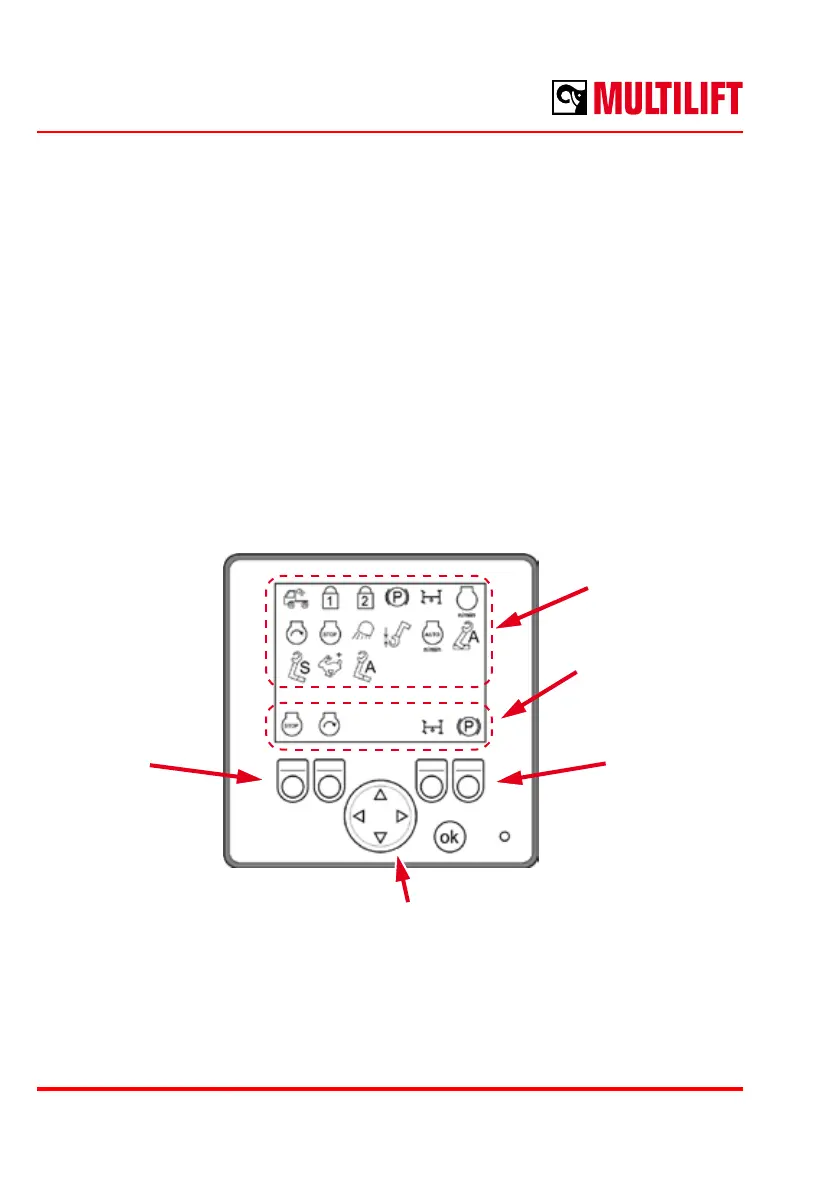
Function button conguration mode
In this mode, the function buttons F1 – F4 can be congured for a control function. The
menu is accessed by pressing “ok” and one of the function button simultaneously.
To decide which function button is selected for conguration, the corresponding function
button shall be pressed once, after which the selected symbol location is highlighted.
Use the D-pad to select a function from the list and assign the selected function to the
selected button by pressing the “ok” button.
After conguring the functions, the mode is exited by pressing the “ok” button for 2 seconds.
Function buttons
F1, F2
Function buttons
F3, F4
D-pad
Congured functions
List of functions



 To Next Page