140
Ultima S / SL Flex & Pro
3/2019
114060421
Hooklift Multilift Ultima S / SL Flex & Pro
User Manual
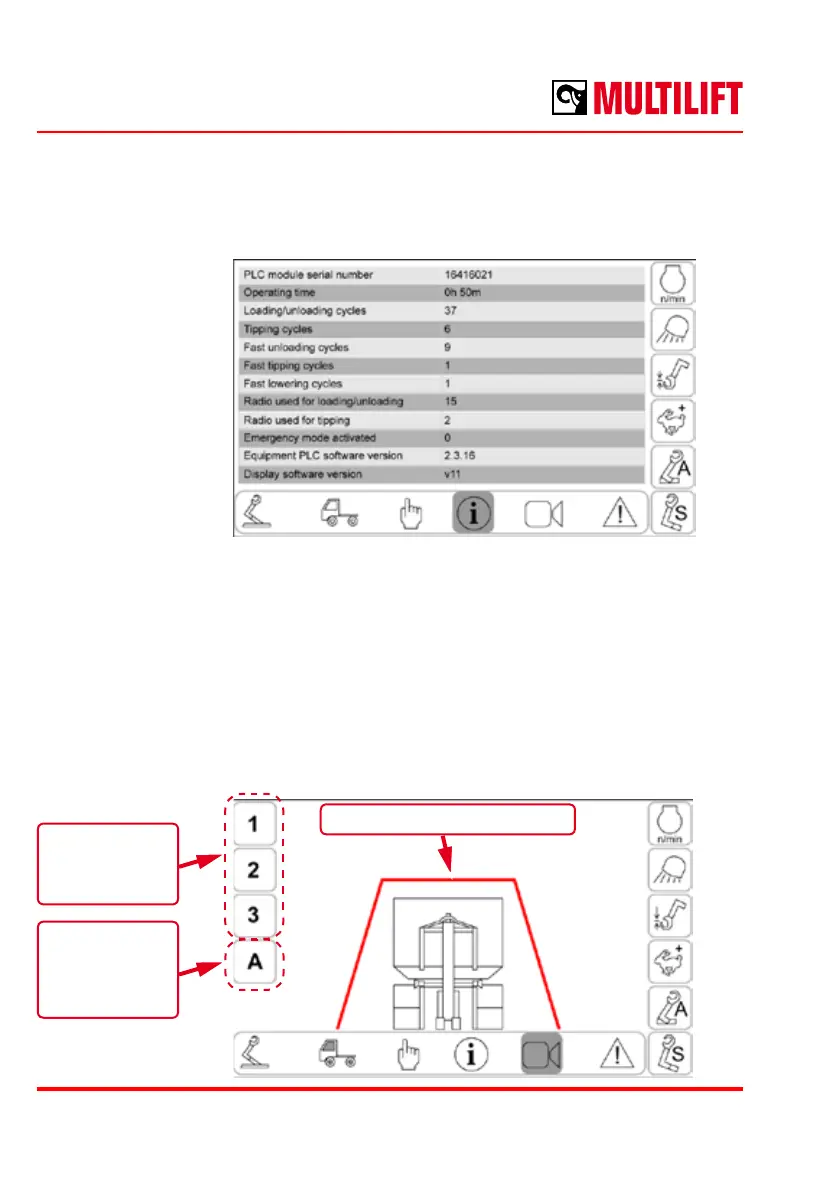
System information
A list of system information, such as cycle counters, operation hours and serial and software
version numbers.
Camera images
The user can select between 3 dierent camera angles. The camera image can be selected
automatically by the ‘A’ button.
Each camera angle has an individual overlay guideline, which can be toggled ON/OFF by
pressing the camera select button while the respective camera is selected.
The guidelines can also be adjusted manually by the user. Guideline edit mode is entered
by pressing the camera select button for 2 seconds. In edit mode, the user can adjust the
shape and/or position of the guideline by dragging on the touchscreen.
Automatic
camera
selection
ON/OFF
Camera
selection
controls
Overlay guideline



 To Next Page