6-8
6.5 Network interface board
Packaging contents:
1. Network interface board ...................................1
2. Secondary power supply .................................1
3. Spacer ..............................................................1
4. Screws .............................................................4
5. Ferrite core ......................................................2
6. Label ................................................................1
Installation
1. Turn the power off and unplug the power cord.
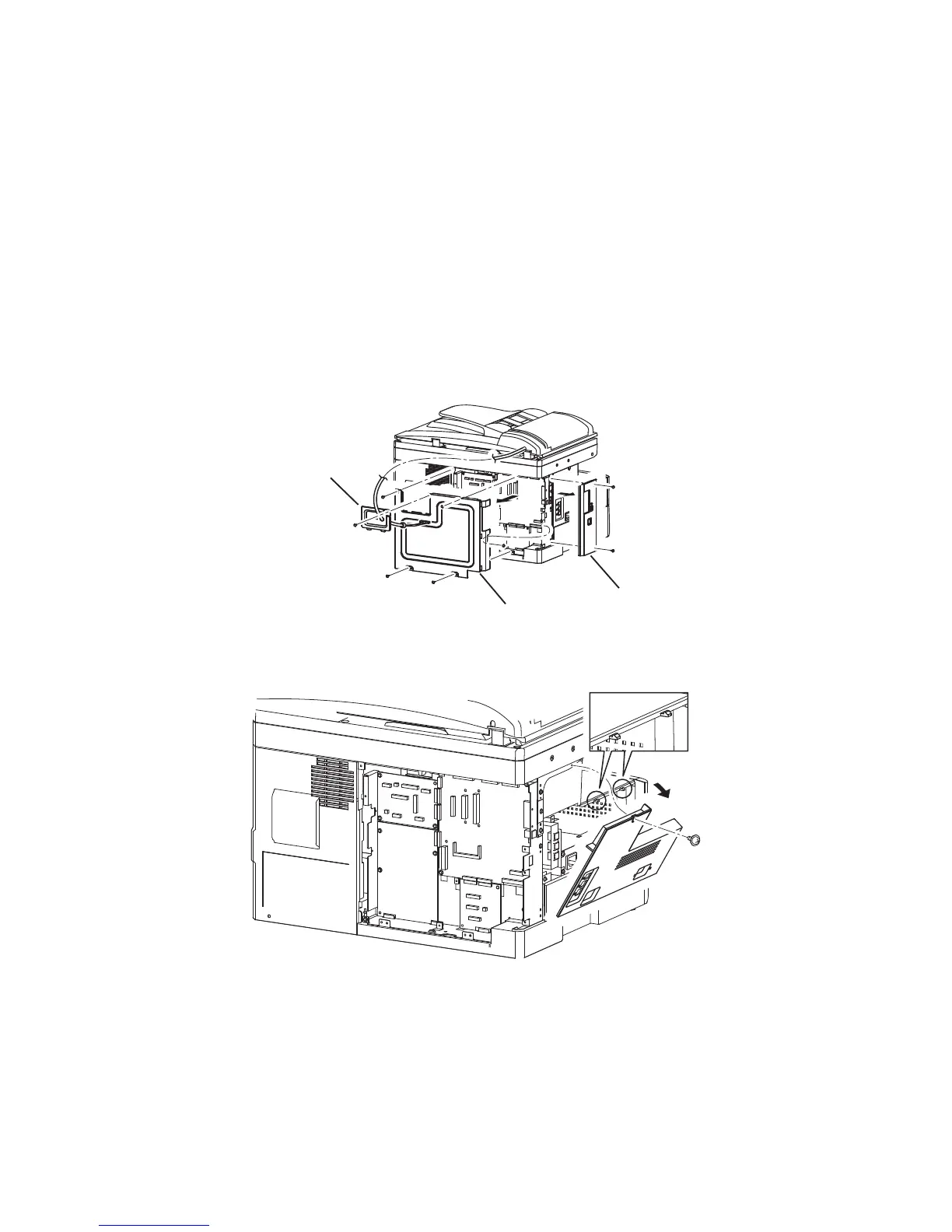
2. Remove the covers.
1) Remove the connect cover screw and the cover.
2) Unplug the harness that is going through the connect cover.
3) Remove the two screws and the option cover.
4) Remove the five screws and the shield cover.
Connect cover
Shield cover
Option cover
3. Remove the left cover screw.
4. Remove the cover by releasing the two tabs on the upper side of the cover.



 To Next Page
 Loading...







