Page Order
This option allows you to select the printout order.
z
Front to Back: Pages are printed out in regular order.
z
Back to Front: Pages are printed out in reverse order.
Pages Per Sheet
You can select the number of pages to print on a single sheet of paper. To print more than one
page per sheet, the pages will be reduced in size and arranged in the order you specify. You can
print up to 16 pages on one sheet.
Advanced
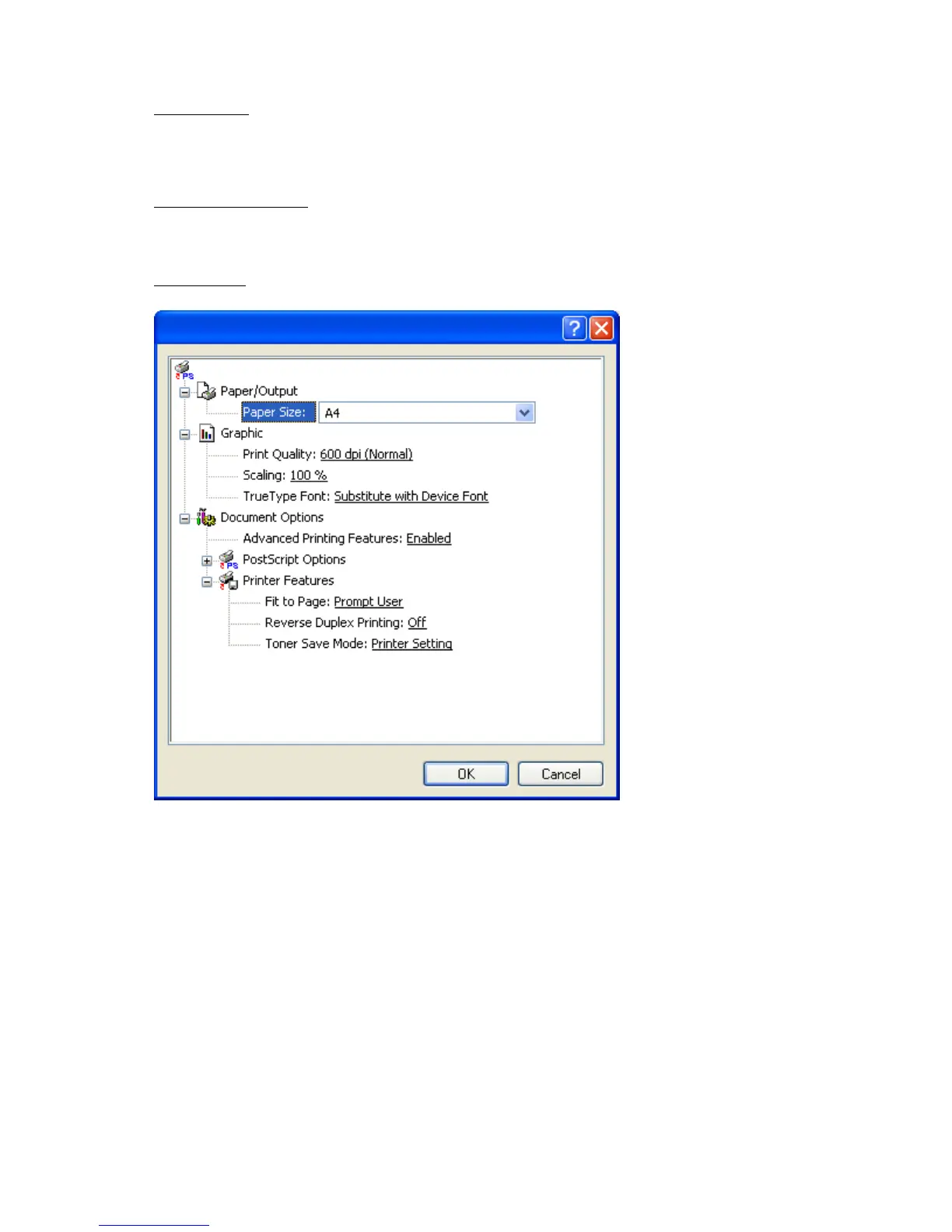
You can select Paper Size, Graphic, and Document Options.
z
Paper/Output: This option allows you to choose paper size you want to use.
z
Graphic: This option allows you to select printing quality options.
z
Document Options: This option allows you to select options such as PostScript Options
and, Printer Features.
Paper/Quality tab
You can select paper tray and media type.
Pa
e 22 of 23Printin
8/4/2009htt
://downloadcenter.samsun
.com/content/UM/200907/20090721152022250/EN/en
lish
...









 To Next Page