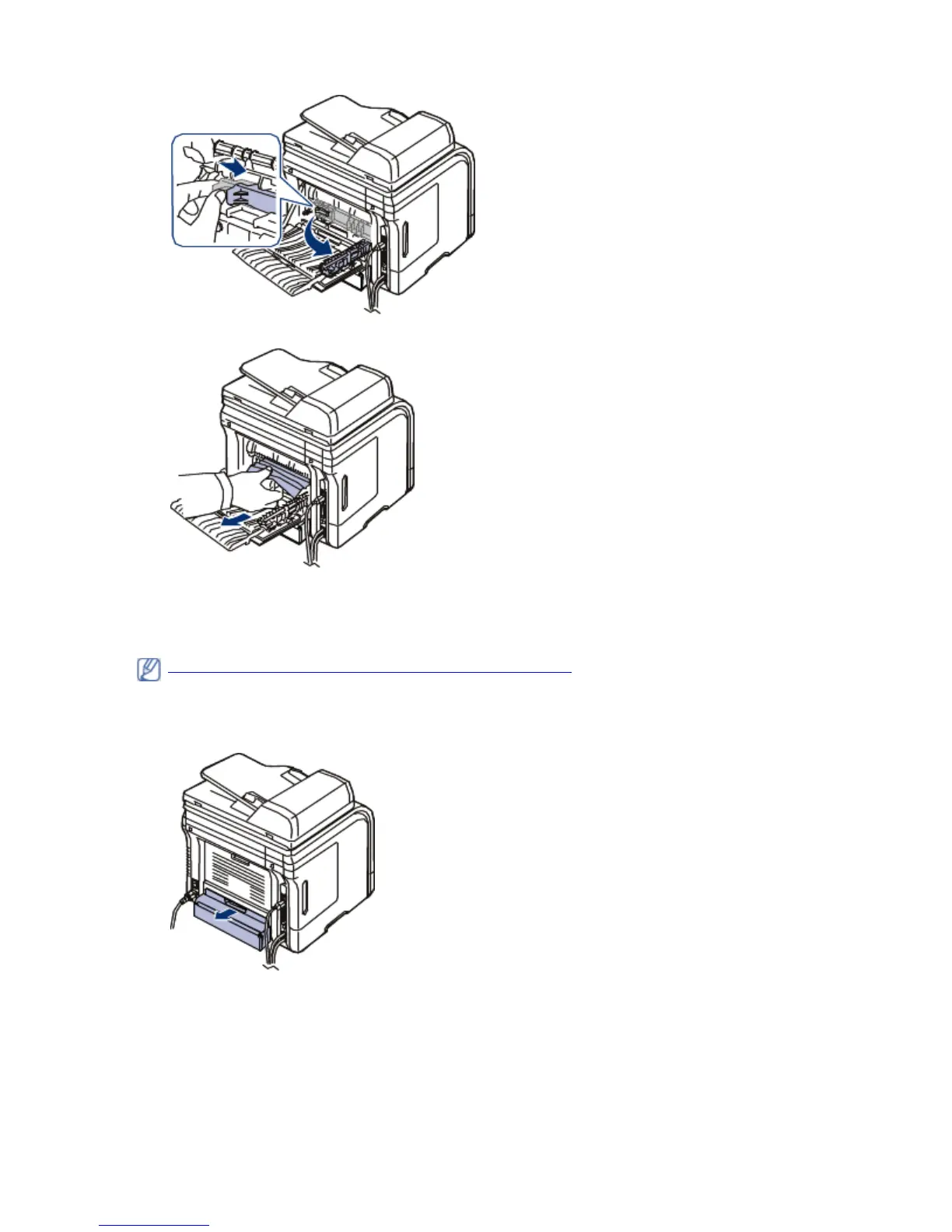
7. Pull the jammed paper out.
8. Return the lever, door and guide to their original position.
9. Close the rear door. Printing automatically resumes.
In the duplex unit area
If the duplex unit is not inserted correctly, a paper jam may occur. Make sure that the duplex unit is
inserted correctly.
1. Pull the duplex unit out of the machine.
2. Remove the jammed paper from the duplex unit.
Click this link to open an animation about clearing a jam.
Pa
e 9 of 27Troubleshootin
8/4/2009htt
://downloadcenter.samsun
.com/content/UM/200907/20090721152022250/EN/en
lish/t...









 To Next Page