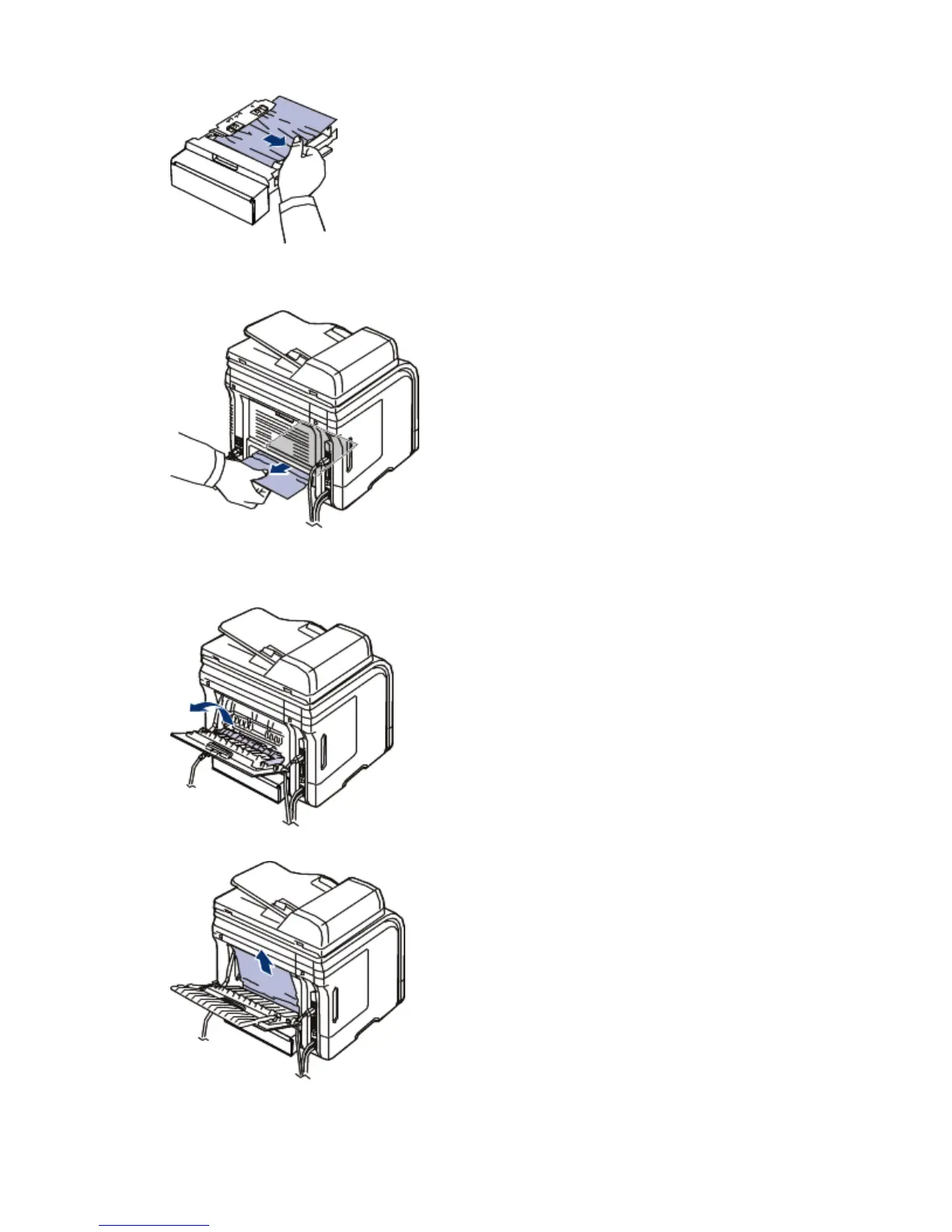
If the paper does not come out with the duplex unit, remove the paper from the bottom of the
machine.
Insert the duplex unit into the machine.
If you still do not see the paper, go to the next step.
3. Open the rear door.
4. Unfold the duplex guide fully.
5. Pull the jammed paper out.
6. Fold the duplex guide and close the rear door.
Pa
e 10 of 27Troubleshootin
8/4/2009htt
://downloadcenter.samsun
.com/content/UM/200907/20090721152022250/EN/en
lish/t...






 To Next Page