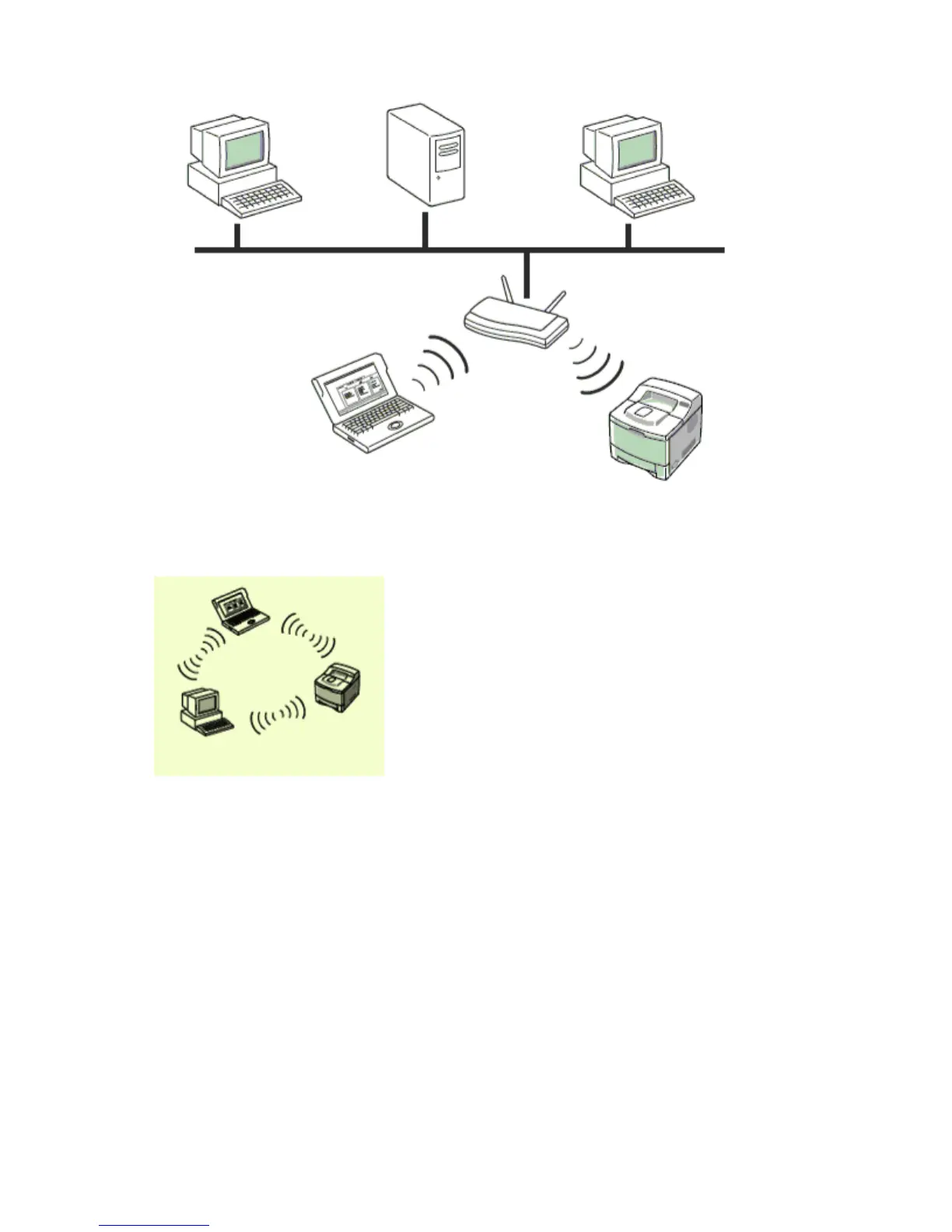
Ad-hoc mode
An Ad-hoc mode network provides peer to peer communication. In an Ad-hoc mode network,
wireless devices and computers communicate directly with each other, without using an access
point.
Printing Network Configuration Report
You can print a Network Configuration Report from the machine’s control panel that will show
the current machine’s network settings. This will help you to set up a network and troubleshooting
problems.
1. Press Menu on the control panel.
2. Press the up/down arrow to highlight System Setup and press OK.
3. Press the up/down arrow to highlight Reports and press OK.
4. Press the up/down arrow to highlight Network Info. and press OK.
5. Press OK when Yes highlights to confirm printing.
Network Configuration Report will then be printed out.
Please review your machines User’s Guide to learn of additional details. Using this Network
Configuration Report, you can find your machine MAC address and IP address.
For example:
z
MAC Address : 00:15:99:41:A2:78
z
IP Address : 192.0.0.192
Pa
e 10 of 24
etwork setu
8/4/2009htt
://downloadcenter.samsun
.com/content/UM/200907/20090721152022250/EN/en
lish
...









 To Next Page