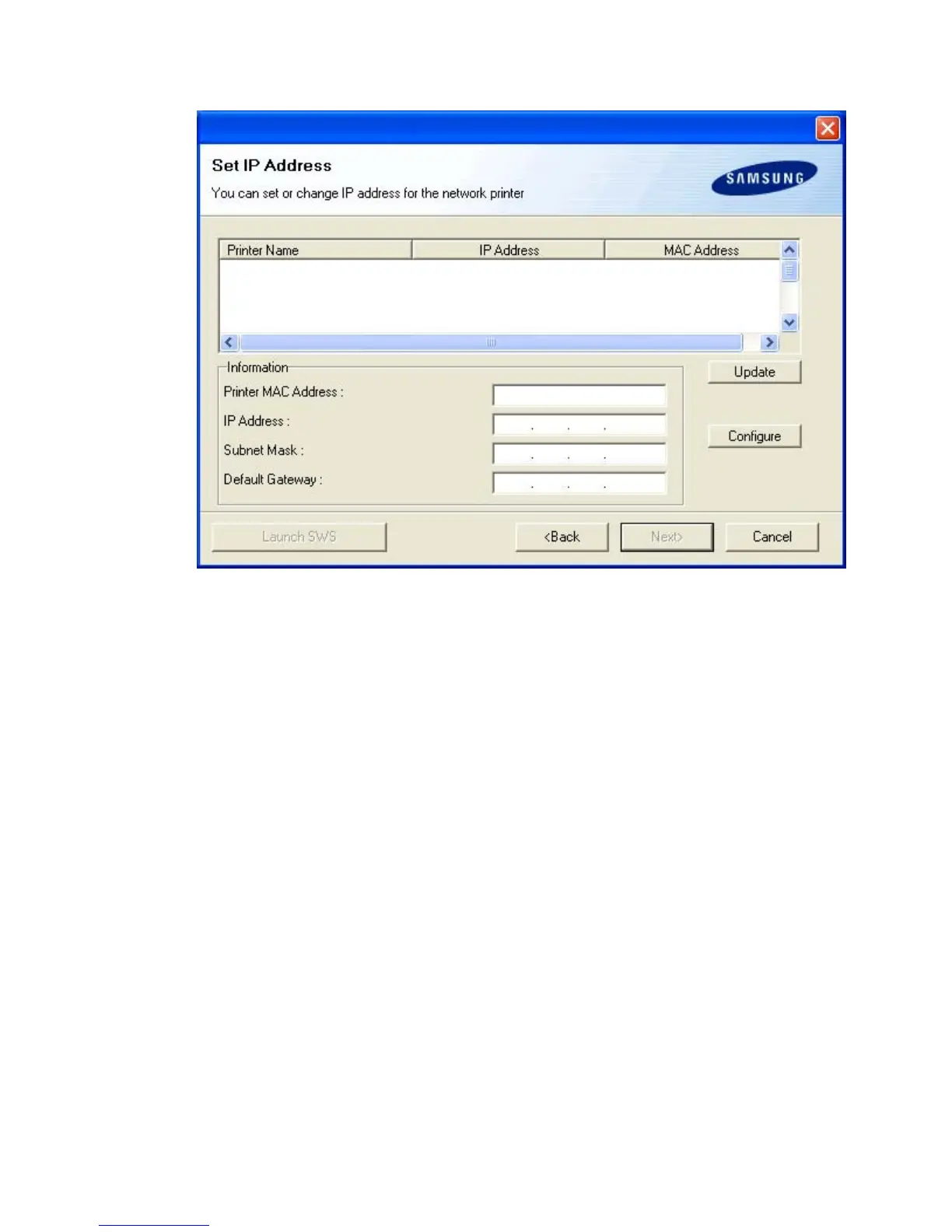
4. The list of machines available on the network appears. Select the machine you want to install from
the list and then click Next.
1. Select a printer to be set with a specific IP address from the list.
2. Configure an IP address, subnet mask, and gateway for the printer manually and click
Configure to set the specific IP address for the network printer.
3. Click Next, and go to step 6.
4. You can also set the network printer via SyncThru Web Service, an embedded web
server. Click Launch SWS on Set IP Address windows. Your machine’s embedded
website opens.
Pa
e 21 of 24
etwork setu
8/4/2009htt
://downloadcenter.samsun
.com/content/UM/200907/20090721152022250/EN/en
lish
...






 To Next Page