13
EN
hyperion X5 2D/3D - TECHNICAL MANUAL
EN
PC CONFIGURATION
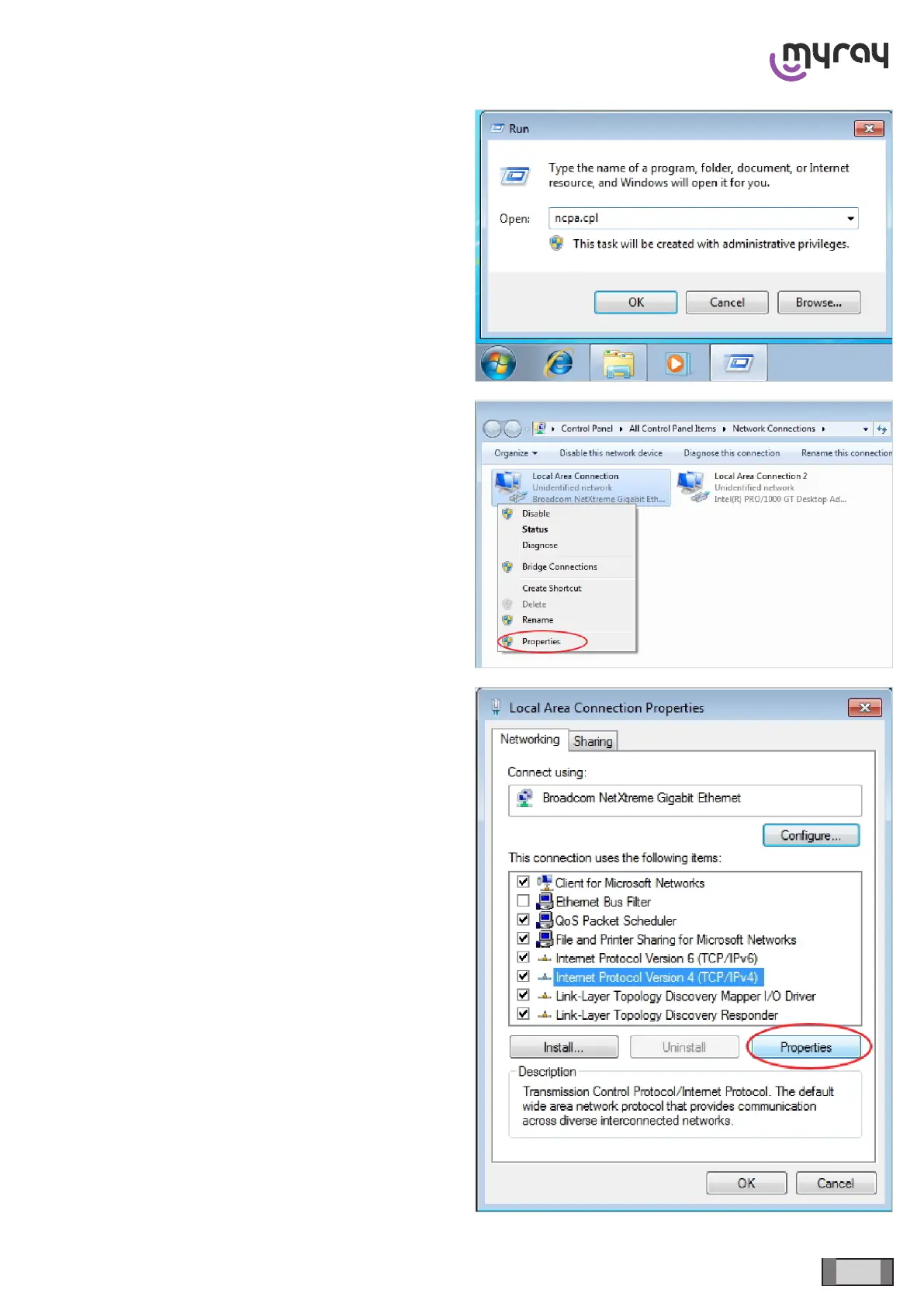
To set a static IP address for a network card, click on
the “Start” button, type “ncpa.cpl” in the search eld
and press enter. The connection management window
will open.
If a xed IP address must be set for the network
card dedicated to communication, right-click on the
corresponding connection (not the INTEL pro 1000
connection, but the one supplied by the other network
card) and select “properties”.
Then select “Internet Protocol Version 4 (TCP/IPv4)”
and click on “properties”.



 To Next Page