14
EN
hyperion X5 2D/3D - TECHNICAL MANUAL
EN
PC CONFIGURATION
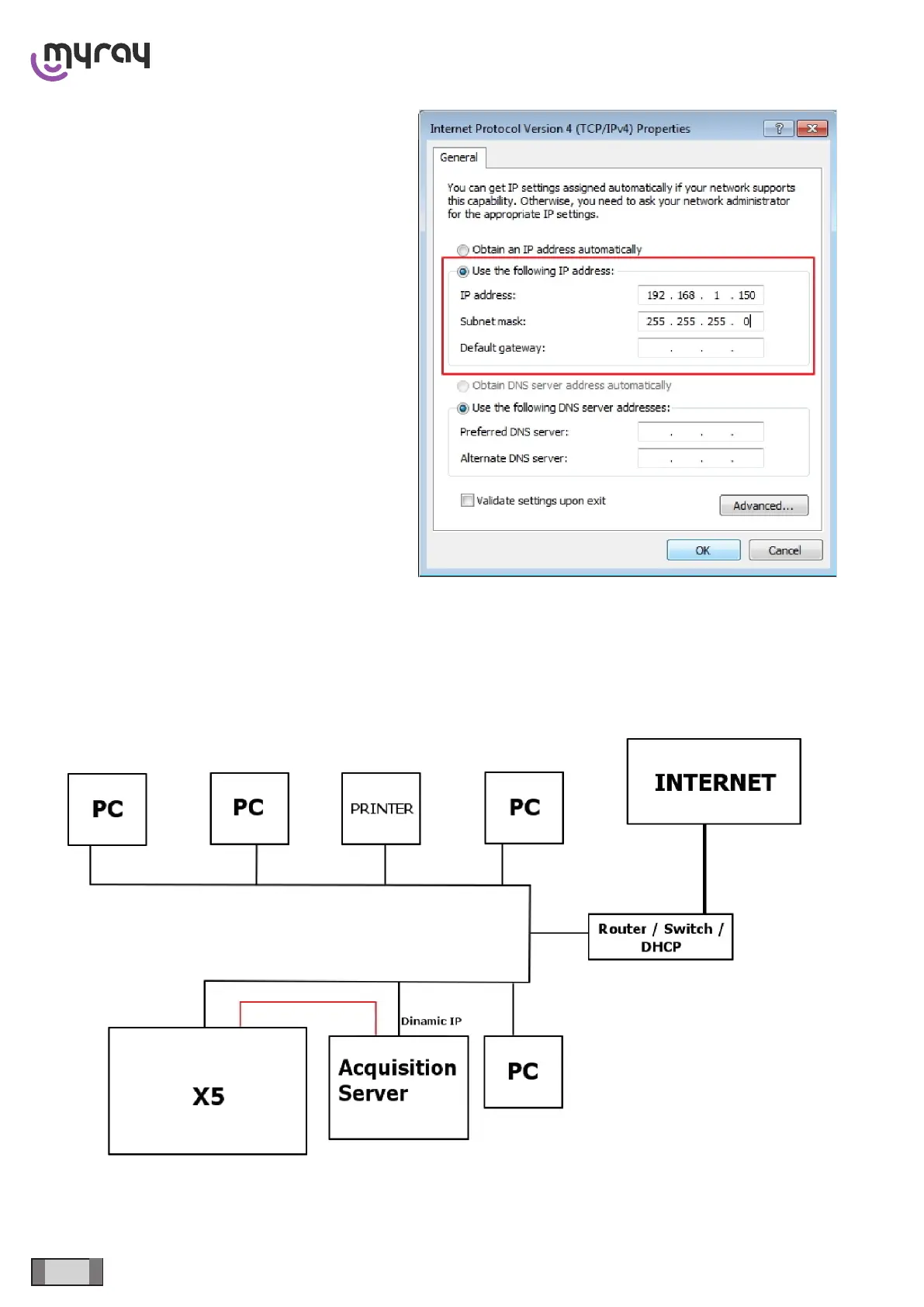
An IP address compatible with the one of the device
must be specied. In the “IP address” eld, just indicate
an address of the 192.168.1.XXX type, where XXX is
any number between 1 and 254, except for the device
ip address (160 in case of default address). The Subnet
mask is already lled out properly.
Click “OK” to conrm.
On the other hand, in case of connection to a local area network (see the following gure), the network card for the
connection with the device too must have the option “Obtain an IP address automatically”. The DHCP will assign the
right IP addresses both to the PC and to the device.



 To Next Page