24
EN
hyperion X5 2D/3D - TECHNICAL MANUAL
EN
PC CONFIGURATION
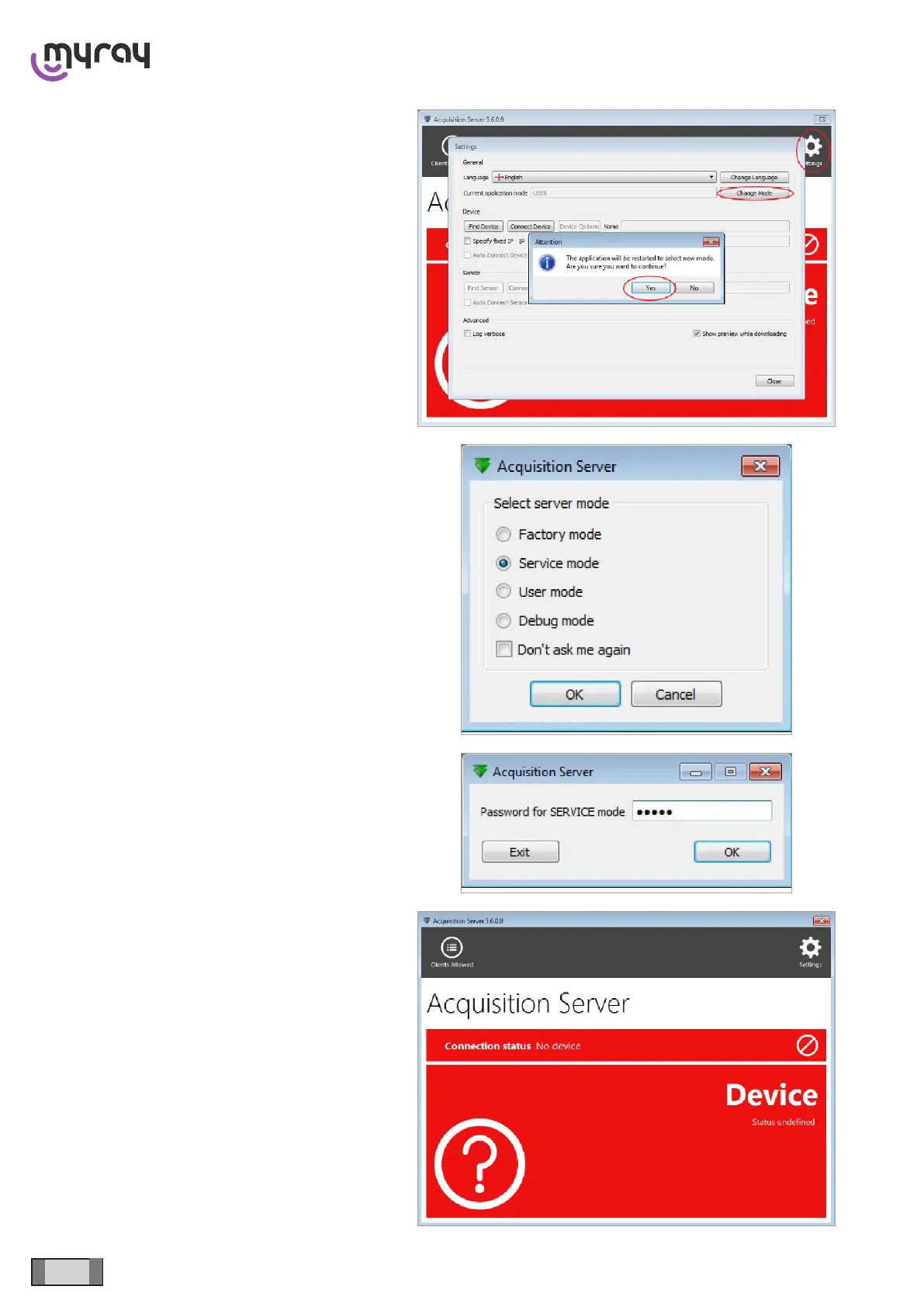
The 2 red areas indicate the connection status with
the device (the rst one from the top, smaller) and the
sensor status with the messages concerning machine
errors (the second one, bigger).
Clicking on the “Settings” icon at top right, the
connection and software option panel will open. Select
“Change Mode” and conrm the application restart
message.
When the programme is restarted, the execution mode
has to be selected. Select “Service mode”.
and insert the password “cea”.
Restart the “Acquisition Server” software, which will
start in service mode.



 To Next Page