25
EN
hyperion X5 2D/3D - TECHNICAL MANUAL
EN
PC CONFIGURATION
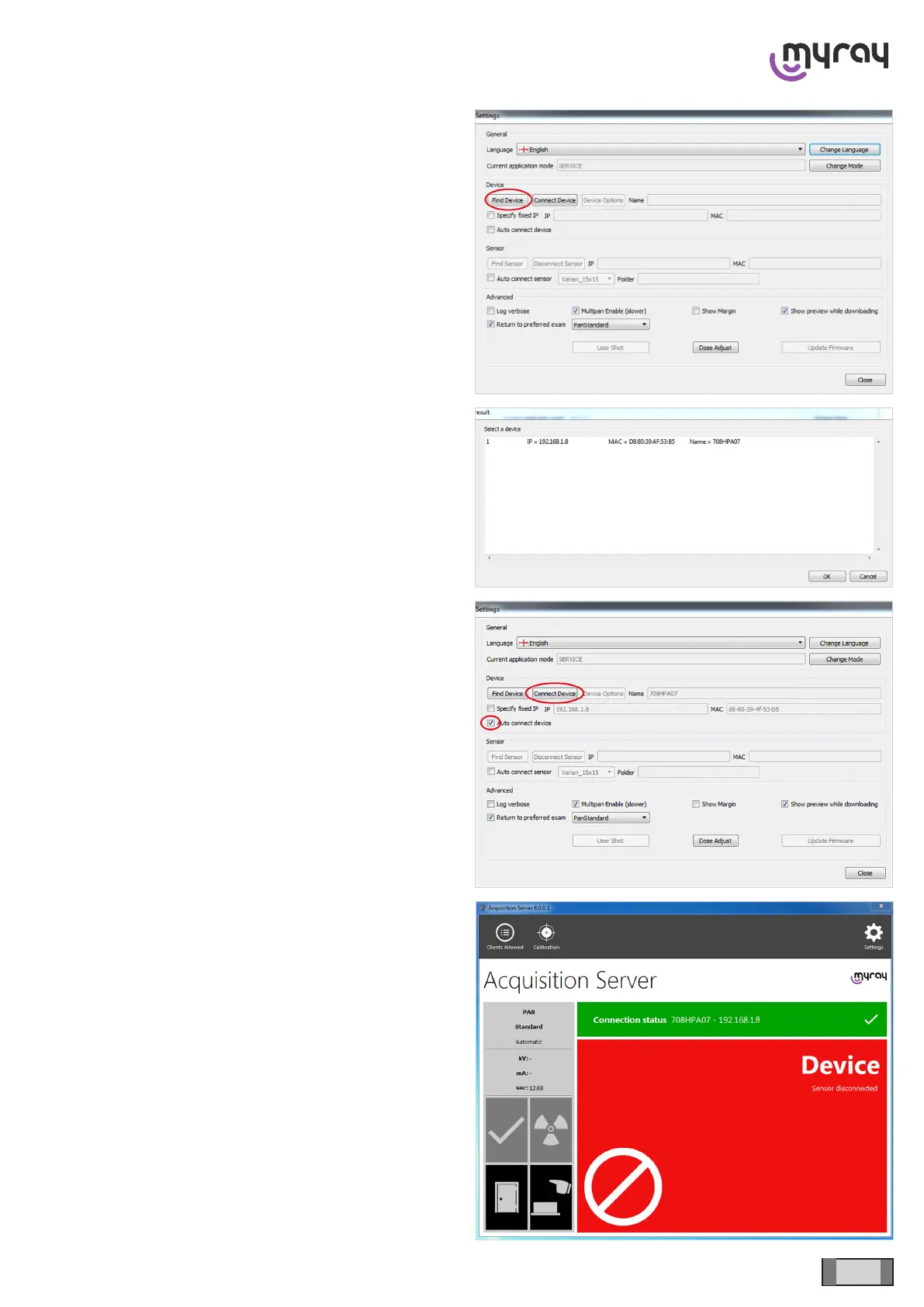
Go back to “Settings”, select “Find Device”.
The device will be searched automatically; select it and
conrm.
Select “Connect Device” and tick off the “Auto Connect
Device” option. Click on “Close”.
After a few seconds, the software will connect to the
device.



 To Next Page