29
EN
hyperion X5 2D/3D - TECHNICAL MANUAL
EN
PC CONFIGURATION
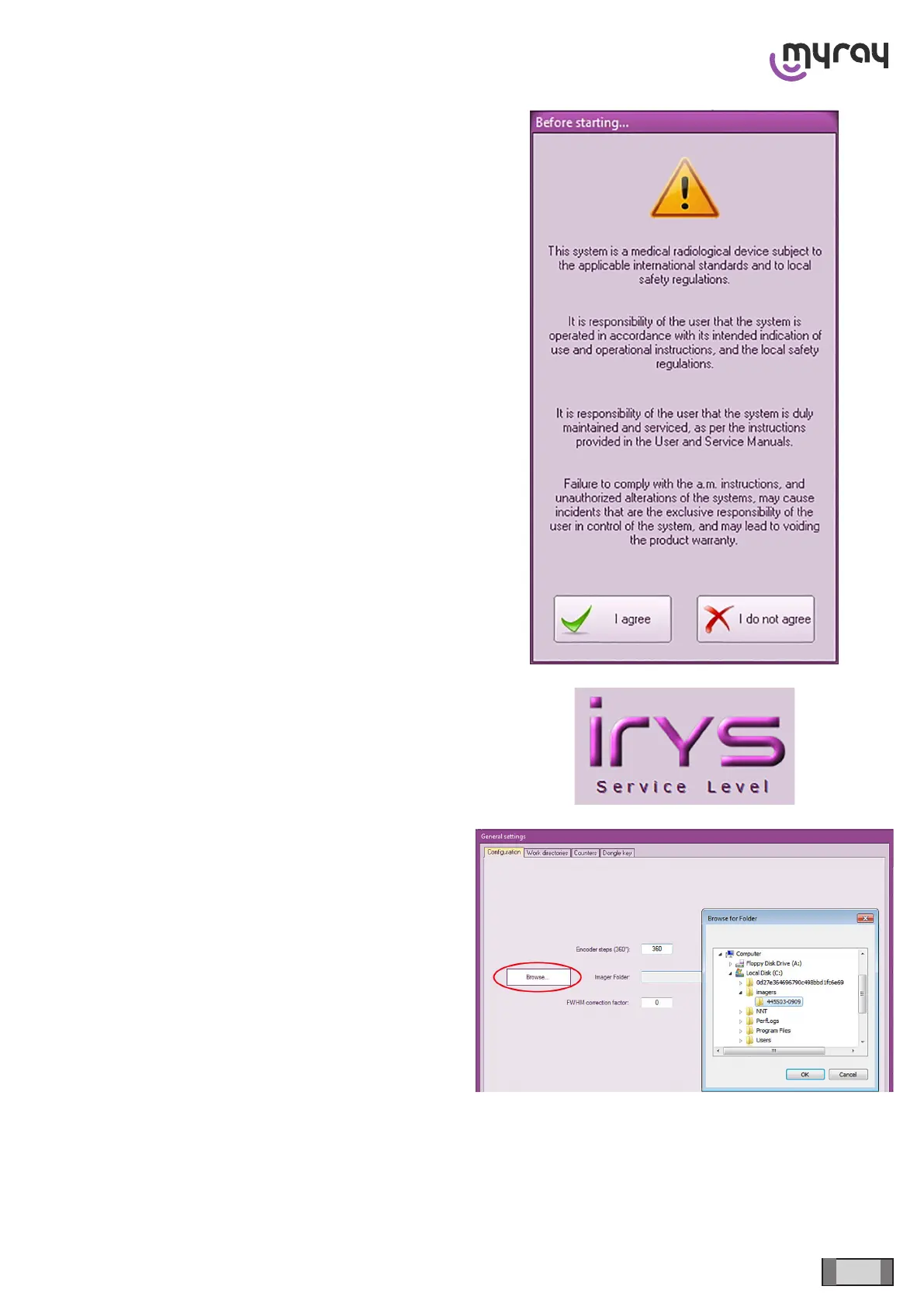
In the following window, click on “I agree”
Access the service mode by pressing
“CTRL+ALT+SHIFT+END” simultaneously (the
“Service Level” message under “iRYS” in the main
screen conrms proper execution).
Press “ALT+F10” and enter the “336699” password:
Click on “Browse” in the window that will open and
select the “C:\IMAGERs\xxxxx” folder, where xxxx=
serial number of the installed panel. Click on “OK”.



 To Next Page