23
ENGLISH
FRANÇAISDEUTSCHNEDERLANDSESPAÑOL
ITALIANO
PORTUGUÊS
SVENSKA
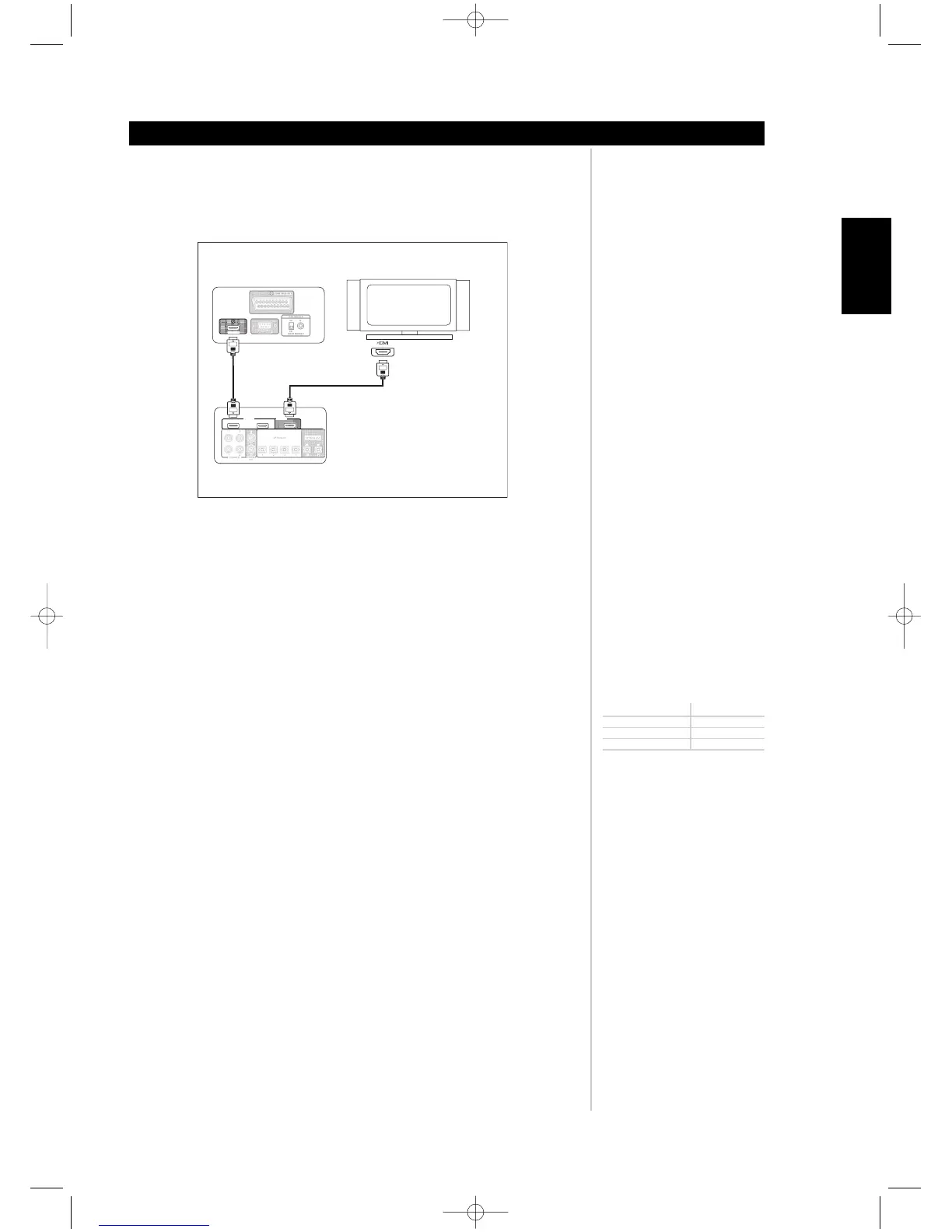
7. HDMI IN/OUT: Connect inputs to the HDMI connector of the source component such
DVD-player or HDTV satellite/cable box. Connect the output to a HDTV or projector with
HDMI input. (See figure below)
Note: HDMI IN and OUT are direct pass-through signal without OSD.
8. COAXIAL IN/OUT: Connect COAXIAL IN to RCA coaxial sources such as CD, DVD-player,
or Cable/Satellite decoder. Connect the COAXIAL OUT to RCA coaxial input of a
recording component. Configuration of the COAXIAL IN and OUT association is through
the M15's OSD menu.
9. OPTICAL IN/OUT: Connect OPTICAL IN to optical S/PDIF-format digital sources such as
CD or DVD-players. Connect OPTICAL OUT to the optical S/PDIF digital input of a
recording component such as a CD recorder, DAT deck, or computer. Configuration of the
OPTICAL IN and OUT association is through the M15's OSD menu.
10.RS-232: Using a Windows® operating system personal computer, one can remotely
control the M15 with NAD's proprietary interface control software. This remote control
facility employs a functional image of the M15's front panel as the GUI (graphical user
interface). This connector is a standard DB-9 RS-232 configuration. Use an "off-the-shelf"
DB-9 RS-232 serial cable to connect between your Windows® PC's DB-9 RS-232
connector and the M15's RS-232 connector.
Notes: Please log onto www.nadelectronics.com for the latest M15 interface control
software.
Use a standard DB-9 male to DB-9 female RS-232 serial cable between your Windows®
PC and the M15.
Do not use a null-modem type of RS-232 cable.
Some Windows® PC's may not have RS-232 serial connector. In this event, use a
standard "off-the-shelf" RS-232 to USB adaptor to connect to your Windows® PC.
Follow the instructions that come with the RS-232 to USB adaptor for setting up the
adaptor.
Your custom installer or dealer can assist you in the proper setup and configuration of
the RS-232 interface.
Neither a DB-9 RS-232 serial cable nor a RS-232 to USB adaptor is supplied with the
M15.
ABOUT THE M15
Identification of controls



 To Next Page