25
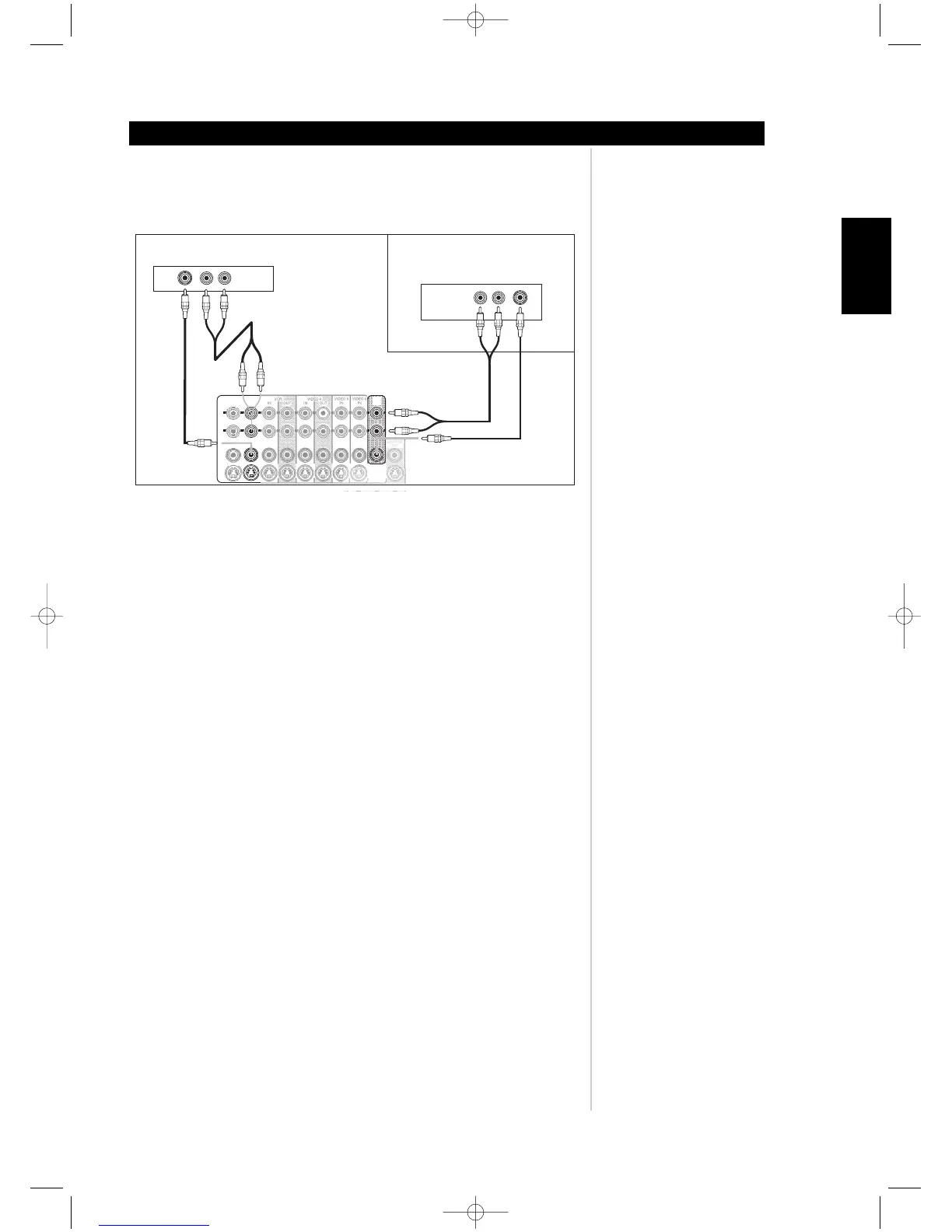
16. MS OUT (zone 2): Connect to the inputs of the stereo amplifier (an amplifier with or
without a volume control) for the second zone location. Connect COMPOSITE VIDEO
MS OUT and L/R audio to your zone AV Receiver. (See example below).
17. AUDIO PRE-OUT: Connect L (front left channel), R (front right channel), and C (center)
to the channel inputs of the power amplifiers driving the front channels. Connect RS (right
surround) and LS (left surround) to the power amplifier driving the surround speakers and
SBR (surround back right) and SBL (surround back left) to that driving the surround-back
speakers. Finally, connect SUB1/2 to the line input of a powered subwoofer or to the
amplifier driving a passive subwoofer. Configuration of the speaker level, size, and distance
is through the M15's OSD menu.
18. SWITCHED (Power Socket): Insert the power cable from auxiliary equipment that is to
turn on or off when the M15 is powered on or off using the POWER (vacation switch).
USING THE M15
Identification of controls
ENGLISH
FRANÇAISDEUTSCHNEDERLANDSESPAÑOL
ITALIANO
PORTUGUÊS
SVENSKA
Rear of M15 AV S urround Sound Preamplifier
SA T Input to ZONE 2/MS OUT
Rear of Satellite Receiver
Rear of AV Receiver in
another Room/Zone
DVD
IN
L
R
SA T
IN
VIDEO 5
IN
VIDEO 6
IN
IN
IN
OUT
OUT
VIDEO 4
MS
OUT
MONIT OR
OUT
VCR
COMPOSIT E
VIDE
O
OUT
YC/PBB C/PRR
S-VIDEO
M15 02 23 2006.qxd 3/7/2006 9:06 AM Page 25



 To Next Page