17
IOM
W415-2288 / 08.29.2019
H68.3.5
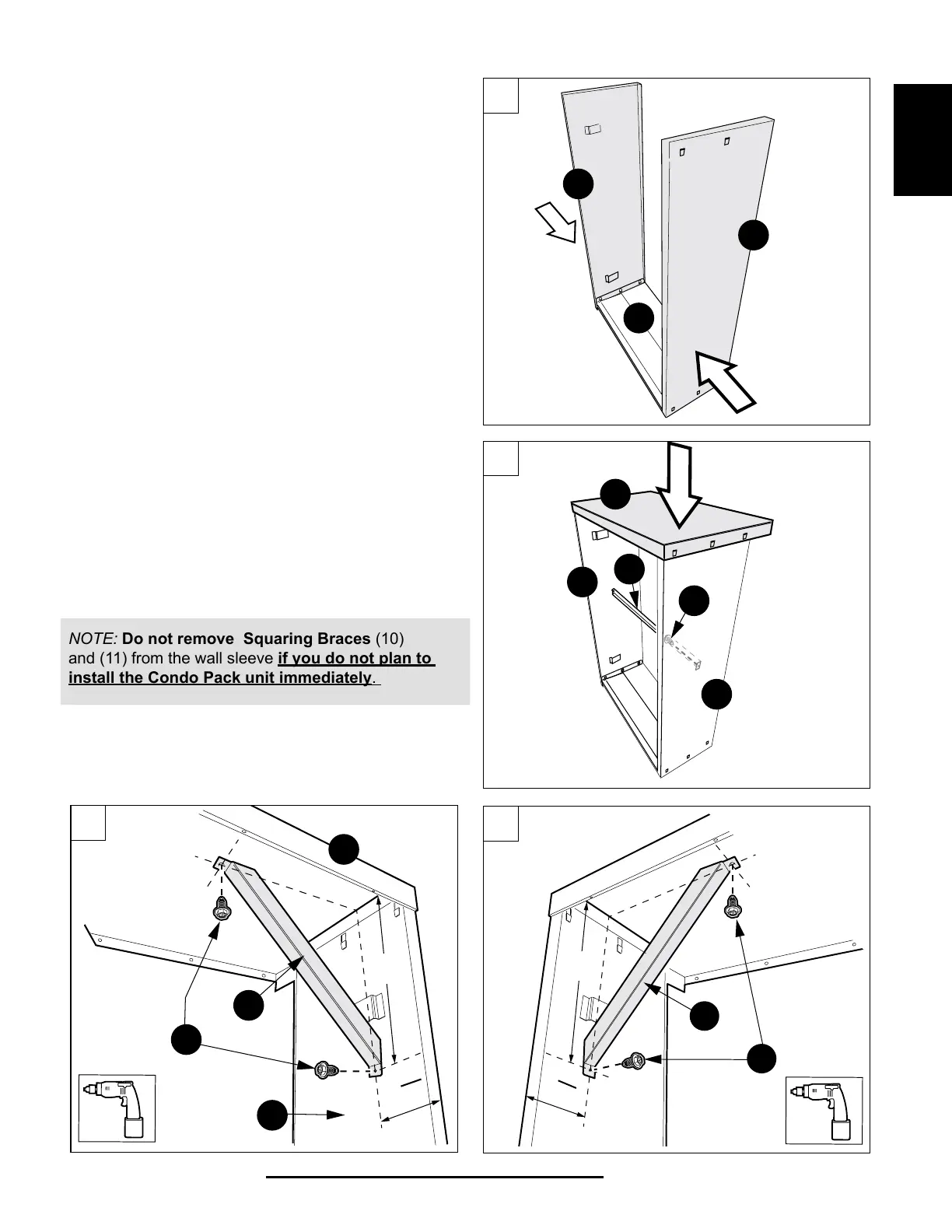
4. Check for parallel position of Left and
Right Side Panels (3) and (4). Secure
connection with Base Panel (2), see
(FIG. 4).
5. Attach Top Panel (1) to Left and Right
Side Panels (3) and (4). Align connection
openings and secure the assembly by
pushing the clips in place (FIG. 5).
6. Attach Squaring Braces (10) to the inner
sides of both, Top Panel and the Side Panels,
by inserting the screws (7) from inside.
To attach the Squaring Brace (10) to the Side
Panels (3) and (4) use the 1/8” holes located
10” down from the top and 4 -5/16” from the
outside ange (FIG. 6. and FIG. 7).
7. Using two mounting screws (7), install Middle
Squaring Brace (11) across the wall sleeve,
as shown in the FIG. 5.
NOTE: Do not remove Squaring Braces (10)
and (11) from the wall sleeve if you do not plan to
install the Condo Pack unit immediately.
1.5”
5
4
16
“
10”
10”
Position B
Position A
10
7
7
7
2
3
4
4
11
6
1
1
1
7
7
10
5
4
16
“
5
4
16
“
11
5
5
4
10”
10
7
4
1
5
4
16
“
6
1.5”
5
4
16
“
10”
10”
Position B
Position A
10
7
7
7
3
4
1
11
5
10”
Position B
Position A
10
7
7
7
2
2
3
3
3
4
4
4
4
11
6
1
1
1
7
10
5
4
16
“
7


 To Next Page