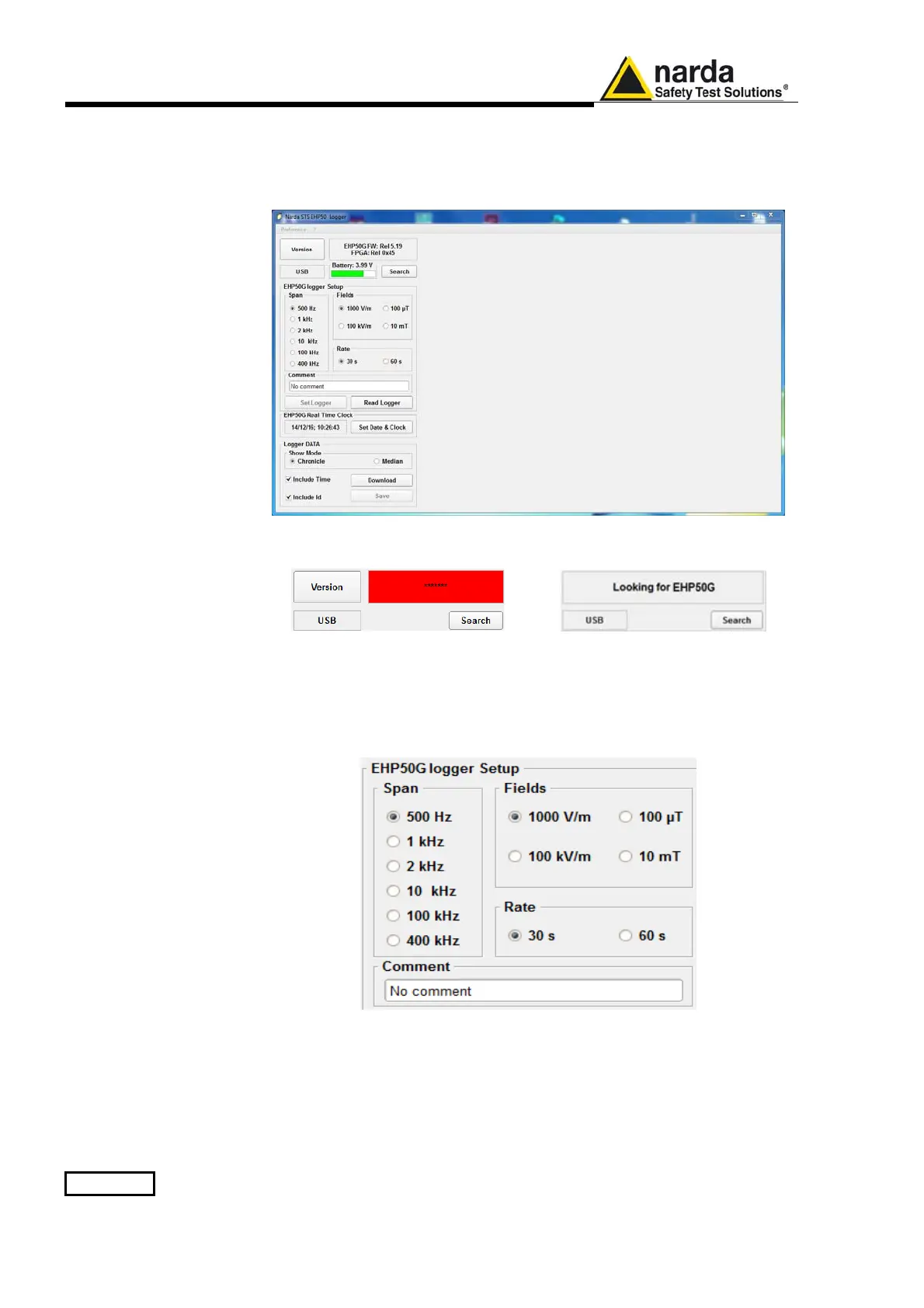
5-2 EHP-50G Stand alone mode
5.2 EHP-50G Data
Logger
5.2.1 Run
EHP50 - Stand
Alone mode
software
Once the data has been collected by the EHP-50G, you should connect it
to the PC to download all measurement results.
Run “EHP50 - Stan Alone mode” application
During the communication process for searching the analyzer EHP-50G,
the following messages will appear in sequence for a few seconds:
To define measurement parameters for a new stand alone acquisition you
may need to select:
- (Span) The Span
- (Fields) The electric or magnetic field with the proper range
- (Rate) The Storing Rate
- (Comment) To Insert the user’s comments
The Read Logger will not be available unless the communication between
the PC and the analyzer has been established. Click this button to read the
actual EHP-50G setup.
The Set Logger window will not be available unless you change some
parameters. The Set Logger will be active and available for the user to
transfer all measurement parameters (setup)
to the EHP-50G internal
memory.



 To Next Page