EHP-50G Stand alone mode 5-3
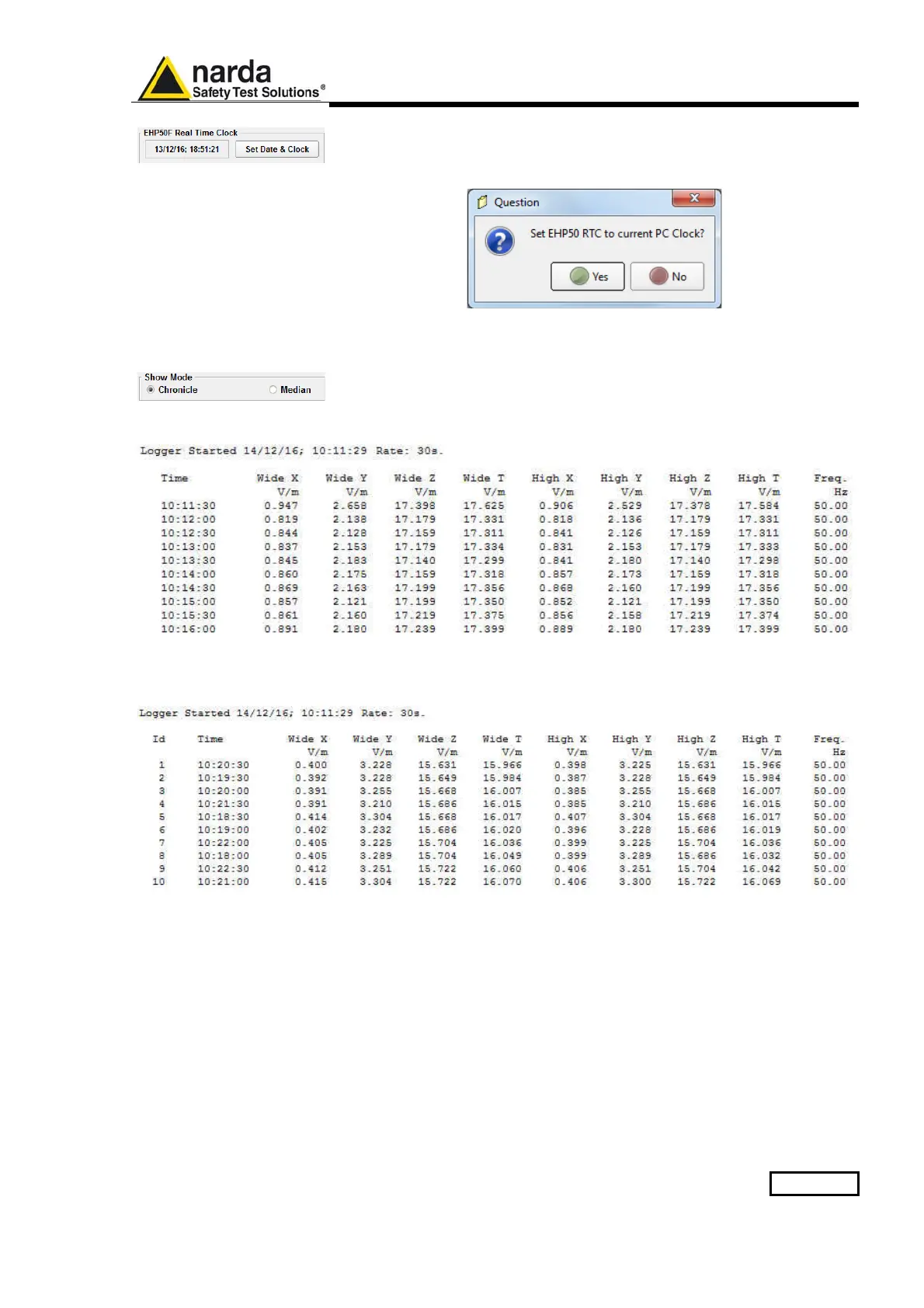
It is possible to set the date & clock inside the EHP-50G by transferring the
actual date & time of your PC. Pushing the button Set Date & Clock you
will get the following window:
Answering YES, the date & time of your PC will be transferred inside the
analyzer.
The measurement results can be shown in two modes:
Chronicle: the data are ordered by increasing time like in the following
example
Median: the data are ordered from the lowest to the highest WIDE T value
like in the following example:



 To Next Page