Description 4-1
4 – EHP-TS software
4.1 EHP-TS
Applications
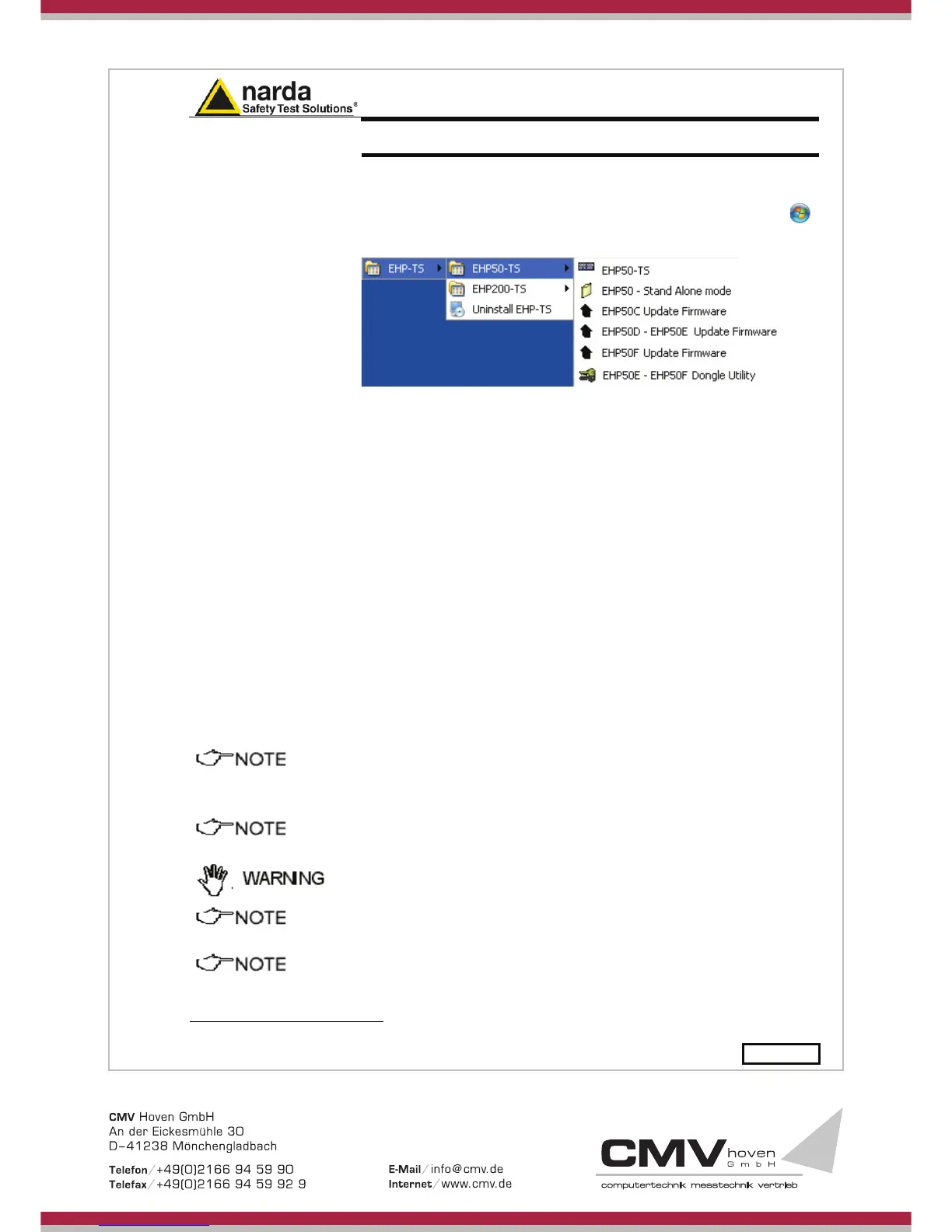
EHP-TS software includes different applications to be used with EHP family
analyzers. Shortcuts are shown, selecting “all programs” from the windows
XP “start” button or, using Windows Vista, 7 or 8, by clicking Windows (
)
and Programs:
The EHP-50 section includes three different applications:
EHP50 – Stand Alone Mode: main task of this program is to set up EHP-
50F for standalone mode. The analyzer will take and log E or H field
measurements (according to the setting) for up to 24 hours, when switched
on without any connection to external devices (see operating manual for
details). Using EHP-50-Stand Alone mode program is then possible to
download measurement results and store them as a text file.
EHP50-TS: this program is used to perform live Time Domain and
Spectrum Analysis measurements when an EHP-50F analyzer is connected
to PC
EHP-50C Update Firmware: this is a tool to update EHP-50C firmware.
EHP-50D – EHP50E Update Firmware: this is a tool to update the
firmware and FPGA of the EHP-50D and EHP-50E.
EHP-50F Update Firmware: this is a tool to update the firmware and
FPGA of the EHP-50F.
This document describes applications for EHP-50F analyzer only
The User might have the need of administrator privileges to install and
run the software in Windows 7 and 8; for further information see the
paragraphs in Chapter 3.
EHP-TS software does not work with EHP50A/B.
If the battery charger is plugged in to the EHP-50F while the software
is running, the analyzer will be disconnected.
During the charging process, always remove the bridge (stand-alone)
connector from the EHP-50F
1
Document EHP50FEN-50501-1.63 - © NARDA 2015



 To Next Page