18
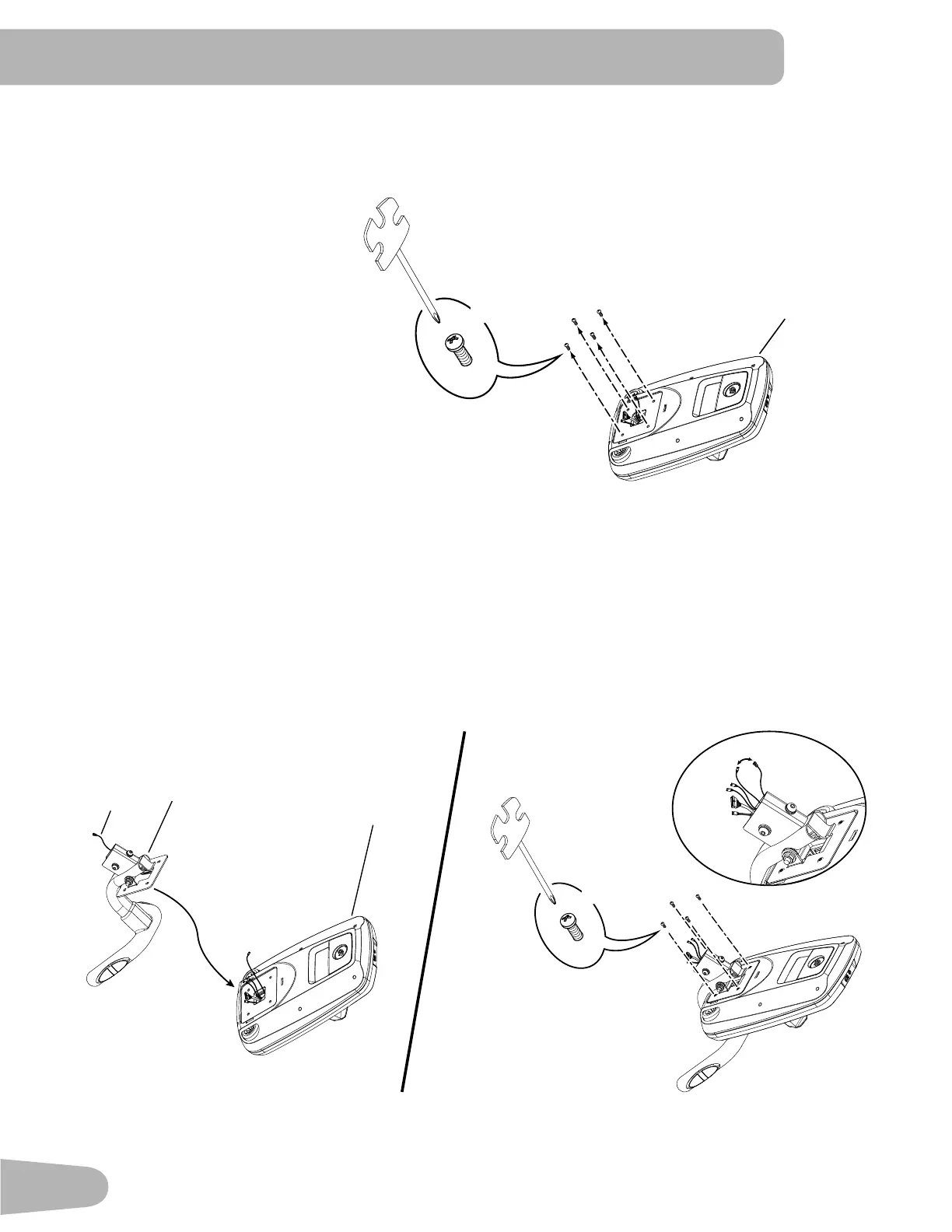
9. Remove Hardware from Console
Note: Hardware (*) is pre-installed and not on the Hardware Card. If desired, apply the French Canadian overlay to
the Console face.
10. Route Console Cables through the Static Handlebar and Attach Static Handlebar to the Console
NOTICE : Carefully place the Console face down on a padded surface. Route the Console Cables through the Static
Handlebar. Attach the Static Handlebar to the Console using the screws that were removed in Step 9.
Connect the Heart Rate Cable (4a) from the Static Handlebar to the Console Heart Rate Cable. Do not
crimp the cables.
3
#2
*
X4
3
4
4a
#2
*
X4
4a


 To Next Page