18
Part
3
-
Setting up
and
programming
the
terminal
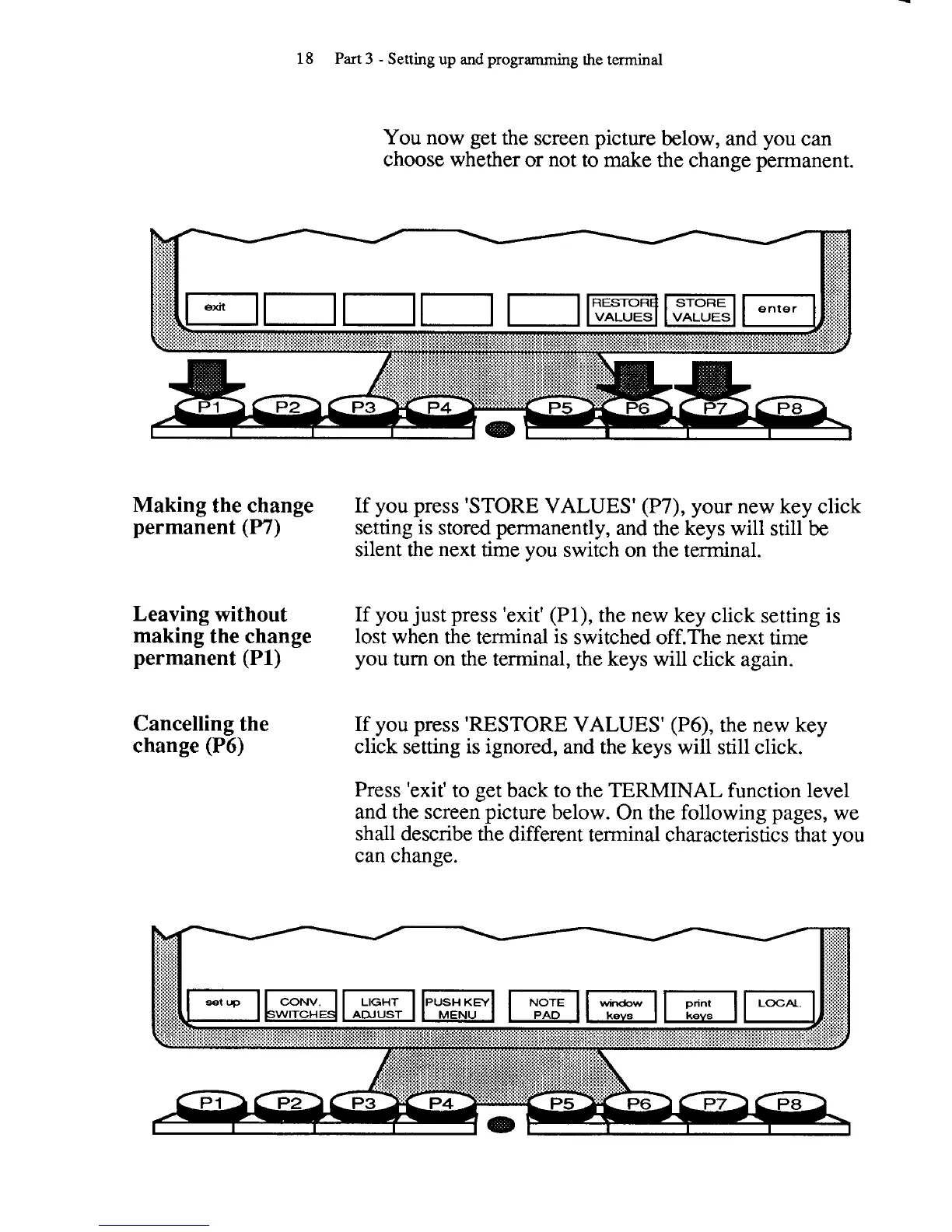
You now get the screen picture below, and you can
choose whether or not to make the change permanent.
Making the change
If you press 'STORE VALUES' (P7), your new key click
permanent
(P7)
setting is stored permanently,
and
the keys will still
be
silent the next time you switch on the terminal.
Leaving without
If you just press 'exit' (PI), the new key click setting is
making the change
lost when the terminal is switched off.The next time
permanent (PI)
you turn on the terminal, the keys will click again.
Cancelling the
If you press 'RESTORE VALUES' (P6), the new key
change (P6)
click setting is ignored, and the keys will still click.
Press 'exit' to get back to the
TERMINAL
function level
and the screen picture below. On the following pages, we
shall describe the different terminal characteristics that you
can change.



 To Next Page