7
Part
1
-
Before you
begin
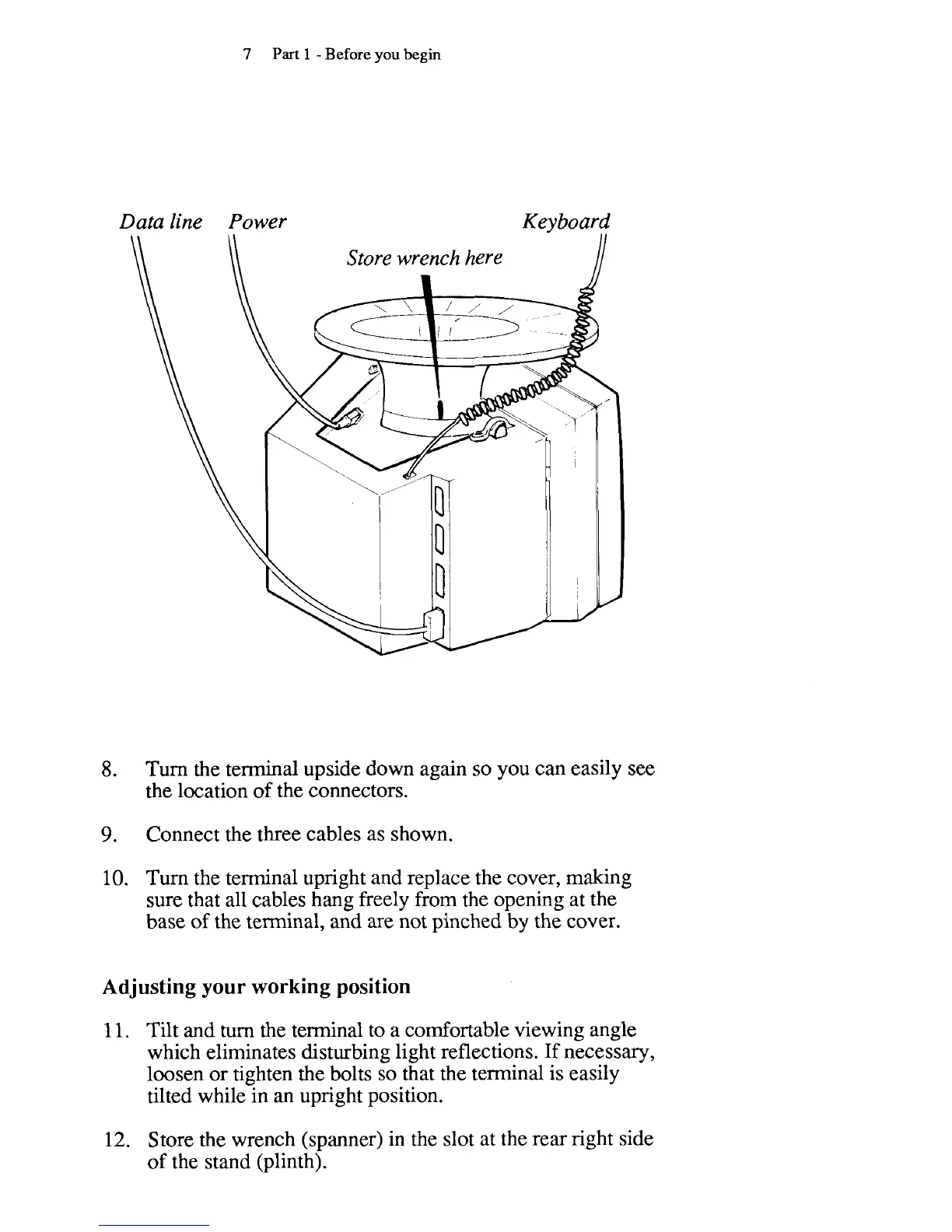
Data
line Power Keyboard
Store wrench here
8.
Turn the terminal upside down again so you can easily see
the location of the connectors.
9.
Connect the three cables as shown.
10.
Turn the terminal upright and replace the cover, making
sure that all cables hang freely from the opening at the
base of the terminal, and are not pinched by the cover.
Adjusting your working position
11.
Tilt and
turn
the terminal to a comfortable viewing angle
which eliminates disturbing light reflections. If necessary,
loosen or tighten the bolts so that the terminal is easily
tilted while in an upright position.
12.
Store the wrench (spanner) in the slot at the rear right side
of the stand (plinth).



 To Next Page