3
. Installaton and Connectons
AUDIO IN
L R
AUDIO OUT
L R
Component
Y Cb Cr
VIDEO IN
COMPUTER IN
PC CONTROL
AC IN
AUDIO IN
S-VIDEO IN
COMPUTER IN AUDIO IN
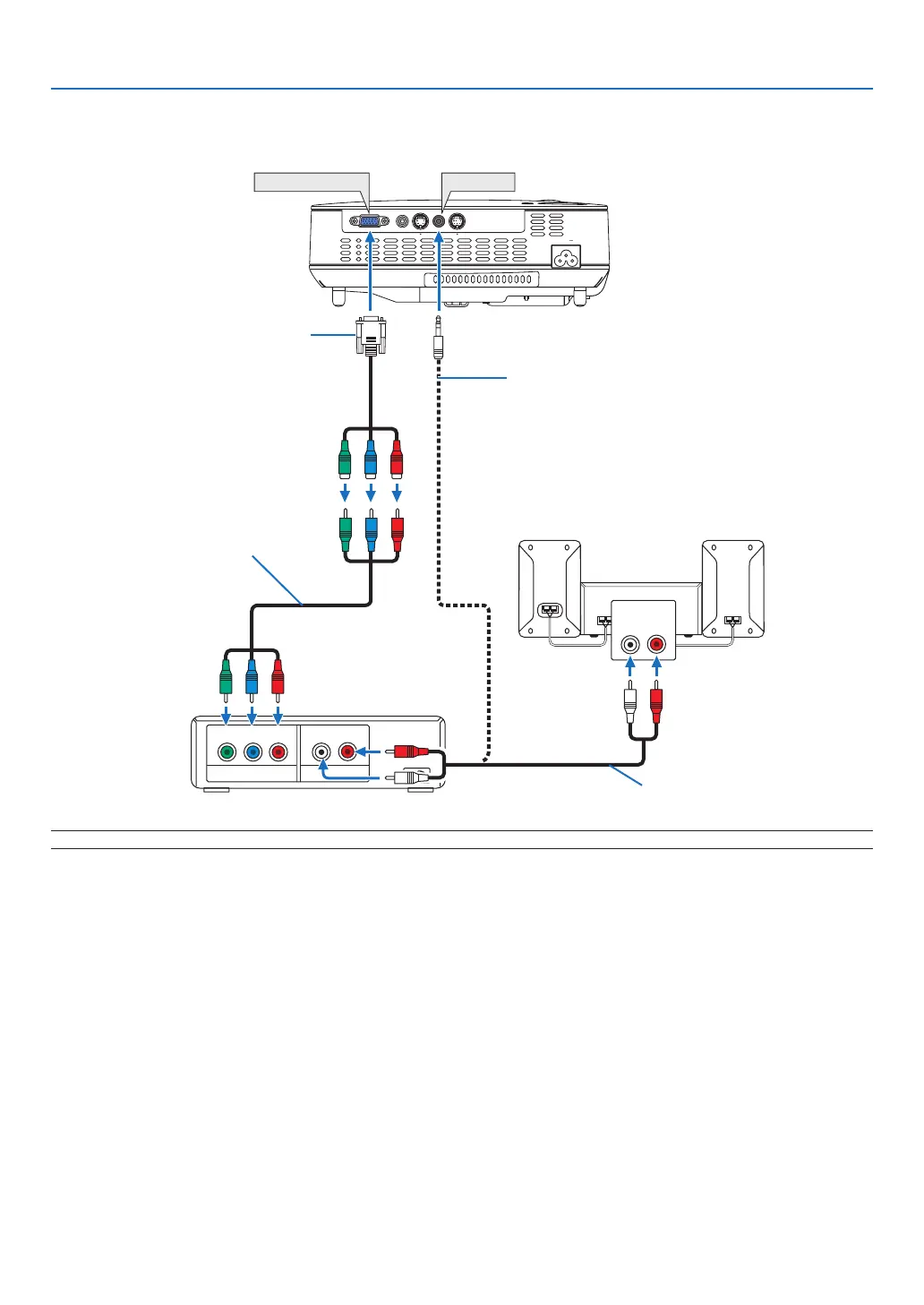
NOTE: Refer to your DVD player's owner's manual for more information about your DVD player's video output requirements.
Connectng Your DVD Player wth Component Output
DVD player
Audio Equipment
Optional 15-pin - to - RCA (female)
×3 cable (ADP-CV1E)
Component video RCA×3 cable
(not supplied)
Audio cable (not supplied)
Stereo mini plug - to - RCA audio cable
(not supplied)



 To Next Page