3. Projectng an Image (Basc Operaton)
SELECT
SOURCE
AUTO
ADJ.
ON/STAND BY
FOCUS
LAMP
STATUS
POWER
➎
Correcting Keystone Distortion Manually
You can also correct the vertical keystone distortion manually.
NOTE:
• Manual keystone correction is not available when there is no signal received by any input.
• The vertical keystone angle can be corrected between 40 degrees upward and 40 degrees downward from level.
Adjust the keystone distortion manually in the following cases:
• To ne tune Keystone correction even after performing the [AUTO KEYSTONE] adjustment
• When the menu setting for [AUTO KEYSTONE] is turned off
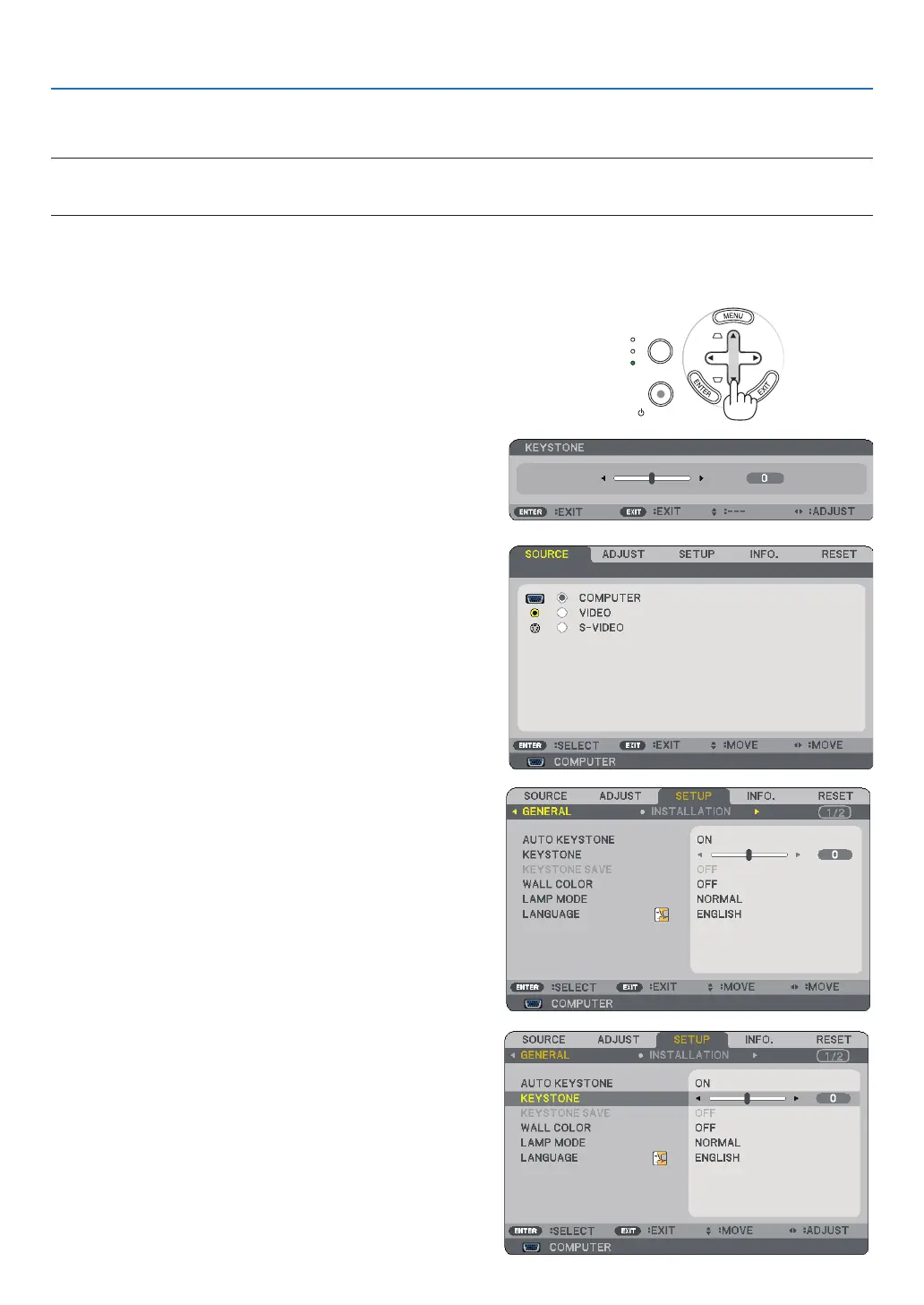
Adjustng wth buttons on the cabnet
▲▼
The slide bar will be displayed for your adjustment.
The slide bar will be closed.
Adjustng wth the remote control
The menu will be displayed.
▶
The [GENERAL] screen will be displayed.
▼



 To Next Page