. Usng On-Screen Menu
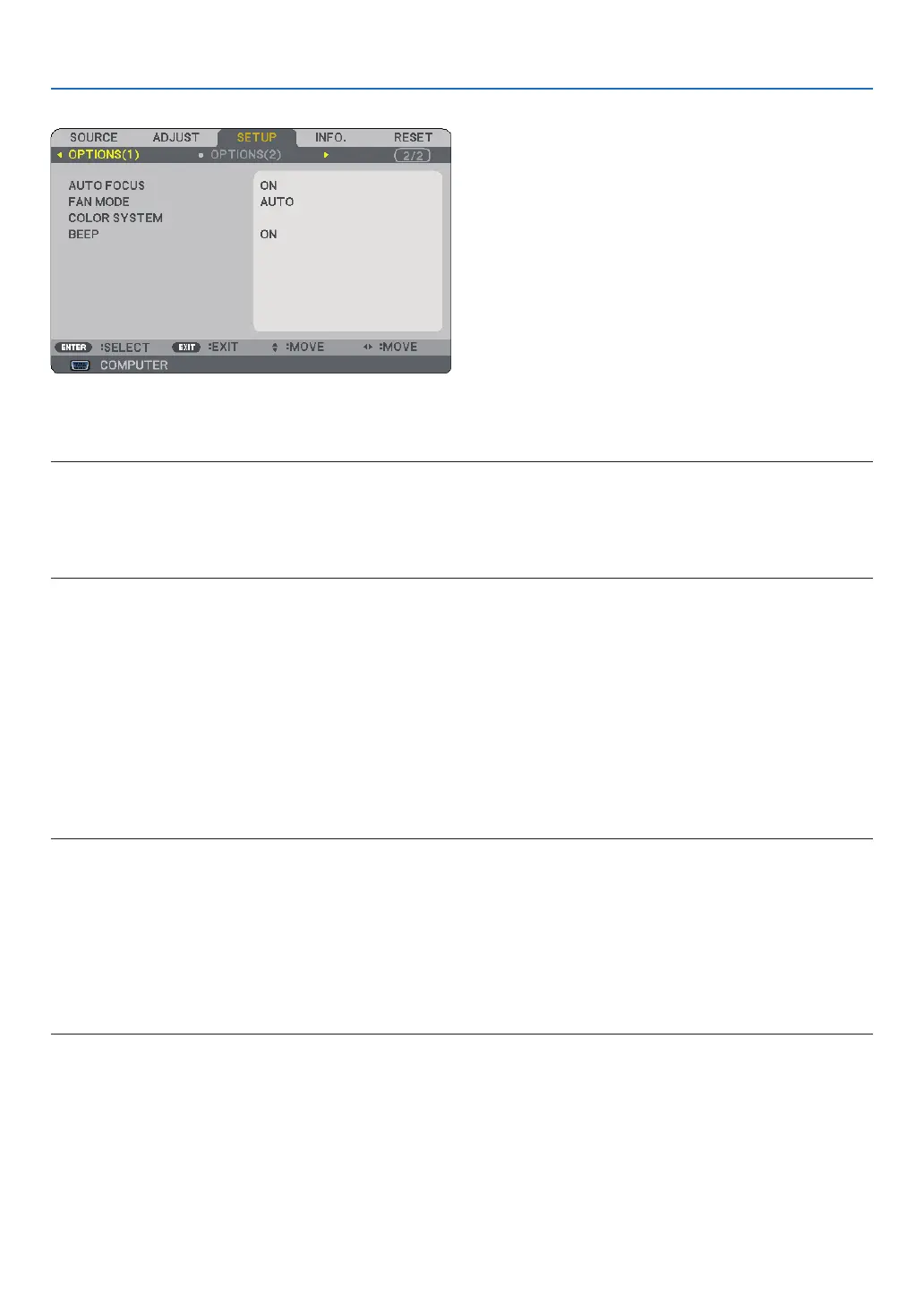
[OPTIONS()]
Enablng or Dsablng Auto Focus [AUTO FOCUS]
This option turns on or off the AUTO FOCUS feature. (→ page 22)
NOTE:
When the “AUTO FOCUS” is on, the AUTO FOCUS function works instantly under the following conditions:
When you turn on the power.
When you change the zoom.
When you reposition the projector.
When you change the projection angle.
Selectng Fan Mode [FAN MODE]
This option allows you to select three modes for fan speed: Auto mode, High speed mode, and High Altitude
mode.
AUTO ..................... The built-in fans automatically run at a variable speed according to the internal temperature.
HIGH ...................... The built-in fans run at high speed.
HIGH ALTITUDE .... The built-in fans run at a high speed. Select this option when using the projector at altitudes approxi-
mately 5000 feet/1500 meters or higher.
When you wish to cool down the temperature inside the projector quickly, select [HIGH].
NOTE:
• It is recommended that you select High speed mode if you use the projector non-stop for consecutive days.
• Set [FAN MODE] to [HIGH ALTITUDE] when using the projector at altitudes approximately 5000 feet/1500 meters or higher.
• Using the projector at altitudes approximately 5000 feet/1500 meters or higher without setting to [HIGH ALTITUDE] can cause
the projector to overheat and the protector could shut down. If this happens, wait a couple minutes and turn on the projector.
• Using the projector at altitudes less than approximately 5000 feet/1500 meters and setting to [HIGH ALTITUDE] can cause the
lamp to overcool, causing the image to flicker. Switch [FAN MODE] to [AUTO].
• Using the projector at altitudes approximately 5000 feet/1500 meters or higher can shorten the life of optical components
such as the lamp.
• Your setting will not be affected even when [RESET] is done from the menu.
Selectng [COLOR SYSTEM]
This feature enables you to select video standards manually.
Normally select [AUTO]. Select the video standard from the pulldown menu. This must be done for VIDEO and
S-VIDEO Connectors separately.
TIP: The projector automatically detects a component signal.
•
•
•
•



 To Next Page