30
. Convenent Features
➍
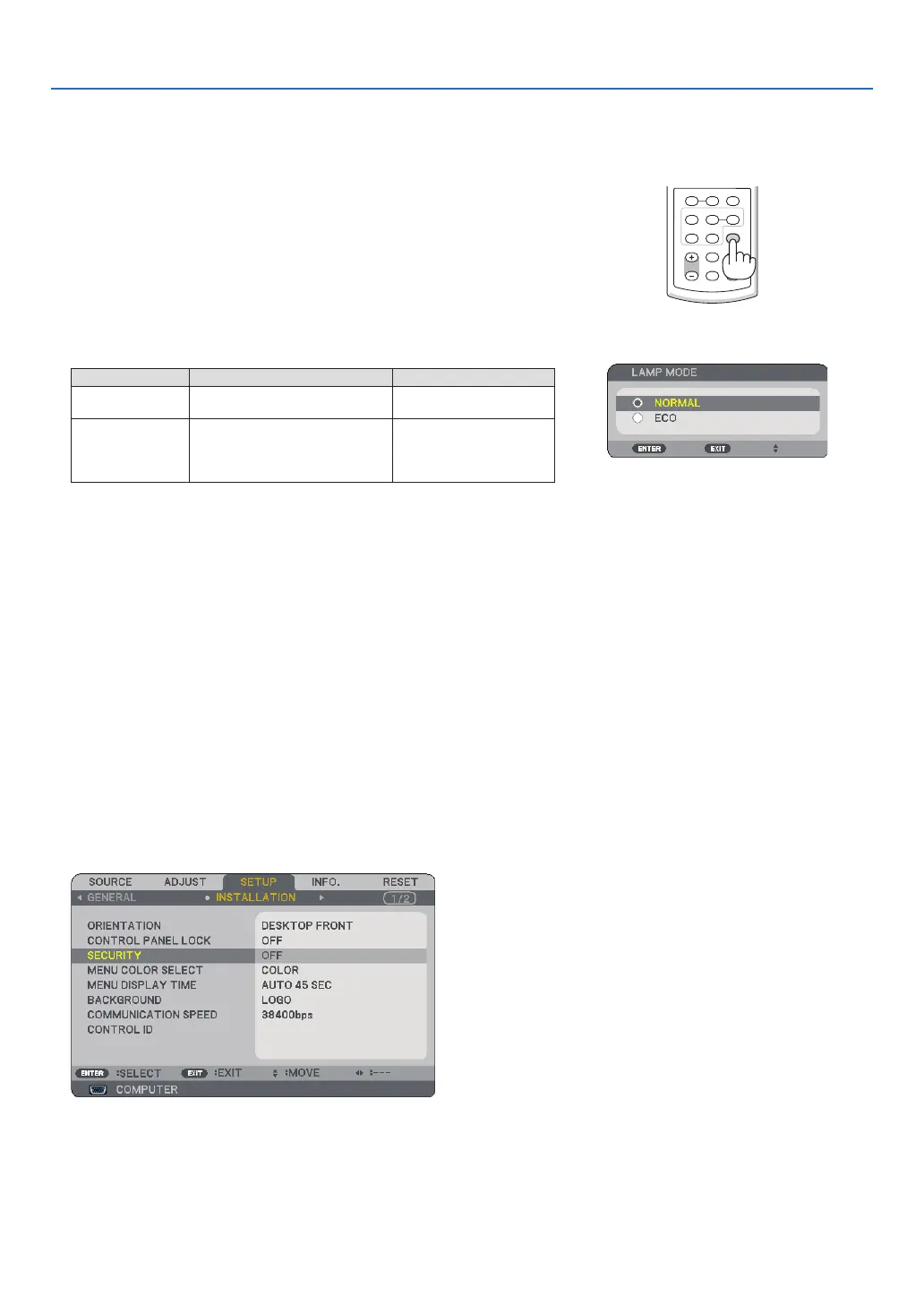
Changing Lamp Mode
VOLUME ASPECT HELP
FOCUS
L
-
MOUSE
-
R
FREEZE
PICTURE
LAMP MODE
VIDEO
AUTO ADJ.COMPUTER
S-VIDEO VIEWER
The lamp life can be extended by using the ECO mode.
To change to the “ECO” mode, do the following:
▲▼
▶
To change from [ECO] to [NORMAL], Go back to Step 2 and select
[NORMAL]. Repeat Step 3.
Lamp Mode Description Status of LAMP indicator
Normal Mode
This is the default setting (100%
Brightness).
Off
Eco Mode
Select this mode to increase the
lamp life (NP61: approx. 75%
Brightness, NP41: approx. 85%
Brightness).
Steady Green light
• The [LAMP MODE] can be changed by using the menu.
Select [SETUP]
→ [GENERAL] → [LAMP MODE]
(
→ page 48)
➎
Preventing the Unauthorized Use of the Projector
A keyword can be set for your projector using the Menu to avoid operation by an unauthorized user. When a key-
word is set, turning on the projector will display the Keyword input screen. Unless the correct keyword is entered,
the projector cannot project an image.
To enable the Securty functon:
The menu will be displayed.
▶▼
▶
▼
The OFF/ON menu will be displayed.



 To Next Page