. Installaton and Connectons
LAMP
STATUS
POWE
R
S
O
U
R
C
E
AUTO
ADJ
.
S
E
L
E
C
T
O
N
/
S
T
A
N
D
B
Y
F
O
C
U
S
V
ID
E
O
IN
C
O
M
P
U
T
E
R
I
N
P
C
C
O
N
T
R
O
L
A
U
D
IO
I
N
S
-V
ID
EO
IN
ON/STAND BY
FOCUS
LAMP
STATUS
POWER
Connectng the Suppled Power Cable
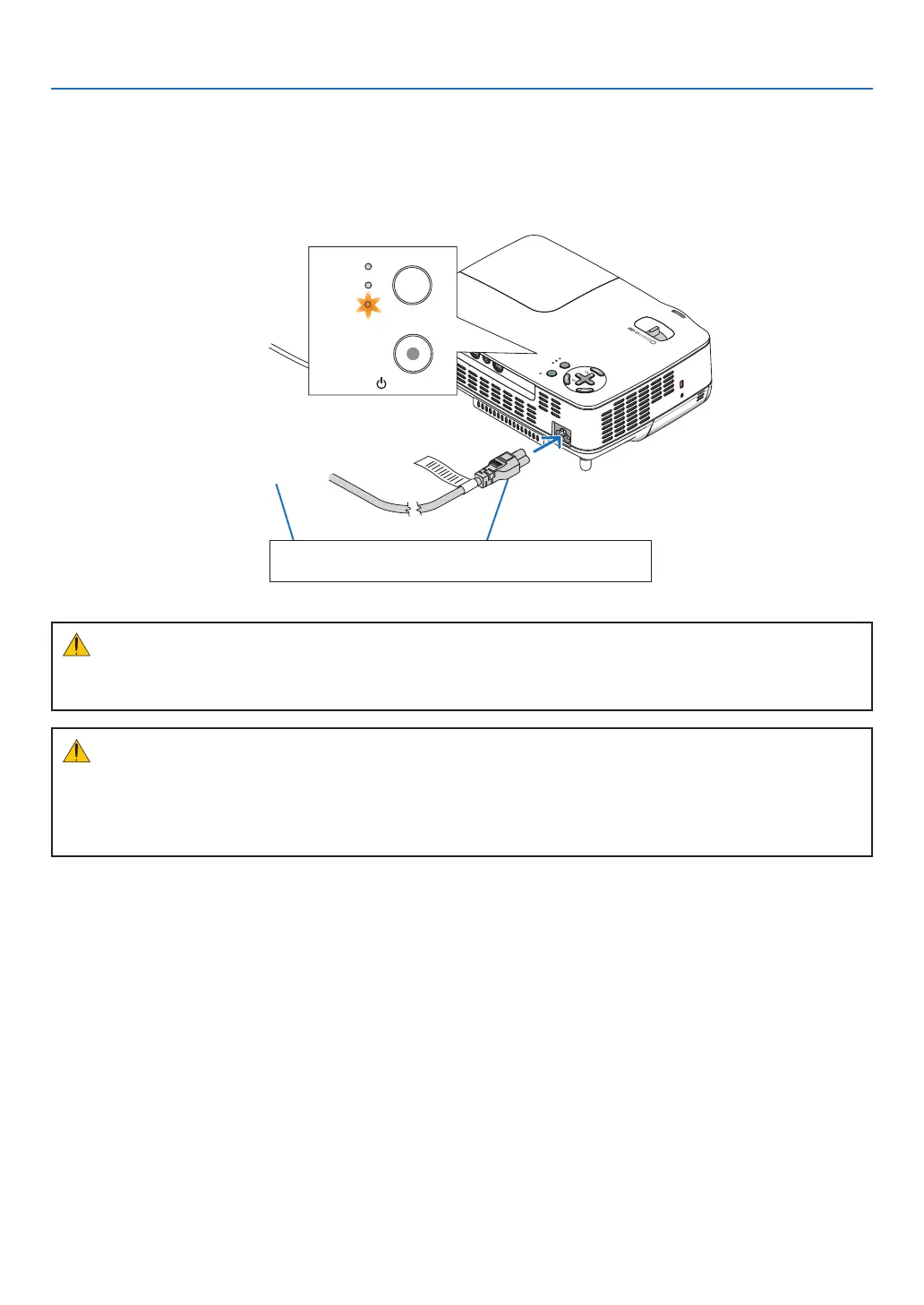
Connect the supplied power cable to the projector.
First connect the supplied power cable's three-pin plug to the AC IN of the projector, and then connect the other
plug of the supplied power cable in the wall outlet.
To wall outlet
The projector will go into its stand-
by mode and the POWER indica-
tor will glow orange.
CAUTION:
Do not try to touch the ventilation outlet on the right front (when seen from the front) as it can become heated
while the projector is turned on and immediately after the projector is turned off.
Make sure that the prongs are fully inserted into both
the power plug and the wall outlet.
CAUTION:
Do not unplug the power cable from the wall outlet or projector when the projector is powered on. Doing so can
cause damage to the AC IN connector of the projector and (or) the prong plug of the power cable.
To turn off the AC power supply when the projector is powered on, use a power strip equipped with a switch
and a breaker.



 To Next Page