13
2. Projecting an Image (Basic Operation)
❷ Connecting Your Computer/Connecting the Power Cord
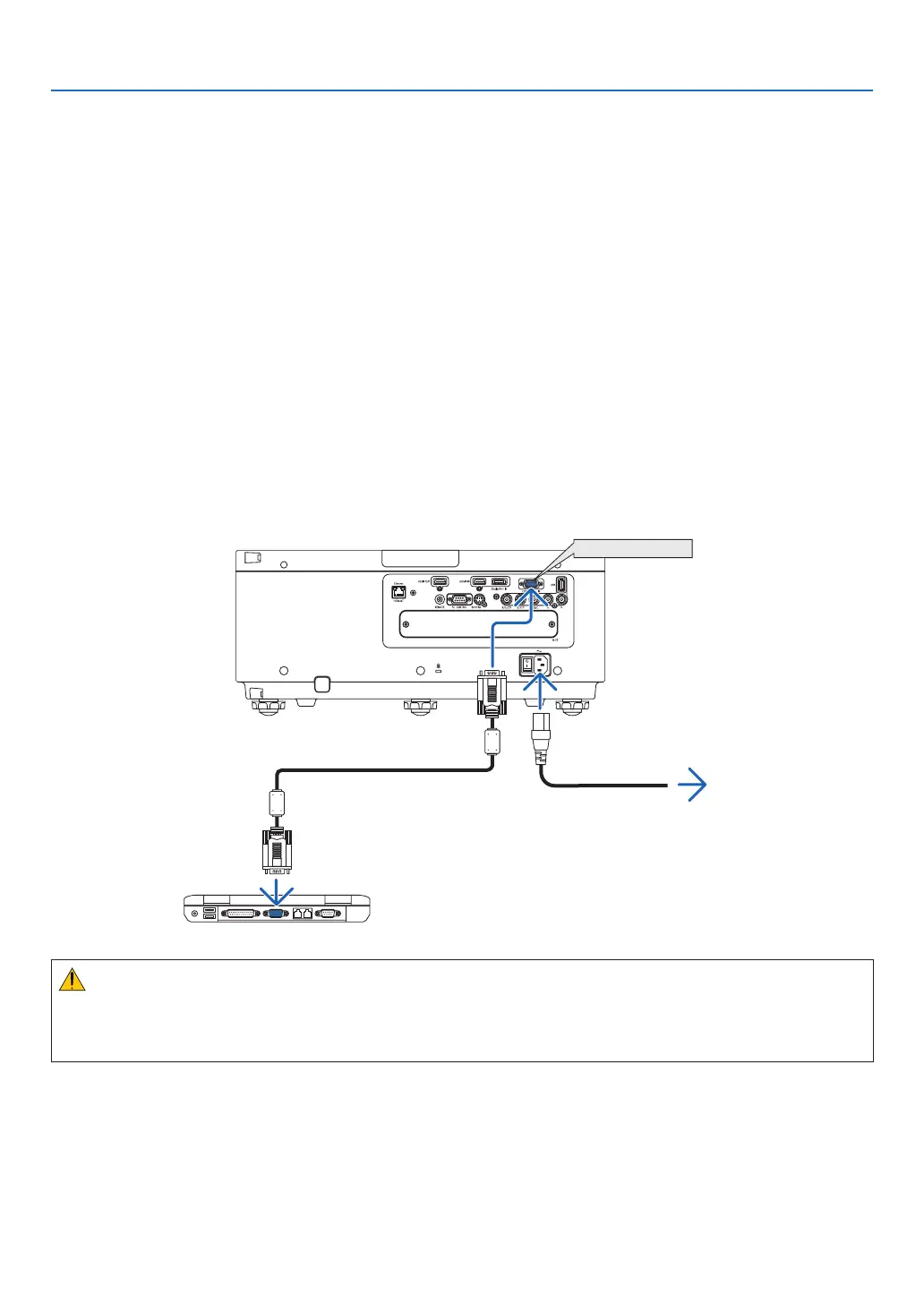
1. Connectyourcomputertotheprojector.
Thissectionwillshowyouabasicconnectiontoacomputer.Forinformationaboutotherconnections,see“(2)
MakingConnections”onpage125.
Connectthedisplayoutputterminal(miniD-sub15pin)onthecomputertotheCOMPUTER1INterminalonthe
projectorwithacommercially-availablecomputercable(withferritecore)andthenturntheknobsoftheterminals
tosecurethem.
2. Connectthesuppliedpowercordtotheprojector.
Firstconnectthesuppliedpowercord’sthree-pinplugtotheACINterminaloftheprojector,andthenconnectthe
otherplugofthesuppliedpowercordinthewalloutlet.
ImportantInformation:
• Whenplugginginorunpluggingthesuppliedpowercord,makesurethatthemainpowerswitchispushedto
theoff[O]position.Failuretodosomaycausedamagetotheprojector.
COMPUTER 1 IN
Makesurethattheprongsarefullyinsertedinto
boththeACINterminalandthewalloutlet.
Towalloutlet
Computercable(withferritecore)
(soldcommercially)
CAUTION:
PartsoftheprojectormaybecometemporarilyheatediftheprojectoristurnedoffwiththePOWERbuttonorifthe
ACpowersupplyisdisconnectedduringnormalprojectoroperation.
Usecautionwhenpickinguptheprojector.


 To Next Page