Issue 1.0 UT880
1 - 6 Getting Started
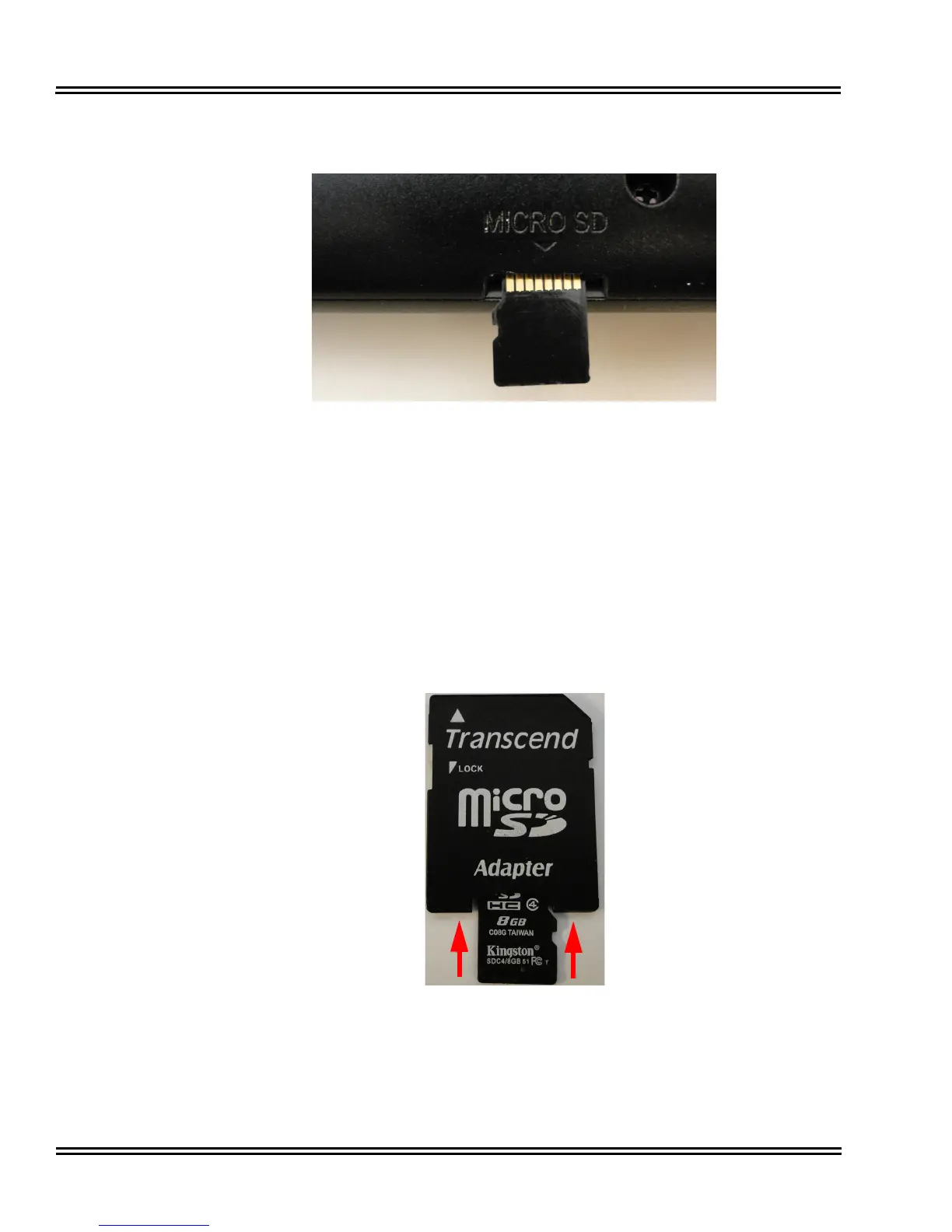
This is marked as “Micro SD”.
2. Note that the memory card is inserted “upside down”, that is, the printed side is
face down and the card’s contact pins are face up. Insert the memory card into
the slot until it locks into place.
3. To remove the card, push firmly on the card until it is ejected.
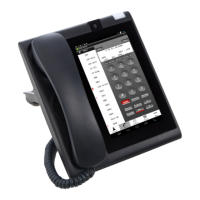
4. To read the SD Card data, an adapter is used to match a PC or laptop USB port.
Insert the SD card into the adapter with the writing side face up. Push the SD
card all the way into the adapter, then place the adapter in the PC USB port.
Figure 1-3 The “Micro SD” Memory Card Slot
Figure 1-4 Inserting the “Micro SD” Memory Card into the Adapter





 To Next Page