UT880 Issue 1.0
UT880 Owner’s Guide 2 - 3
SECTION 2 SHORTCUTS
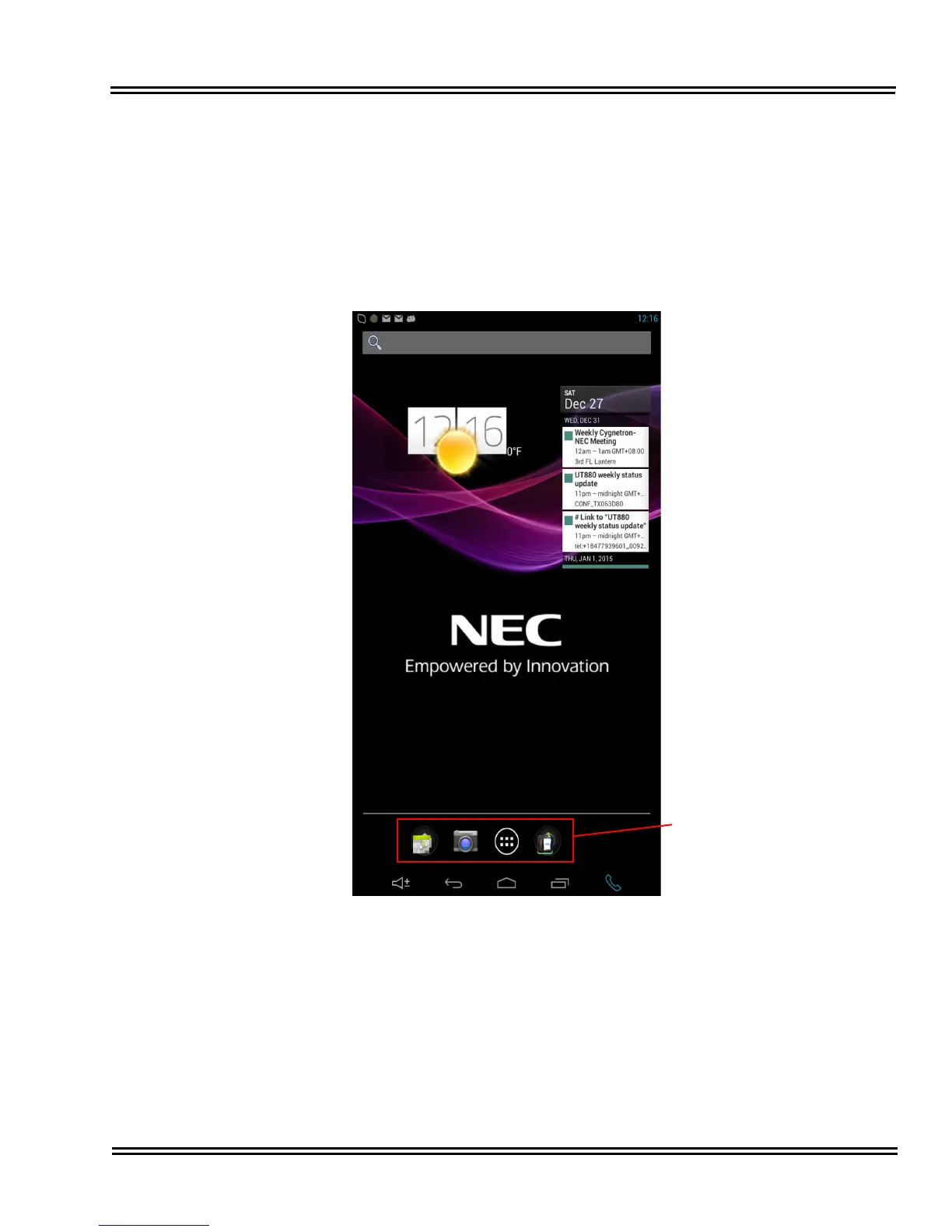
Organize shortcuts for easy access to your favorite applications. Tap the application
icon then hold and drag it to a slot at the bottom the screen.
Multiple applications may be stored in a folder and labeled by simply dragging a
application over an existing shortcut application.
Figure 2-1 Shortcuts Screen







 To Next Page