© by N&W GLOBAL VENDING S.p.A. 51 10 2009 3325 - 00
BOARD FUNCTION
CONFIGURATION OF ELECTRONIC
BOARDS
The electronic boards are designed to be used on sev-
eral equipment models.
If replaced or in order to change the machine perform-
ance, it will be necessary to check the conguration of
the boards and to download the corresponding software.
sofTware updaTe
The machine is equipped with Flash EPROM’s that can
be electrically rewritten.
Use a proper program and system (personal computer
or hand-held computer) to rewrite the machine manage-
ment software without replacing the EPROM’s.
pre-programming
After having loaded the software, use the new board to
dene which type of keyboard to use before initialising or
programming the various parameters.
To access the pre-programming function (keyboard
choice), hold down the pre-programming button (see g.
39 - 9) while powering on the machine.
The display will show the “pre-programming” message
ashing on and o. Press button (9) quickly to scroll the
list of all available keyboards (Canto numerical - Canto
classic - etc.).
Hold down button (9) until you hear a sound signal. The
keyboard on the display will be stored and you can start
initialising.
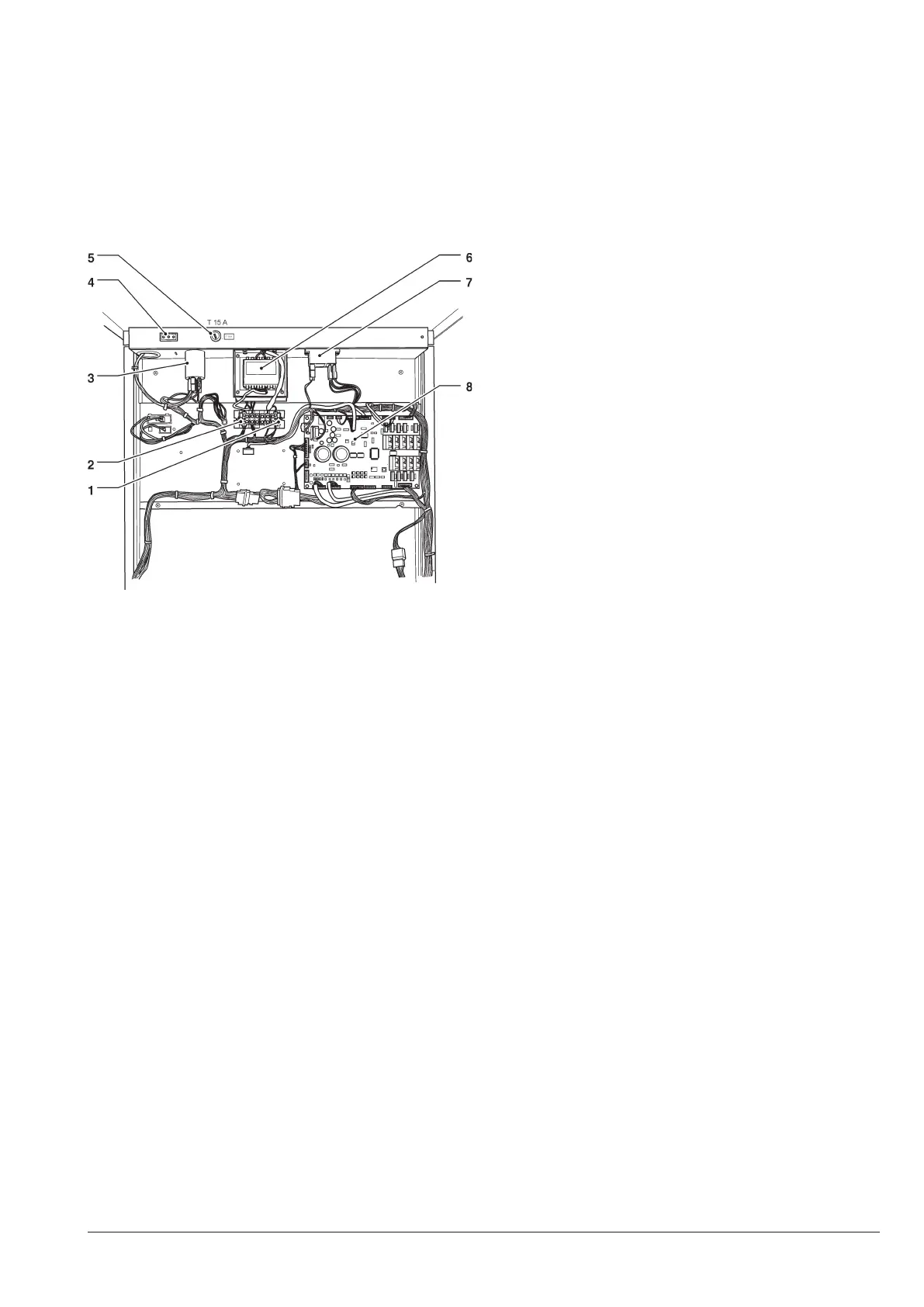
Fig. 37
1- Transformer primary fuses
2- Transformer secondary fuses
3- Radio interference suppressor
4- Socket always live
5- Mains fuse
6- Transformer
7- Instant boiler heating activation relay
8- Actuation board











 To Next Page