© by N&W GLOBAL VENDING S.p.A. 56 10 2009 3325 - 00
PROGRAMMING SUMMARY
The machine can work in 3 dierent operation states:
- normal operaTion mode;
- filler menu;
- Technician menu.
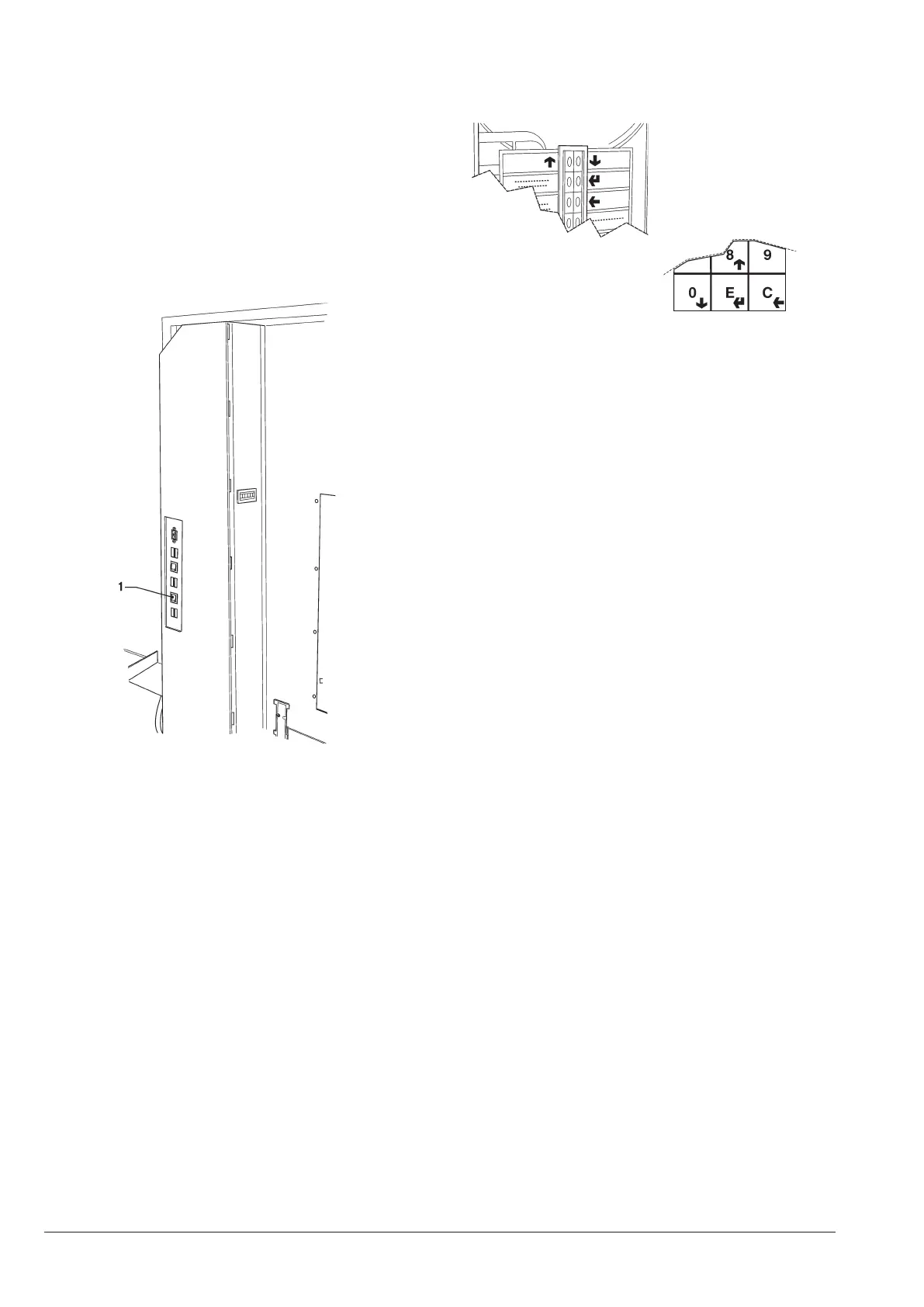
To be able to access the programming menus, press the
programming button
(see g. 41):
Now, the machine is set to the Filler Menu mode.
Press the key to move from the “Technician Menu” to
the “Filler Menu” and vice versa.
surfing mode
To move inside the menus, use the keys shown by the
gure:
scrolling keys up
and down
Press the
and scrolling keys to move from one item
to the other one of the programming menus on the same
level and to change the enable status and the numeric
value of the functions.
confirmaTion / enTer key
Press the conrmation / Enter key
to move to the
lower level or to conrm a data item you have just en-
tered or modied.
exiT key
Press the Exit key
to move back to the upper level or
to quit a eld intended to modify a function. After hav-
ing reached the highest Menu level, press this key once
again to move from the Technician Menu to the Filler
menu and viceversa.
enTering alphanumeric values
When the management software requires the operator to
enter alphanumeric characters, keys assume the follow-
ing functions:
- The Enter key
will enable the operator to modify /
enter the first character, to confirm it and to move to the
next one.
- The keys
and
will enable the operator to scroll all
available values.
Fig. 41
1- Programming button
Fig. 42











 To Next Page