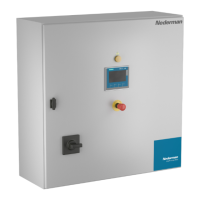
HV Control PanelEN
30
WEEKTIMER Range Default Used
AutomacstartaerPower-o Yes/No No
EnableTimer/Overme Yes/No0-999m No
Overmeseng 0-999 m 120
00:00–01:00meanstheWeekmerstartsatmidnightandstopsat1:00:AM.23:00–
24:00meansitstartsat11:00PMandstopatmidnight12:00AM.Thestopmemustbe
aerthestartme.Forexample,01:00–00:00isnotallowed.
Astopmeof24:00meanstheWeemerwillstopatmidnight.Iffollowingdaystartswith
00:00(hh:mm),theWeekmerwillrunfortwodayswithoutstopping.
Ifthestartandstopmeareequal,17:00-17:00forexample,itwillstopifstarted
manually,orbyanovermeperiodthatiscounngdown.
IfduringanacveWeekmerperiod,thesystemisforcedtoOFFbyanAlarm,thesystem
willreturntoStandby(toRunningifthereisanacvePilotsignal),whentheAlarmis
correctedandtheResetbuonhasbeenpressed(Thisisnotdependentonthe“Automac
startaerPower-o).
Ifstoppedremotely,thesystemwillgotoStandby/Runningwhentheremotebecomes
acveagain.TheStop/Startbuonscanalsobeusedduringanacveperiod.
Automac start aer Power-o
IfitisdangeroustoautomacallyrestartthesystemwiththeWeemeraerapower-o,
deacvatethisfunconbypressingNo.Thesystemwillnotstartaerapower-on.
Ifthereisnorisk,pressYesandthesystemwillbereacvatedbytheWeekmerandthe
HVControlPanelEXwillgointoStandbymodeifthereisanacveperiodwhenpower
returns.
AnacveovermeperiodissuperseededbyaWeekmerperiod.
Enable Timer/Overme
OvermecanbeusediftheWeekmerisacvated,evenifnotmeperiodhasbeenset.
ItcanbeacvatedwitharemotecontrolinputorintheMAINscreen.TheTimer/Overme
buonisonlyvisibleifWeekmerisacvated.Otherwise,theTimerbuonisshownin
theMAINscreenandisusedtosetthesystemtoworkforaspecicamountofme.The
amountofmefortheTimer/Overmeissetinthisscreen
WhentheWeekmerperiodisacve,overmeisinawaingmodeanditsbuonis
lightgreen.WhentheWeekmerperiodexpires,theOvermebuonbecomesgreen
andtheovermestartstocountdown.Theacvatedoverme,inwaingmode,can
bedeacvatedbypressingthebuonfortwoseconds.Tostopthesystem,usetheStop
buon.
Overmeisaddedtotheendofanon-goingperiod.Forexample,theWeekmercanbe
setforaperiodof08.00-16.00duringoneormoredaysduringtheweek.If120minutesof
overmeareneeded,presstheTimer/Overmebuonat14.00,whichwilladdStandby/
runningto18.00.IftheWeekmerbuonispressedat16.30,itwillsetinStandby/
(Runningifacvepilot)directlyandrunto18.30.


 To Next Page