Guide to Operation
41
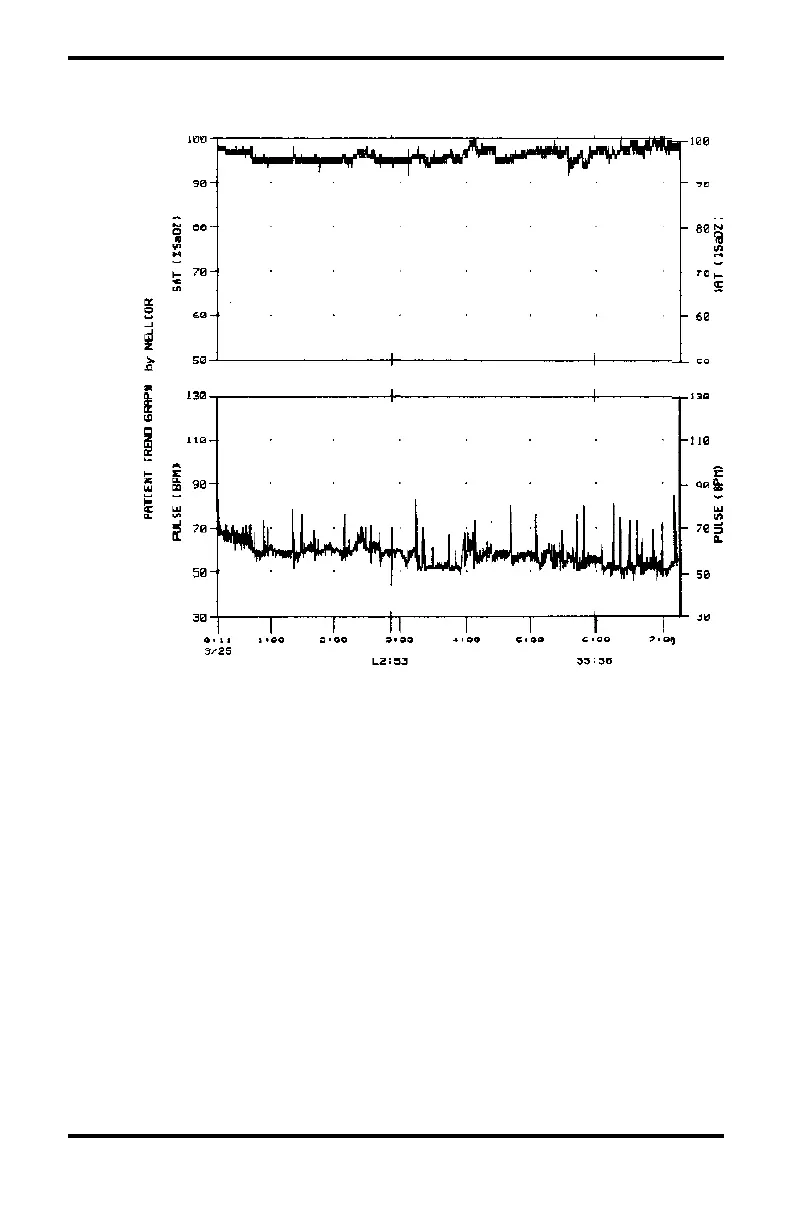
Figure 7 illustrates the trend output from a ThinkJet printer.
Figure 7: Sample ThinkJet Trend Graph
Note: The graph shows an alarm-limit event at 2:53 a.m. on
3/25 (L2:53) and the signal lost at 5:58 a.m. on 3/25
(S5:58)
Using an Analog Strip-Chart Recorder: Connect the strip-
chart recorder to the N-200, as described in the Connecting to
Other Instruments section. Calibrate the recorder, adjust the
settings as necessary, and confirm proper operation. If the
N-200 is also connected to a graphics printer, that printer must
be turned off. Otherwise, the trend memory will be printed by
the graphics printer rather than the strip-chart recorder. Do
not attempt to print trend data on a NELLCOR N-9000
recorder/interface.



 To Next Page