N1500i FACS Manual
17
Part No. 729-110-053 V.1.03 © 2018 Nelson Stud Welding, Inc. All rights reserved.
Enables Time/Current weld parameter selection.
Setup selection by stud diameter and other process
parameters, such as weld position.
Configuration Change or Troubleshooting
Add or subtract numeric values in time or current
function.
The unit has a lockout feature that prevents any changes
from being made to the front panel settings. See F19 in
Section 4.1.
Factory presets or storage of custom values
The main switch controls the input power to the ma-
chine.
Weld Time/Stud Expert
Display/Material Display
The TIME setting is displayed on the front panel LOWER
display. It can be changed using the Up/ Down arrow
keys to the right of the time display in one 1ms
increments.
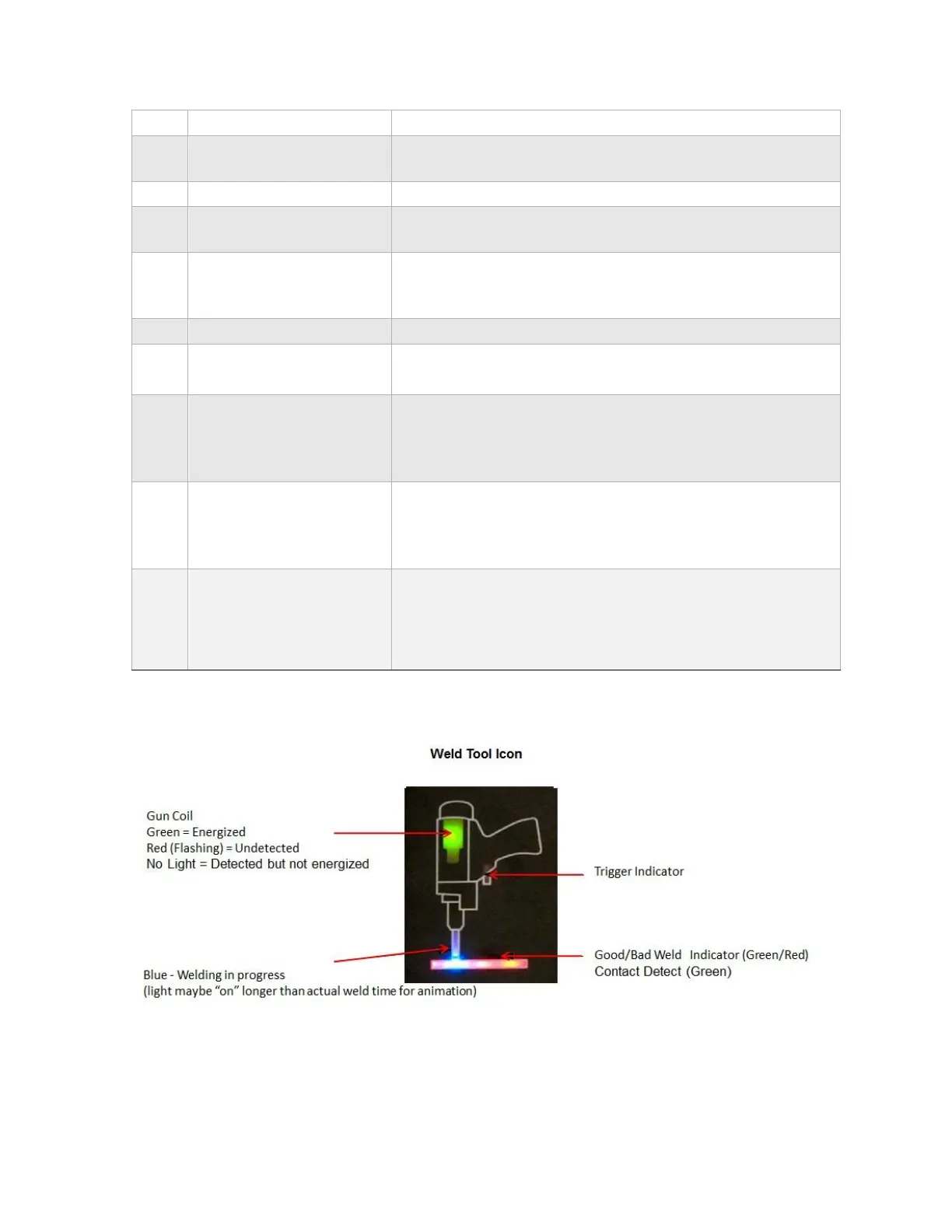
Graphical representation of gun operation and welding
process. (see below for more information)
Weld Current/Stud
Diameter Display
The CURRENT setting is displayed on the front panel
UPPER display. It can be changed using the + and –
arrow keys to the right of the current display in one
(1) amp increments.


 To Next Page
 Loading...