Tucker GmbH, Mail / Post: Max-Eyth-Str.1, 35394 Gießen, Germany
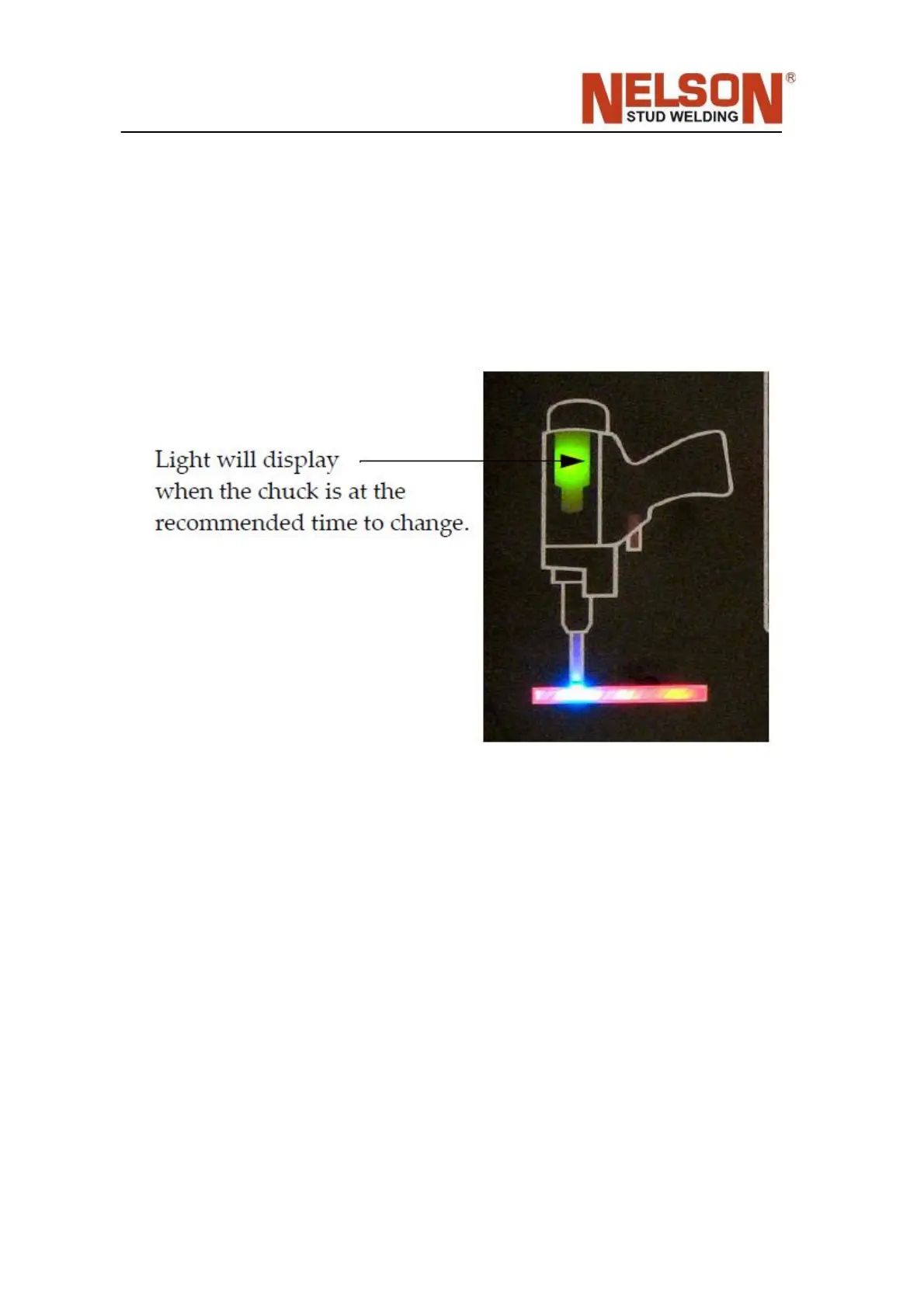
6.16 Chuck Change Indicator
A user programmable weld counter counts down and turns the chuck change indicator
ON when it reaches zero.
Refer to F29 code in Section 4 Operation Function Codes and Error Codes.
6.17 Configuring the stud feed interface to act as a ‘Weld
Complete’ signal
• Use v1.06 firmware or later
• Make F12 = ON
• Make F54 = OFF
• One time only: Before powering on unit, press and hold the fol‐ lowing buttons: I/t
mode, ‘1’, ‘5’ and ‘0’ through boot‐up. If dis‐ play reads ‘OFF’, release keys, turn
power off and do procedure again. Otherwise, it reads ‘ON’ and unit is configured
appropri‐ ately. Doing this configures it to not give the output signal if any errors or
warnings occur.
• Use F36 to enable\disable the output signal from the weld monitor results. ‘OFF’
to give the signal regardless of the weld monitor result. ‘ON’ to get the signal only



 To Next Page