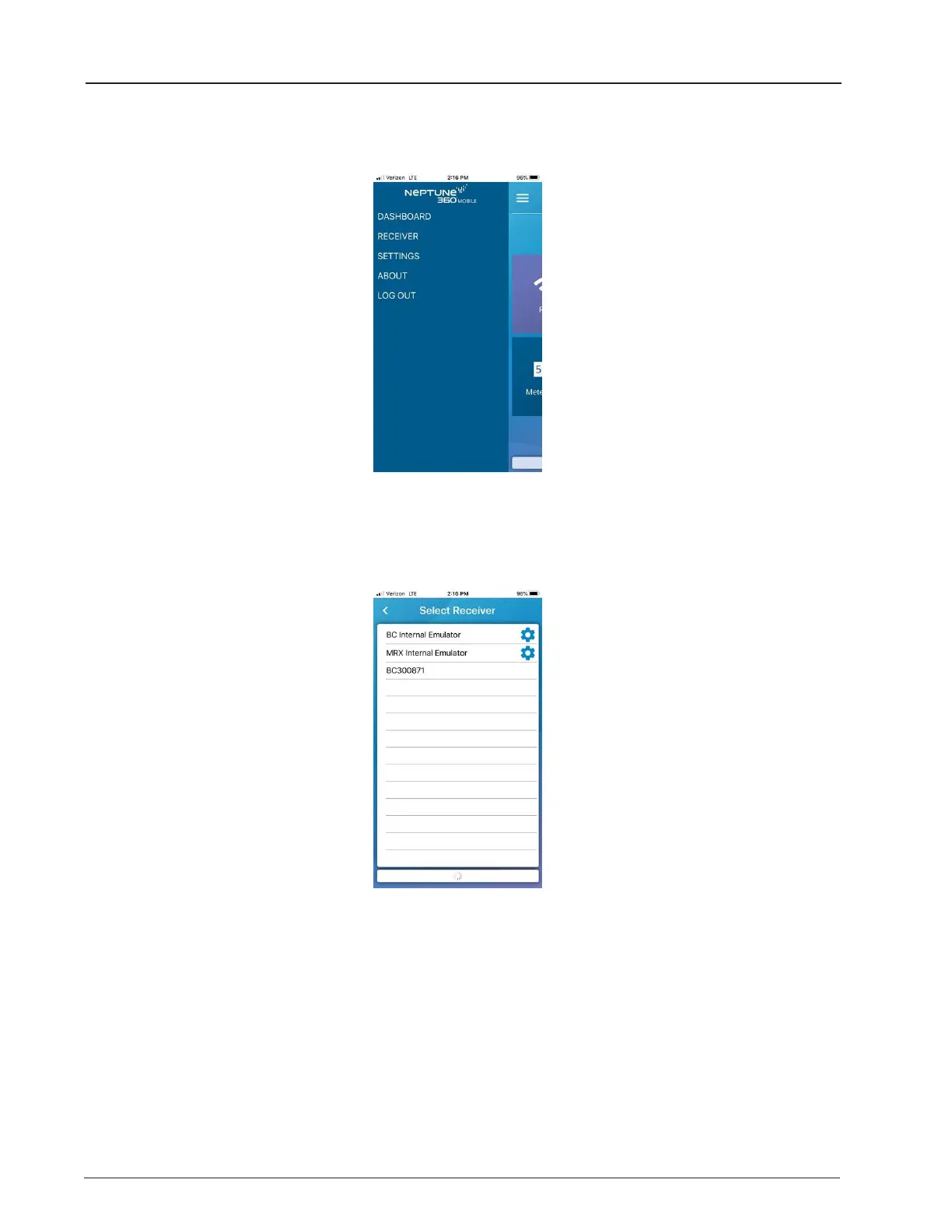
2. Tap the menu icon in the top left corner of the screen to display the Neptune 360 Mobile
menu.
Figure 5 – Neptune
®
360™ Mobile Menu
3. Tap RECEIVER to display all compatible R900 Belt Clip Transceivers within connectivity
range.
Figure 6 – Available BCTs
4. Tap the ID for the transceiver you want to pair with.
10 R900
®
Belt Clip Transceiver Users' Guide
Chapter 2: Using the R900
®
BCT


 To Next Page