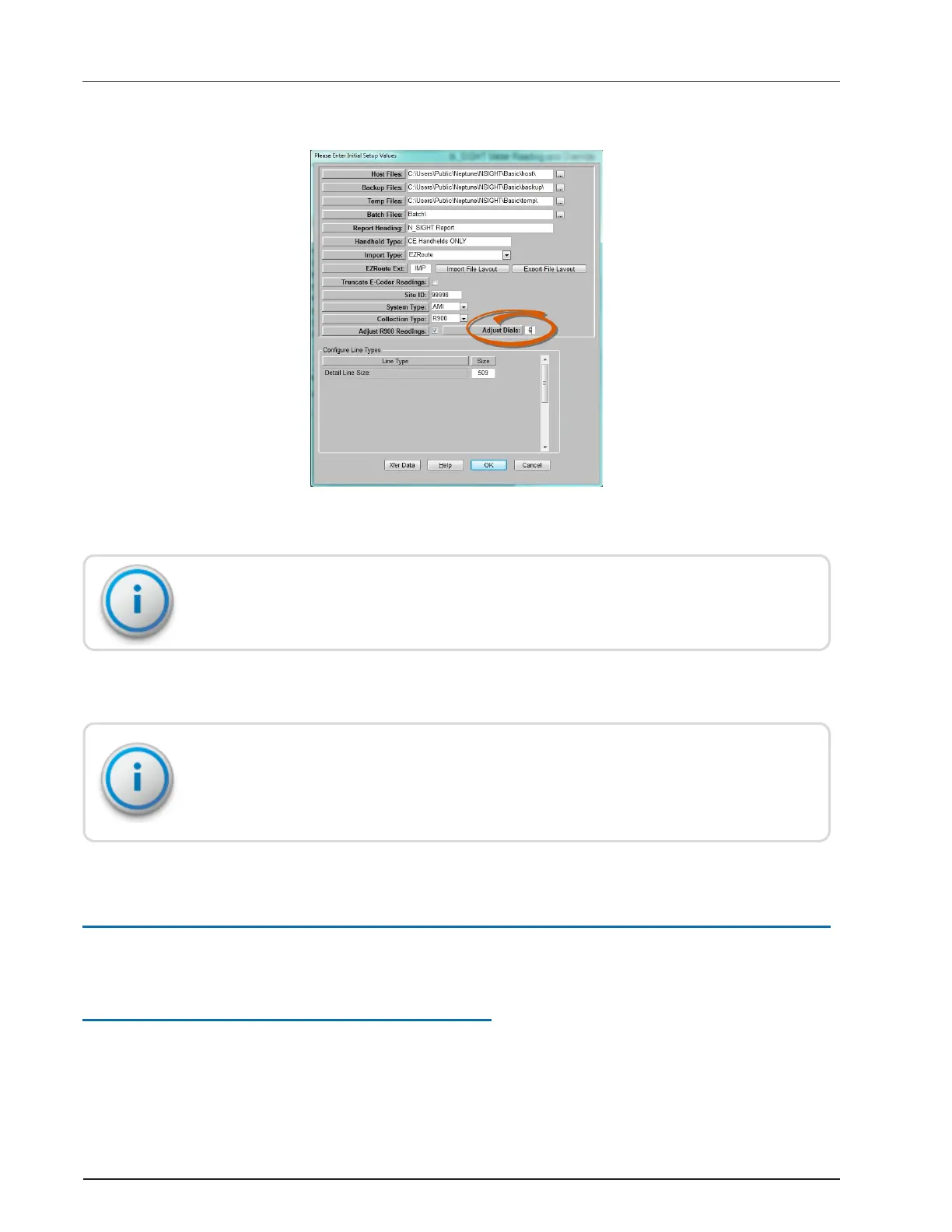
The Adjust Dials check box appears on the Initial Setup Value dialog.
Figure 15 – Adjust Dials Check Box
The Adjust Dials value is used as the default for all R900 records, if the number of dials is
not set for accounts in the import file.
2. Select Adjust Dials, if applicable. This field displays only when you select Adjust R900
Readings.
The Number of Dials in the Import file should be set to adjust to the actual number of digits
of the reading. If the Number of Dials is less than the actual reading digits, the readings have
a shortened number of digits and are not accurate.
Override Readings
This section describes overriding the meter readings.
High / Low Limit Tests
As meter readings are entered, a high / low meter reading limit test is performed on all
accounts that contain data in the High Reading Limit and Low Reading Limit fields.
R900
®
Belt Clip Transceiver Users' Guide 27
Appendix A: N_SIGHT
®
Meter Reading and Override


 To Next Page