Displaying Transceiver Information
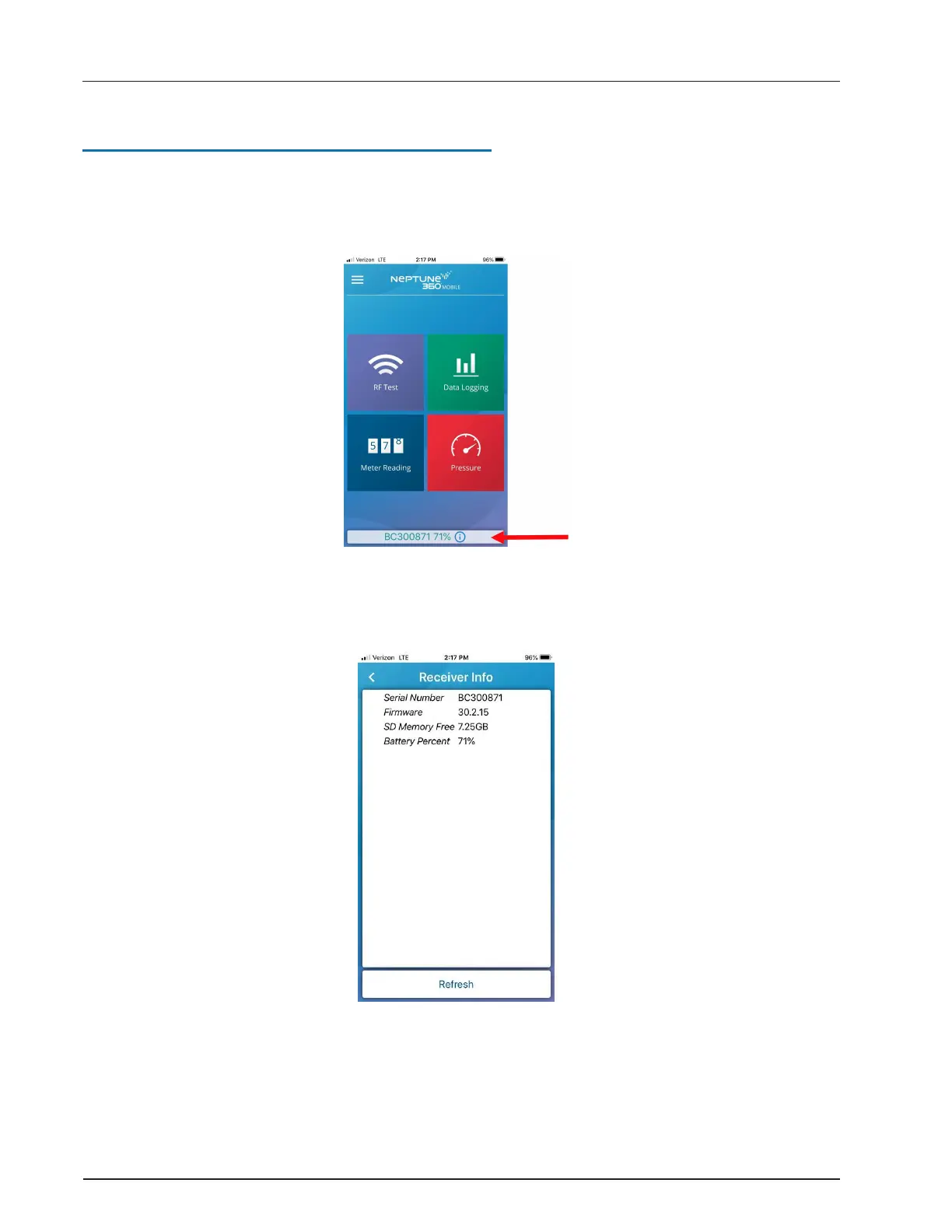
After you pair with a transceiver, you can display transceiver details on your mobile device.
1. On the Neptune 360 Mobile main menu, tap the transceiver ID at the bottom of the
screen.
Figure 7 – Transceiver ID
Neptune 360 Mobile displays the following screen showing the transceiver details.
Figure 8 – Paired Transceiver Details
R900
®
Belt Clip Transceiver Users' Guide 11
Chapter 2: Using the R900
®
BCT


 To Next Page
 Loading...
