AP4.10 E-Mail Client Setup
AP4-25
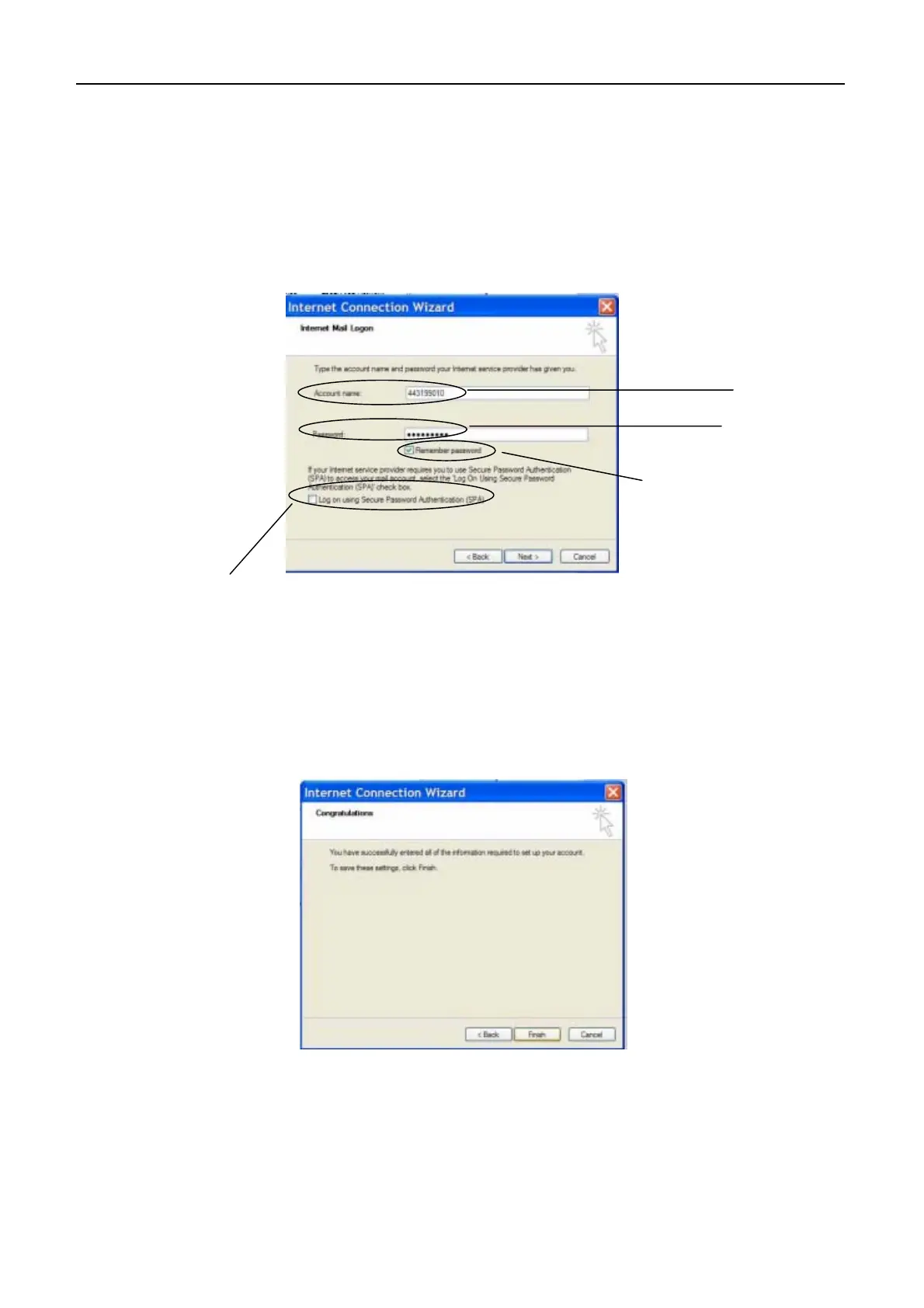
7. Set following items in “Internet Mail Login”.
- Password
8. Click “NEXT” after setting. “Congratulations” appears.
9. Click “Finish” in “Congratulations”. “Internet Accounts” appears.
Enter IMN.
Enter IMN.
Tick here.
Remove the tick.
- Account name : Enter “IMN” registered on Nera C.
: Enter “IMN” registered on Nera C.


 To Next Page