AP4.10 E-Mail Client Setup
AP4-26
10. Select “Account” name registered at step 7 in “ Internet Accounts” and click
“Properties”. “xxxx Properties” appears.
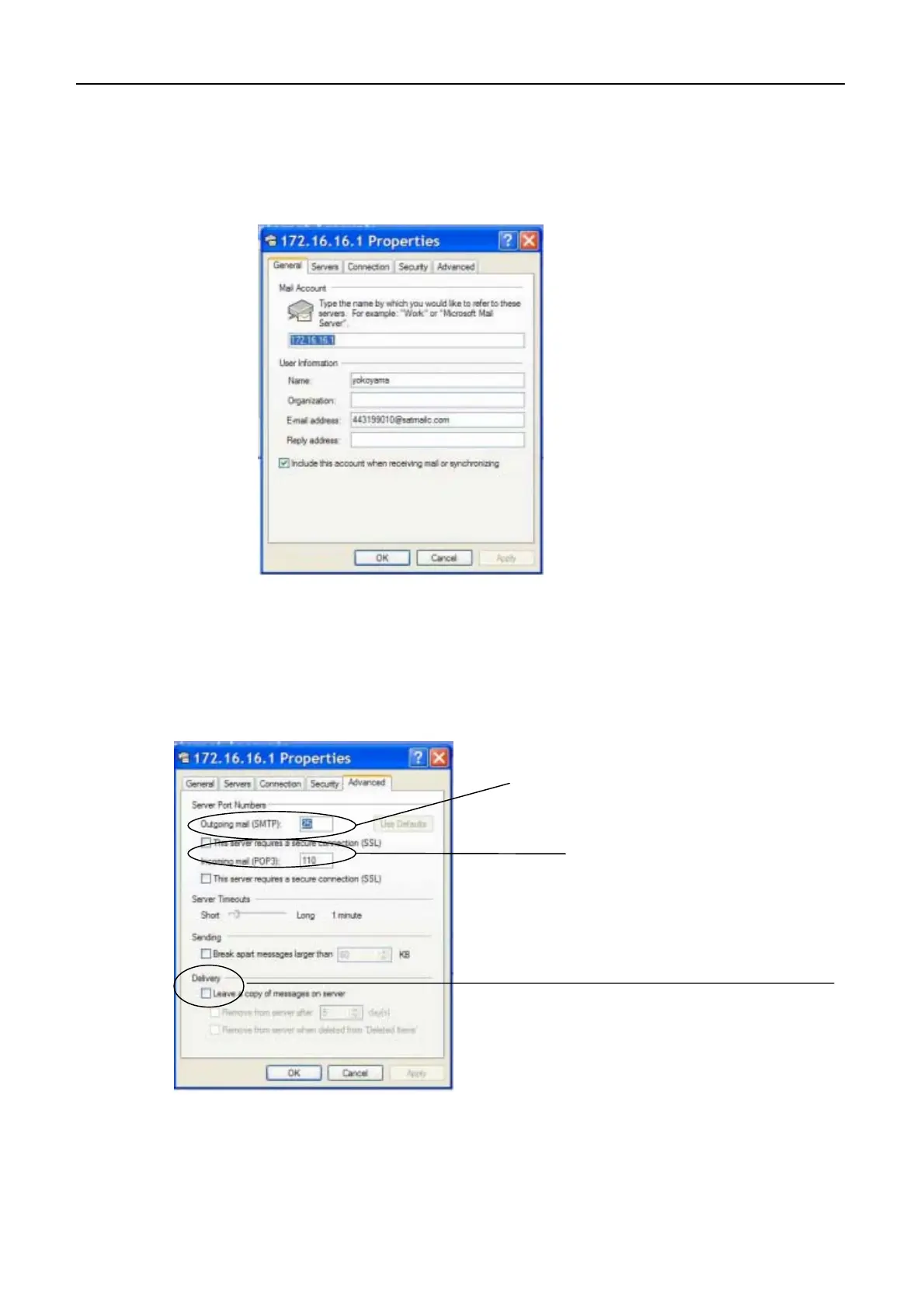
11. Select “Advanced” and set “Server Port Number” as follows. Then, click “OK”.
- Outgoing mail (SMTP) : 25
- Incoming mail (POP3) : 110
12. Select “Option” from “Tool” in “Out Look Express”. “Options” appears.
Set to 25.
Set to 110.
When the mail server is not
connected to the LAN;
Tick here when the message is receive
by more than one PC. The message i
received by other PC in the LAN.


 To Next Page
 Loading...