Saturn B – Chapter 2. Operation2.8
Selecting Ocean Region
General
Some geographic locations allow contact with more than one Ocean
Region satellite. It is recommended to choose an Ocean Region
providing good signal quality and cost-effective communication.
Use the Satellite Coverage Map in appendix A to select the Ocean
Region at your location:
Ocean Region Ref. No.
0Atlantic Ocean Region West: AOR-W
1Atlantic Ocean Region East: AOR-E
2Pacific Ocean Region: POR
3Indian Ocean Region: IOR
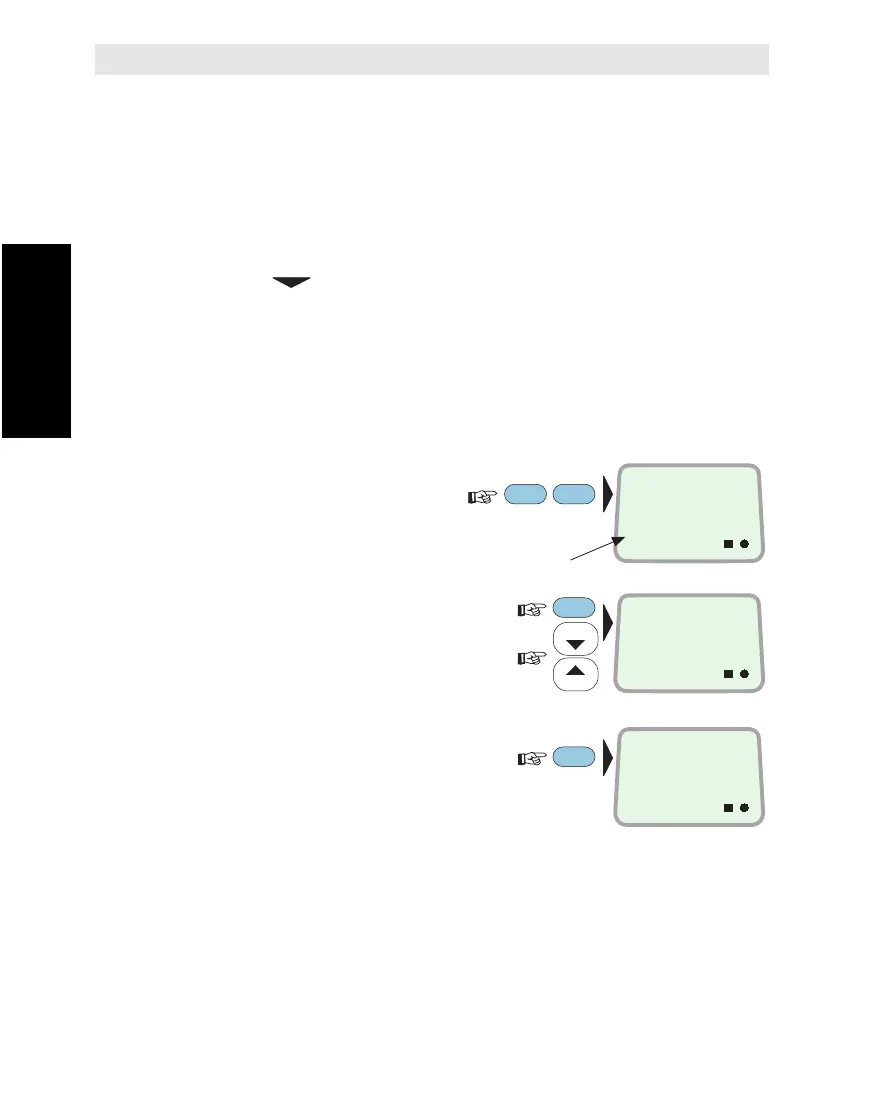
Current Region
To display the selected
Ocean Region directly:
To Modify
1Enter EDIT MODE:
and scroll up/down to
required region:
2Enter selected region
:
Note !
The antenna must be connected when selecting Ocean Region.
The function may also be fetched using the CURRENT OCEAN REGION
function no. 20.
ENTER
SHIFT
LES
PTT
ON
OCEAN REGION
AOR-W
0
ON
ENT = SELECT
IOR
3
ON
COMMAND
ACCEPTED
ENTER
LIST
LIST
Ocean Region ref. no.
Selecting Ocean Region



 To Next Page